110 Working With Multiple Objects
2001 Cheltenham Computer Training PageMaker 6.5 Intermediate
FOR USE AT THE LICENSED SITE(S) ONLY
Cheltenham Computer Training 1995-2001 - www.cctglobal.com
Locking
layers
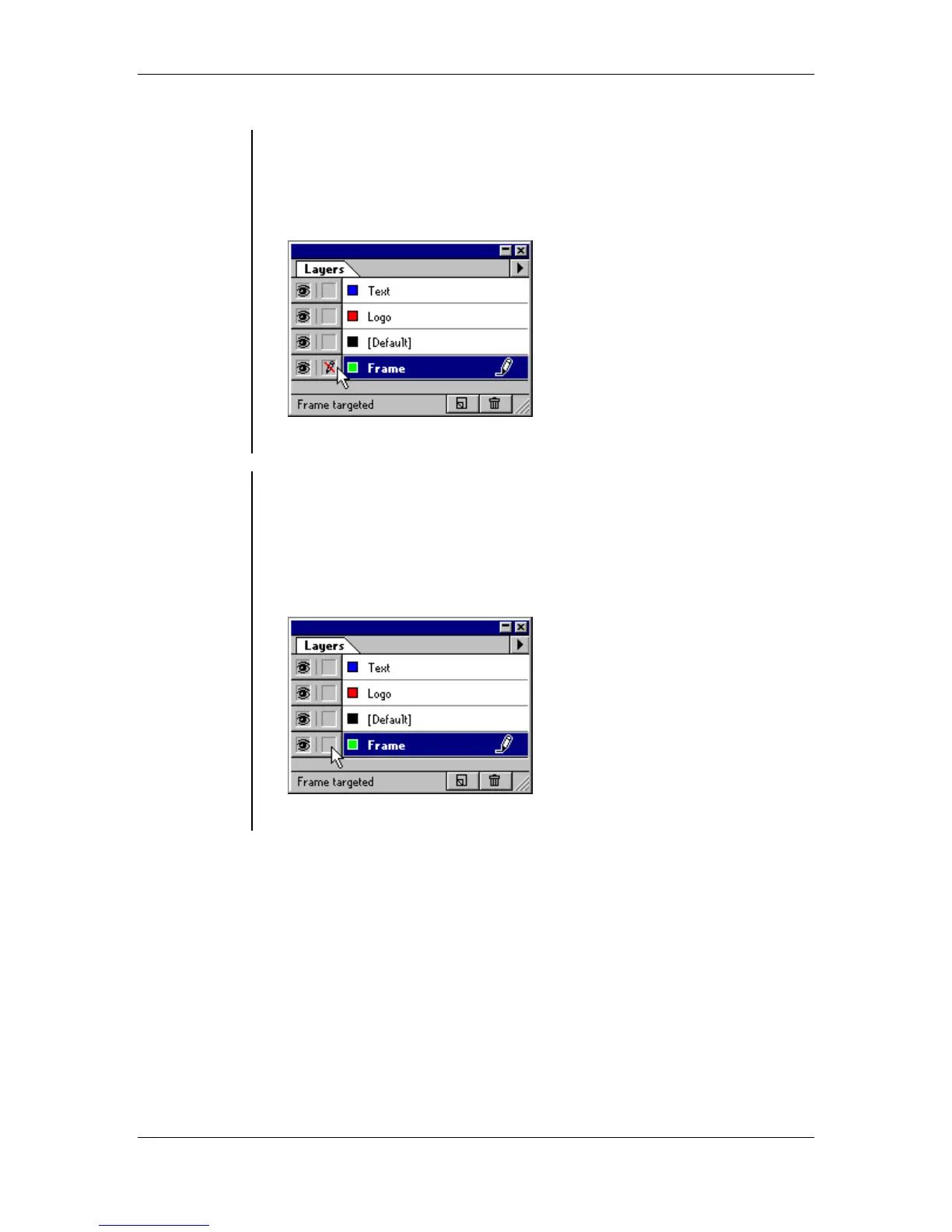
• You can Lock layers to prevent their content being edited.
To lock a layer:
• Select the layer you would like to lock.
• Click on the box to the left of the layer name on the Layers palette:
• The layer is now marked with non-editable icon.
Unlocking
layers
• In order to be able to edit the contents of a layer, you will have to
Unlock it.
To unlock a layer:
• Select the locked layer you would like to unlock.
• Click on the box to the left of the layer name again on the Layers
palette:
• The layer without non-editable icon is now unlocked.



 To Next Page