EXERCISES – PostScript Printing 45
PageMaker 6.5 Intermediate 2001 Cheltenham Computer Training
FOR USE AT THE LICENSED SITE(S) ONLY
Cheltenham Computer Training 1995-2001 - www.cctglobal.com
PostScript Printing
Printing Spreads
• Open the
Intermediate Exercises 7.p65 file from the PageMaker 6.5 Intermediate Work
Folder.
• Go to page 2.
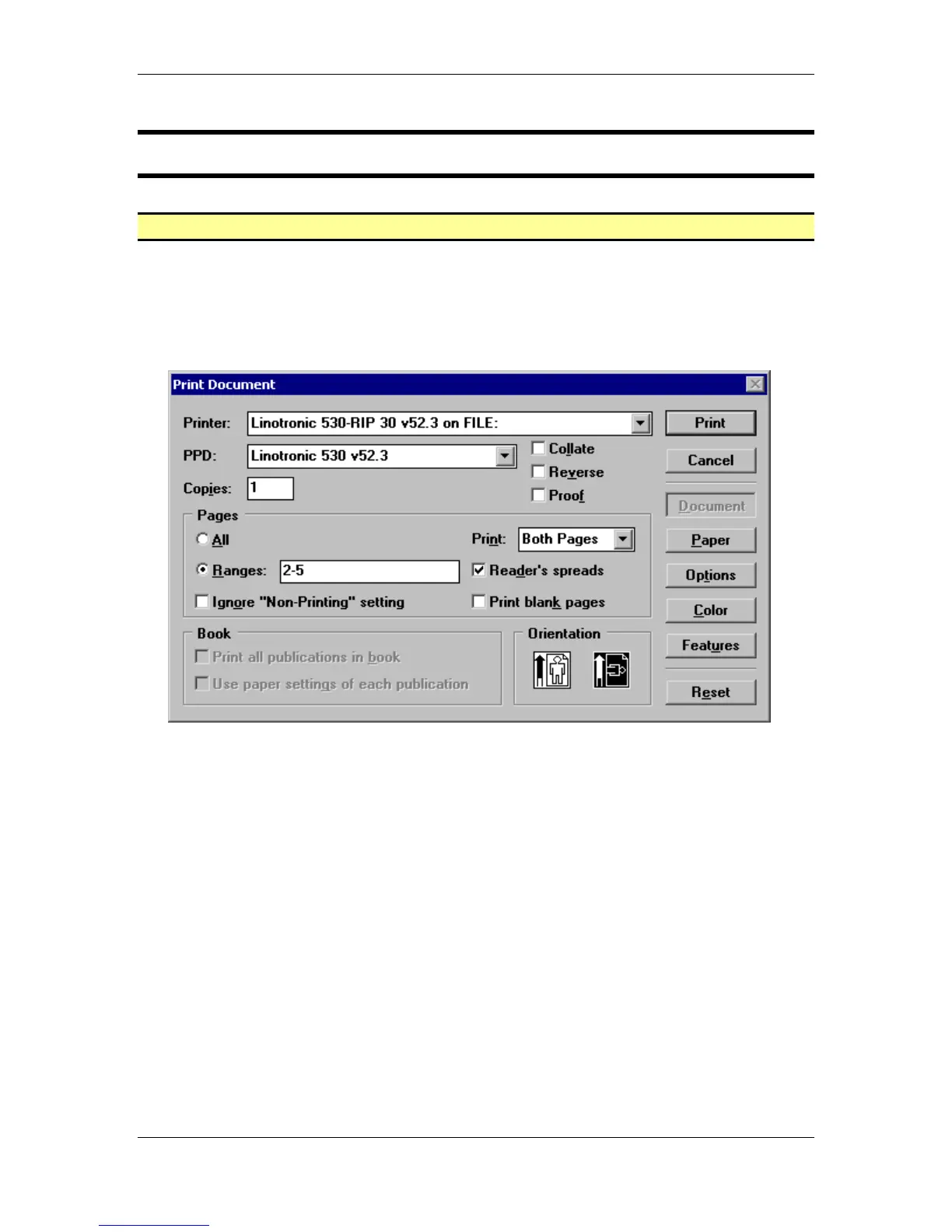
• Press the Ctrl + P key combination to open the Print Document dialog box.
• Enter the following settings into the Print Document dialog box:
Printer: Any available Postscript Printer
PPD: Any available PPD for the Postscript Printer
Copies: 1
Range: 2-5
Reader’s spreads: Checked
Orientation: Landscape
• Click the Paper button and continue with the next exercise.



 To Next Page