Libraries 13
PageMaker 6.5 Advanced 2002 Cheltenham Computer Training
FOR USE AT THE LICENSED SITE(S) ONLY
Cheltenham Computer Training 1995-2002 - www.cctglobal.com
Using the
Library
Palette menu
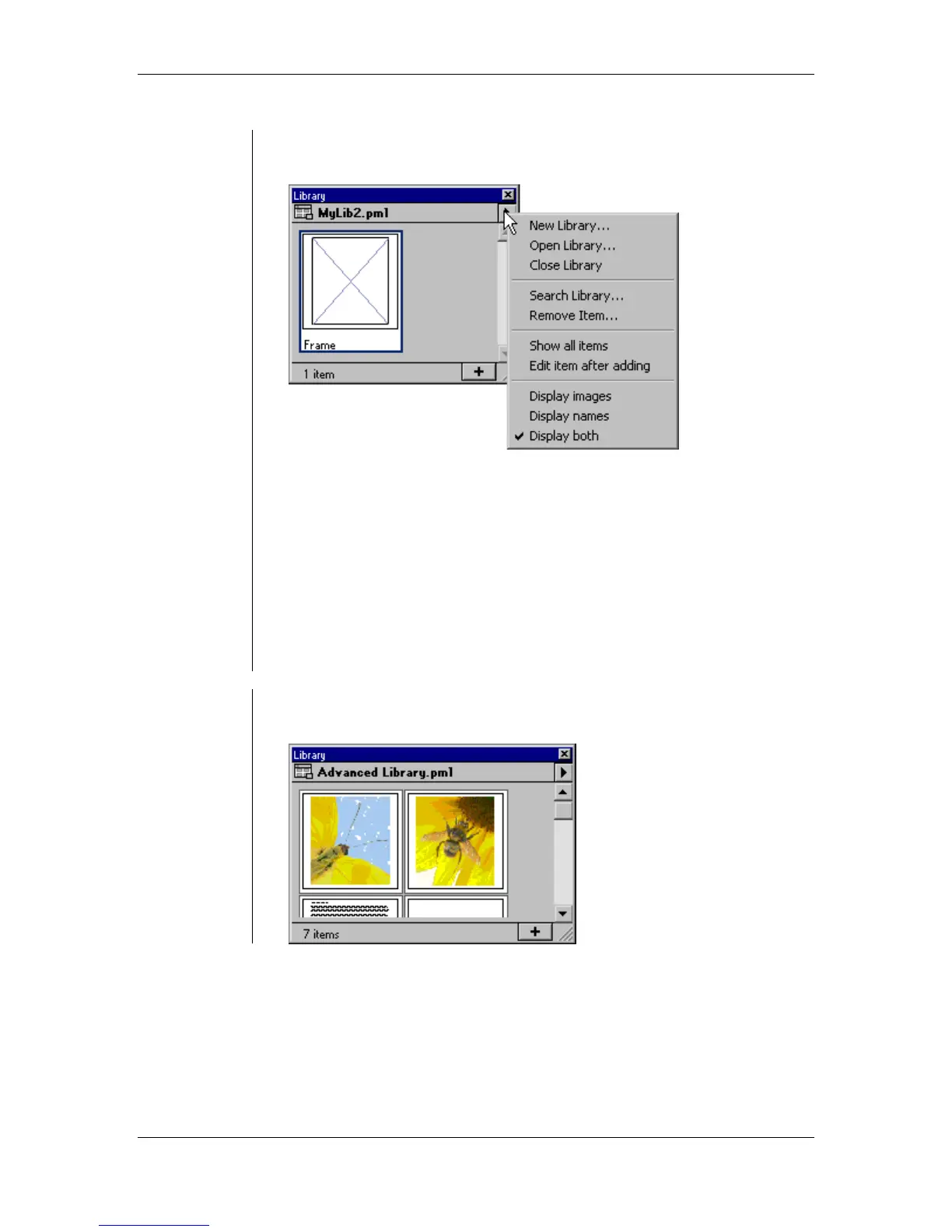
• The Library palette menu contains all the tools you need to manage
the Library palette:
The Library palette menu commands are:
• New Library - this command is used to create new libraries.
• Open Library - this command is used to open existing libraries.
• Close Library - this command is used to close the current library.
• Search Library - this command is used to search for a specific item in
the library.
• Remove Item - this command is used to delete items from the library.
• Show All Items - this command is used to display the full list of items
after you have used the search command to locate specific items.
• Edit Item After Adding - this command is used to edit the items as
soon as you place them into the library.
Using the
Library
Palette menu
Display
commands
• Display Images - this command is used to only display the thumbnail
of the items in the library:



 To Next Page