EXERCISES - Dictionary 27
PageMaker 6.5 Intermediate 2001 Cheltenham Computer Training
FOR USE AT THE LICENSED SITE(S) ONLY
Cheltenham Computer Training 1995-2001 - www.cctglobal.com
Dictionary
Adding Words
• Open the
Intermediate Exercise 4.T65
template file from the PageMaker 6.5 Intermediate
Work Folder.
• With the Pointer tool, select the fist column on Page 2.
• Press the Ctrl + E key combination to open the Story Editor.
• Press the Ctrl + L key combination to open the Spelling dialog box.
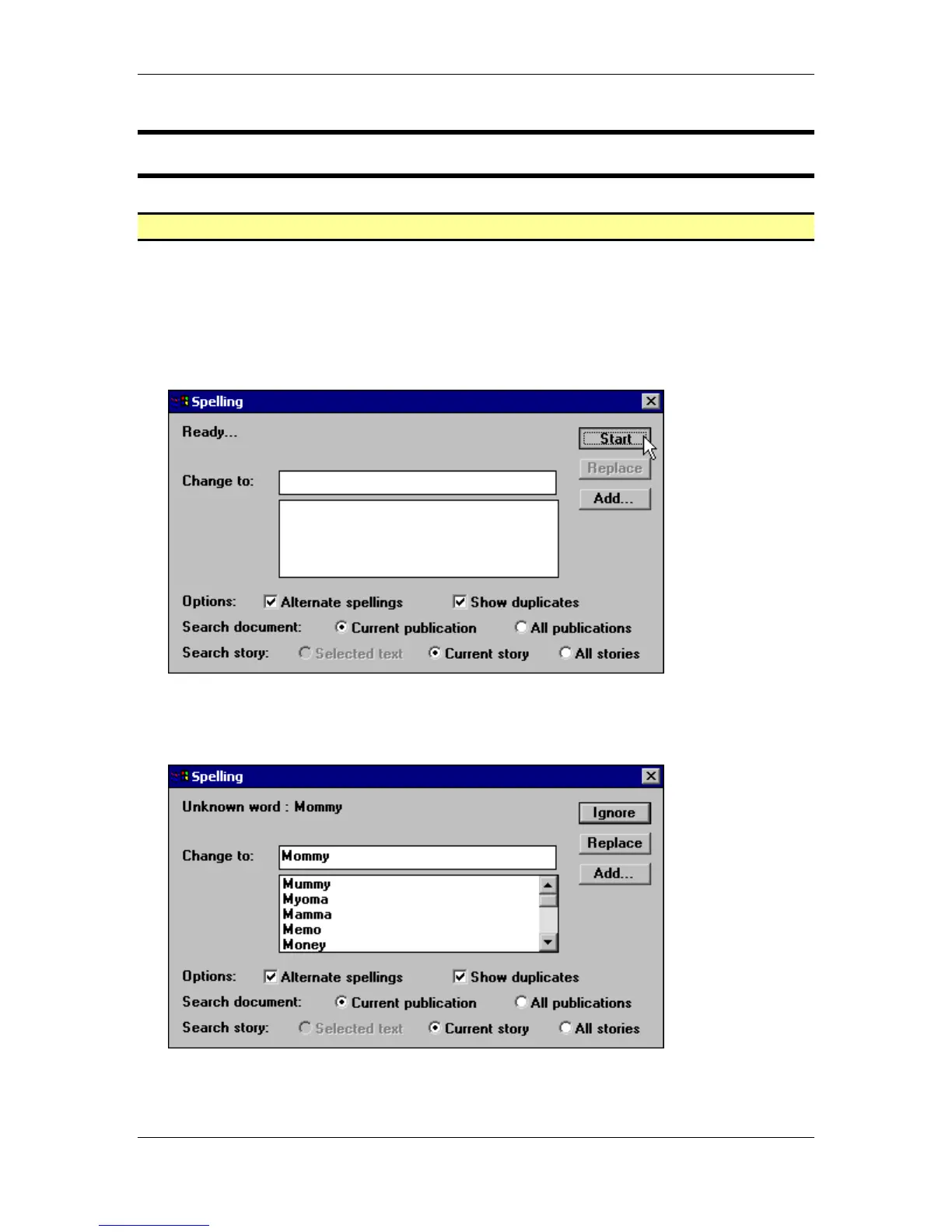
• Click the Start button in the Spelling dialog:
• If you do not see word Mommy as the first Unknown word, click the Ignore button to skip
the misspelled words until you get to the word Mommy.
• When the word Mommy appears in the Change to field, click the Add button:



 To Next Page