EXERCISE - Working on Books 5
PageMaker 6.5 Advanced 2002 Cheltenham Computer Training
FOR USE AT THE LICENSED SITE(S) ONLY
Cheltenham Computer Training 1995-2002 - www.cctglobal.com
Creating a Table of Contents
• Still in the
TOC Book1.p65
file, from the main menu, choose Utilities > Create TOC, and
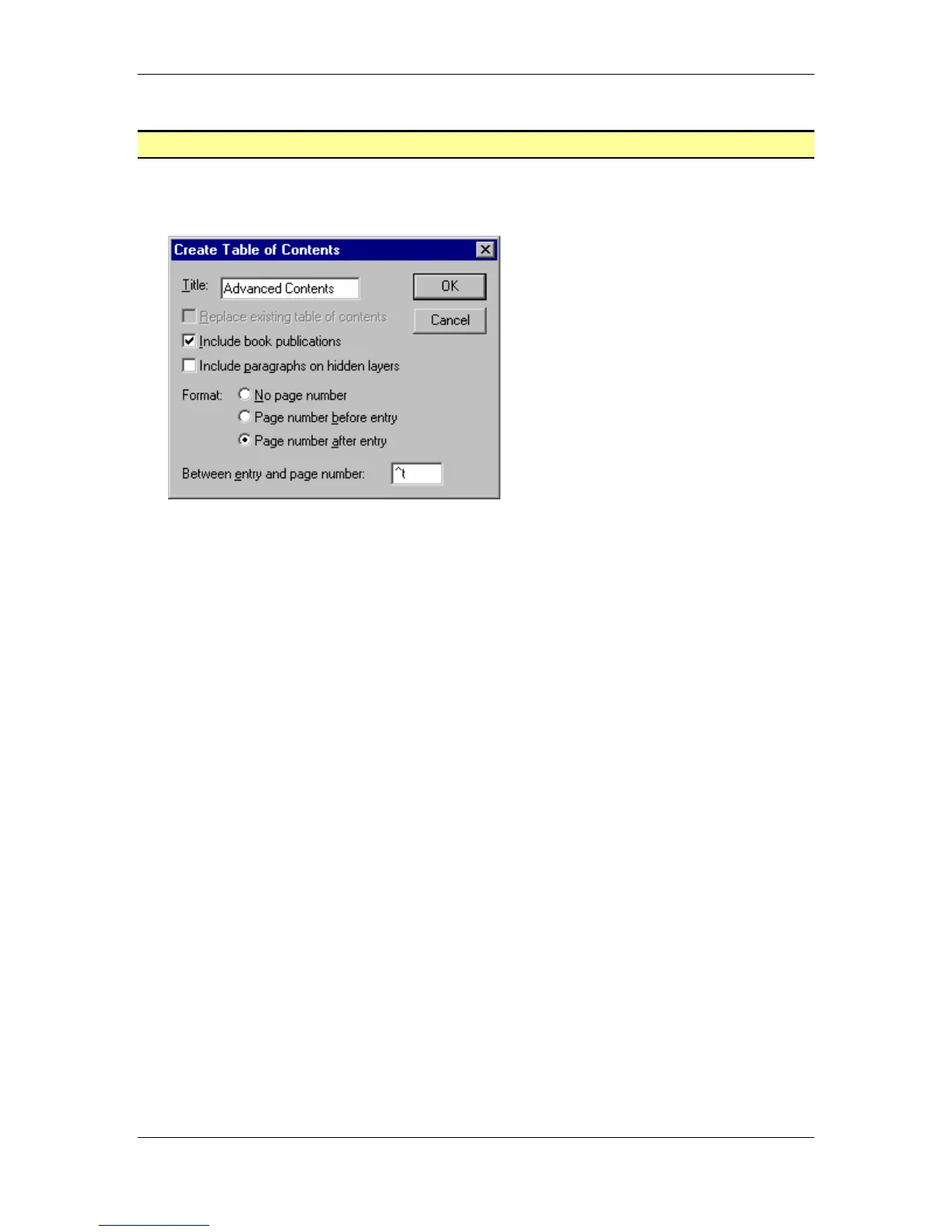
apply the following settings to the Create Table of Contents dialog box:
Title - Advanced Contents
Include book publications - Checked
Include paragraphs on hidden layers - Unchecked
Format - Page number after entry
Between Entry and Page Numbers - ^t
• Click the OK button and place the Loaded Text icon onto the page.
• Click the Ctrl + S key combination to save the publication.
• From the main menu, choose File > Close to close the document.



 To Next Page