Working With Type 45
PageMaker 6.5 Intermediate 2001 Cheltenham Computer Training
FOR USE AT THE LICENSED SITE(S) ONLY
Cheltenham Computer Training 1995-2001 - www.cctglobal.com
Using the
Style Options
dialog box
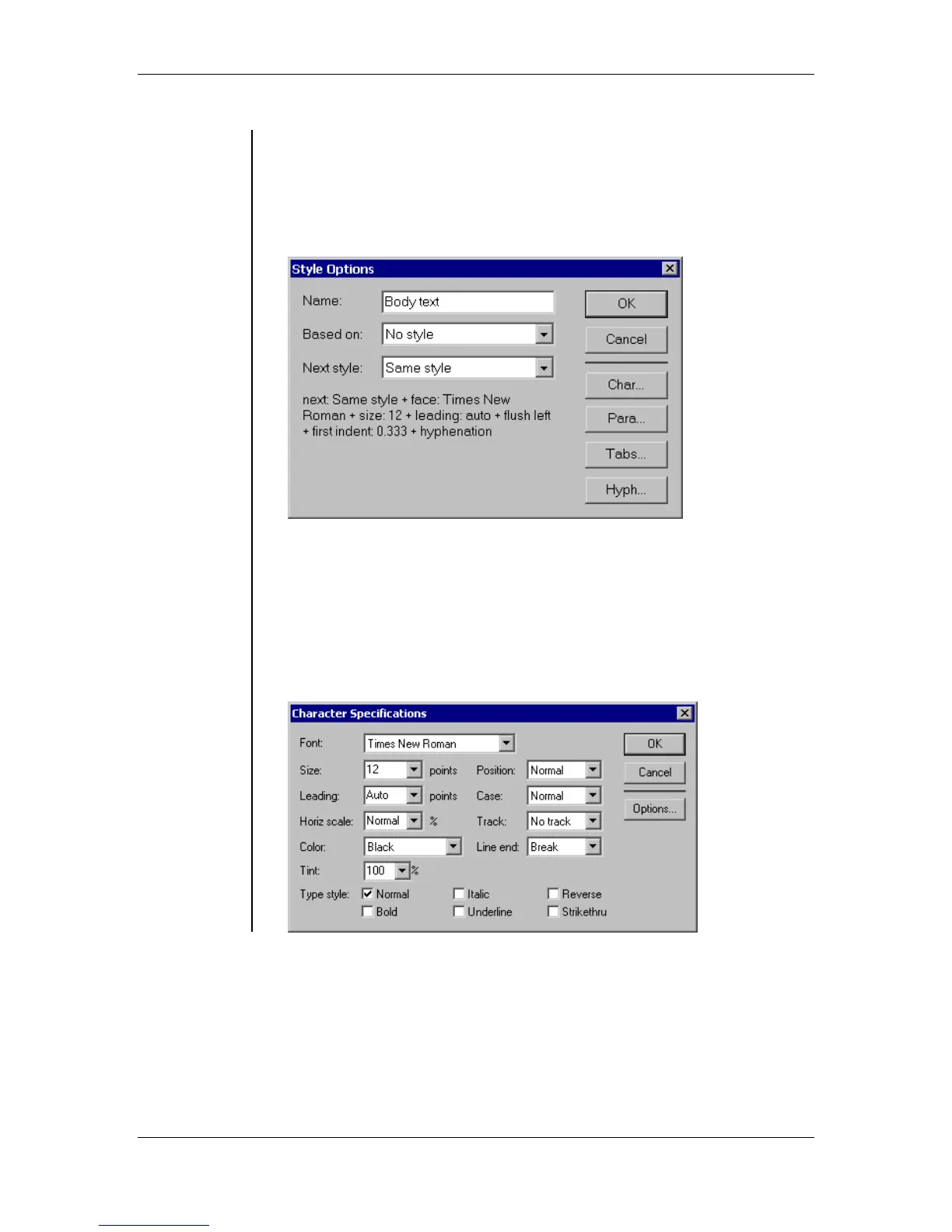
• The Style Options dialog box allows you to create and edit Styles.
To display the Style Options dialog box:
• Choose New Style from the palette menu
OR
click the New Style button
OR
choose Style Options from the palette menu:
• Name - this field used to name your styles.
• Based on - this drop-down list allows you to select currently available
styles to base your style on.
• Next style - this drop-down list allows you to select the style that will
be used by the paragraph that follows the one that you currently
working on.
• Char Button - this button will display the Character Specifications
dialog box:



 To Next Page