Working With Multiple Objects 103
PageMaker 6.5 Intermediate 2001 Cheltenham Computer Training
FOR USE AT THE LICENSED SITE(S) ONLY
Cheltenham Computer Training 1995-2001 - www.cctglobal.com
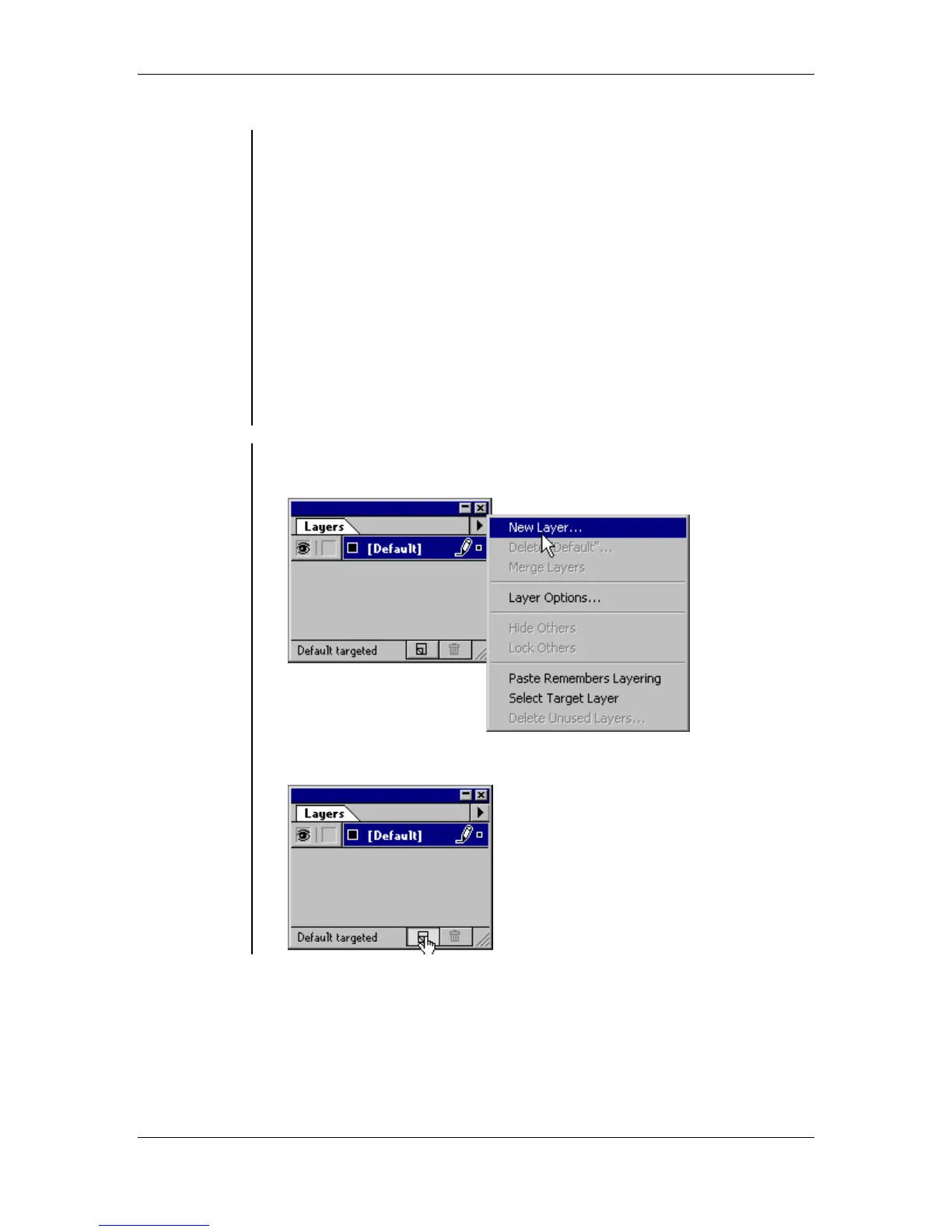
The Layers palette menu commands are:
• New Layer - this command allows you to create new layers.
• Delete - this command allows you to delete layers.
• Merge Layers - this command allows you to merge layers together.
• Layer Options - this command will display the Layer Options dialog
box.
• Show All / Hide Others - this command allows you to unhide all the
layers or hide all of the layers but the one you have selected.
• Unlock All / Lock Others - this command allows you to unlock all of
the layers or lock all of the layers but the one you have selected.
• Paste Remembers Layering - this command allows you to paste cut
or copied objects on the same layer they came from.
• Select Target Layer - this command allows you to select all objects
that are used by a selected layer.
• Delete Unused Layers - this command allows you to remove unused
layers.
Adding new
layers
To create a new layer:
• From the Layers palette menu, select New Layer:
OR
click the New Layer button:



 To Next Page