EXERCISES - Document Page Features 15
PageMaker 6.5 Intermediate 2001 Cheltenham Computer Training
FOR USE AT THE LICENSED SITE(S) ONLY
Cheltenham Computer Training 1995-2001 - www.cctglobal.com
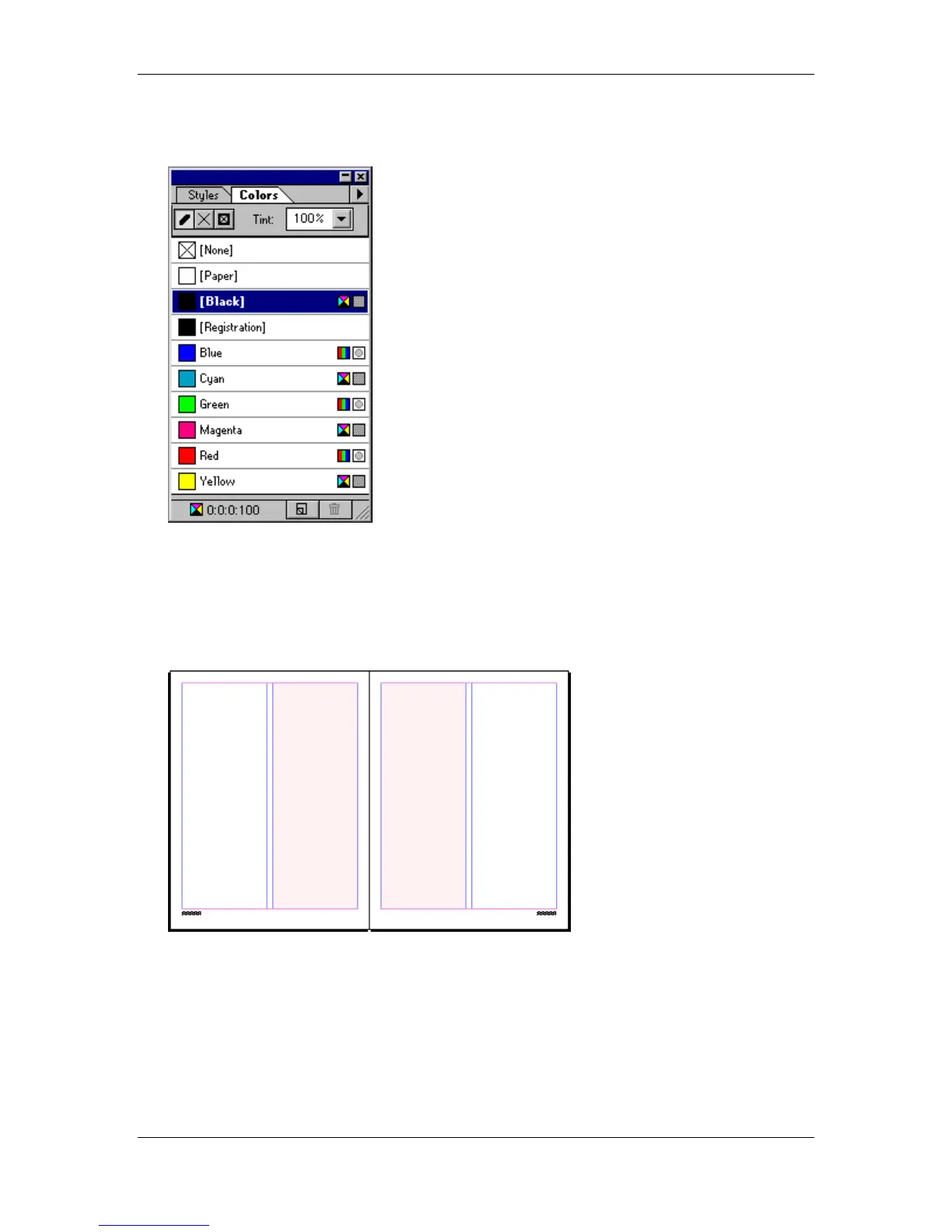
• Press the Ctrl + J key combination to show the Colors palette:
• Fill the box in Red.
• From the Tint drop down list, choose a 10% tint.
• Fill the Stroke in None.
• Select the Pointer tool.
• Click and drag a duplicate box (using the Ctrl + Alt key combination) to the left column of
the Right Master Page:
• Hide the Colors and Master Pages palettes.
• Click on the Page 6/7 icon.
• Save your progress.



 To Next Page