24 Working With Type - EXERCISES
2001 Cheltenham Computer Training PageMaker 6.5 Intermediate
FOR USE AT THE LICENSED SITE(S) ONLY
Cheltenham Computer Training 1995-2001 - www.cctglobal.com
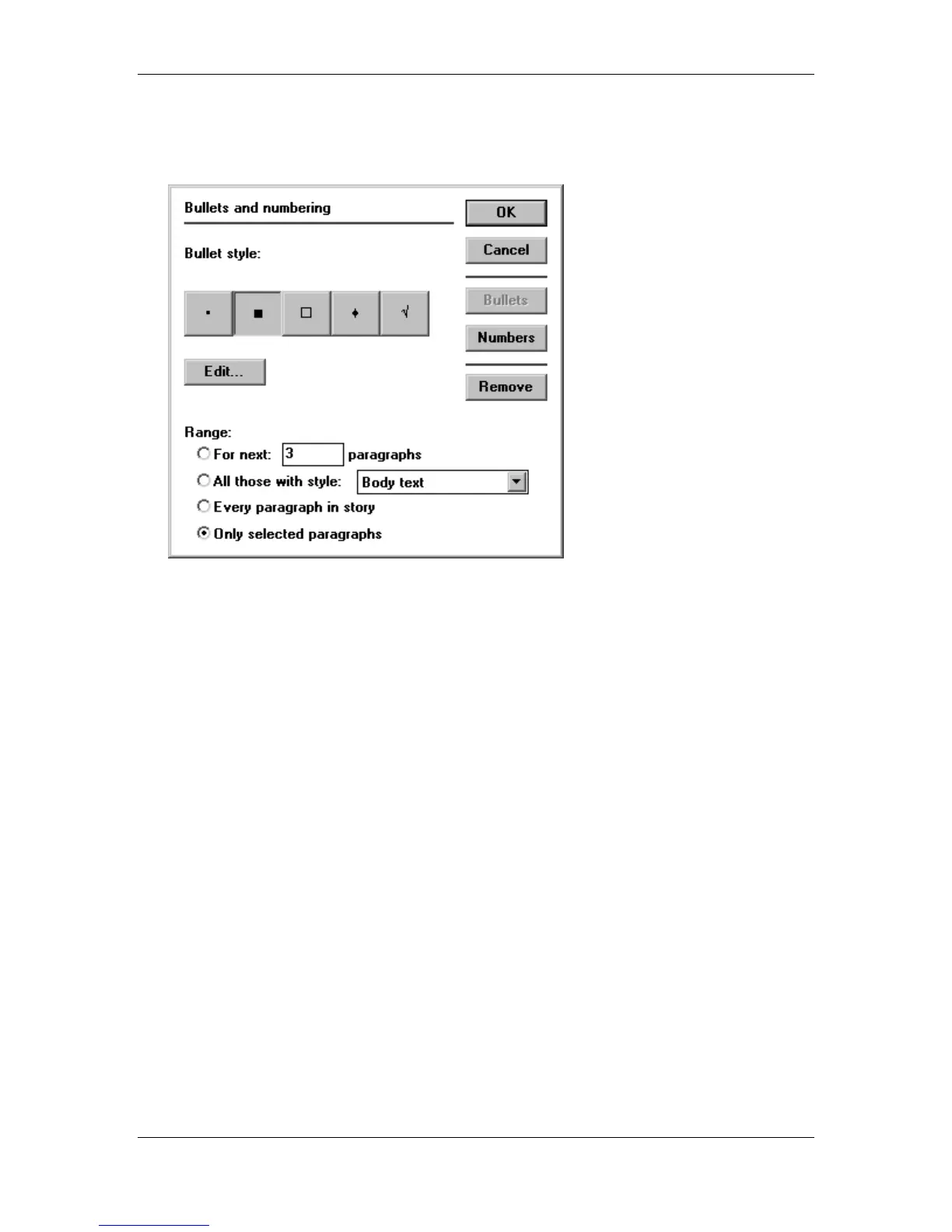
• Enter the following settings into the Bullets option of the Bullets and Numbering dialog box
and OK:
• Save your progress.
• Press the Shift + Ctrl + S key combination.
• Save the publication as a Template file in the PageMaker 6.5 Intermediate Work Folder.
• Close the publication.
• Open the
Intermediate Exercise 3.p65
and
Intermediate Exercise 3.T65
files from the
PageMaker 6.5 Intermediate Samples folder to see an example.



 To Next Page