Advanced Type 55
PageMaker 6.5 Advanced 2002 Cheltenham Computer Training
FOR USE AT THE LICENSED SITE(S) ONLY
Cheltenham Computer Training 1995-2002 - www.cctglobal.com
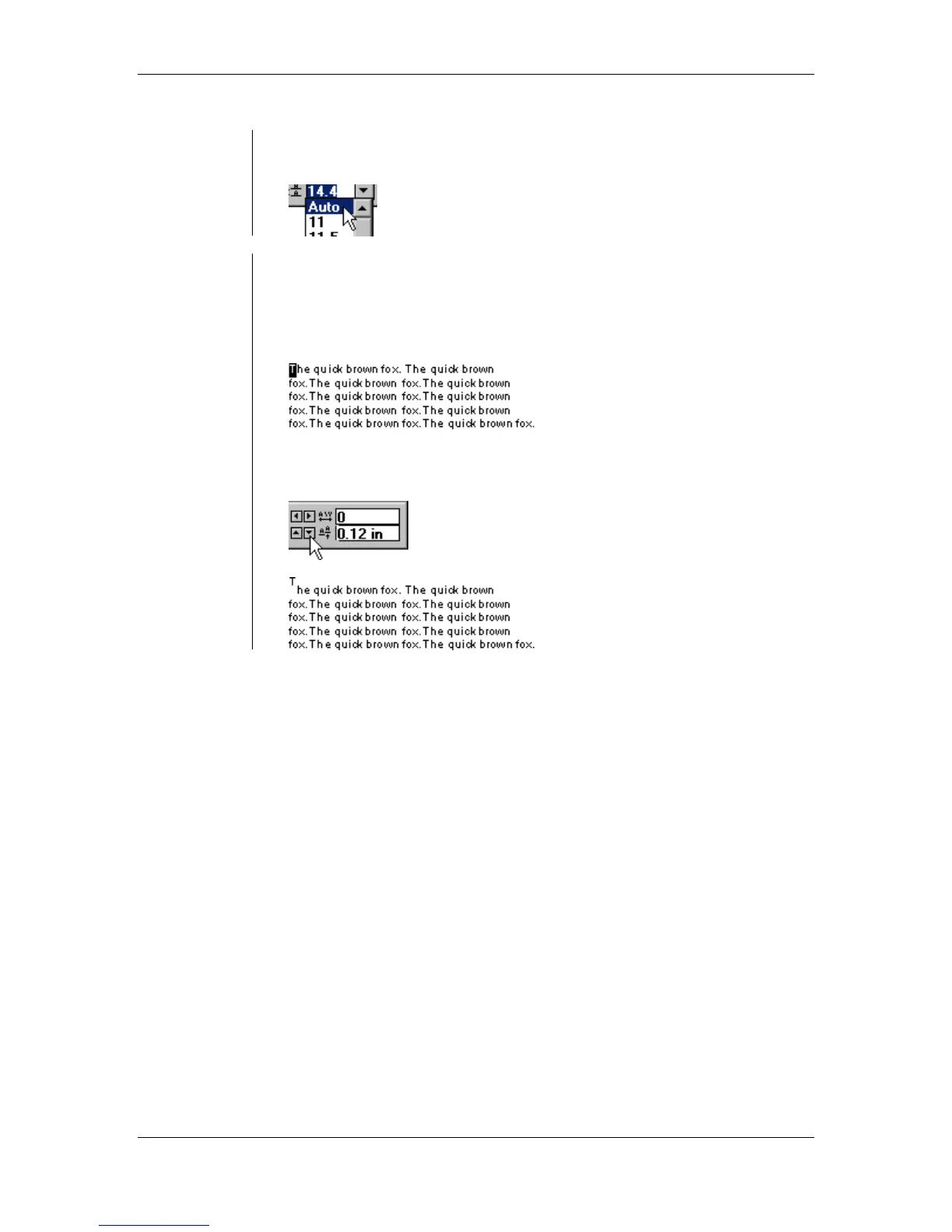
• You can also select the auto leading to have it automatically adjust
the space within each line:
Using the
Baseline Shift
• Using the Baseline Shift allows you to adjust the Vertical alignment
of a specified character.
To use the Baseline Shift:
• Select the character(s) that you would like to shift:
• Use the Nudge arrows to specify how much you would like to adjust
your character(s):



 To Next Page