Radio Test Instruments
Subject to Export Control, see Cover Page for details.
7-10
[Sweep Time] Soft Key
The Sweep Time setting defines how quickly trace data is acquired and updated to the display.
This setting must be fast enough to provide quick measurement results, but slow enough to allow
the power values at each point to be measured. When set to AUTO, the Test Set optimizes the
Sweep Time. When set to MANUAL, a defined Sweep Time setting can be selected from the
drop-down menu or an arbitrary value can be entered by selecting the Sweep Time data field.
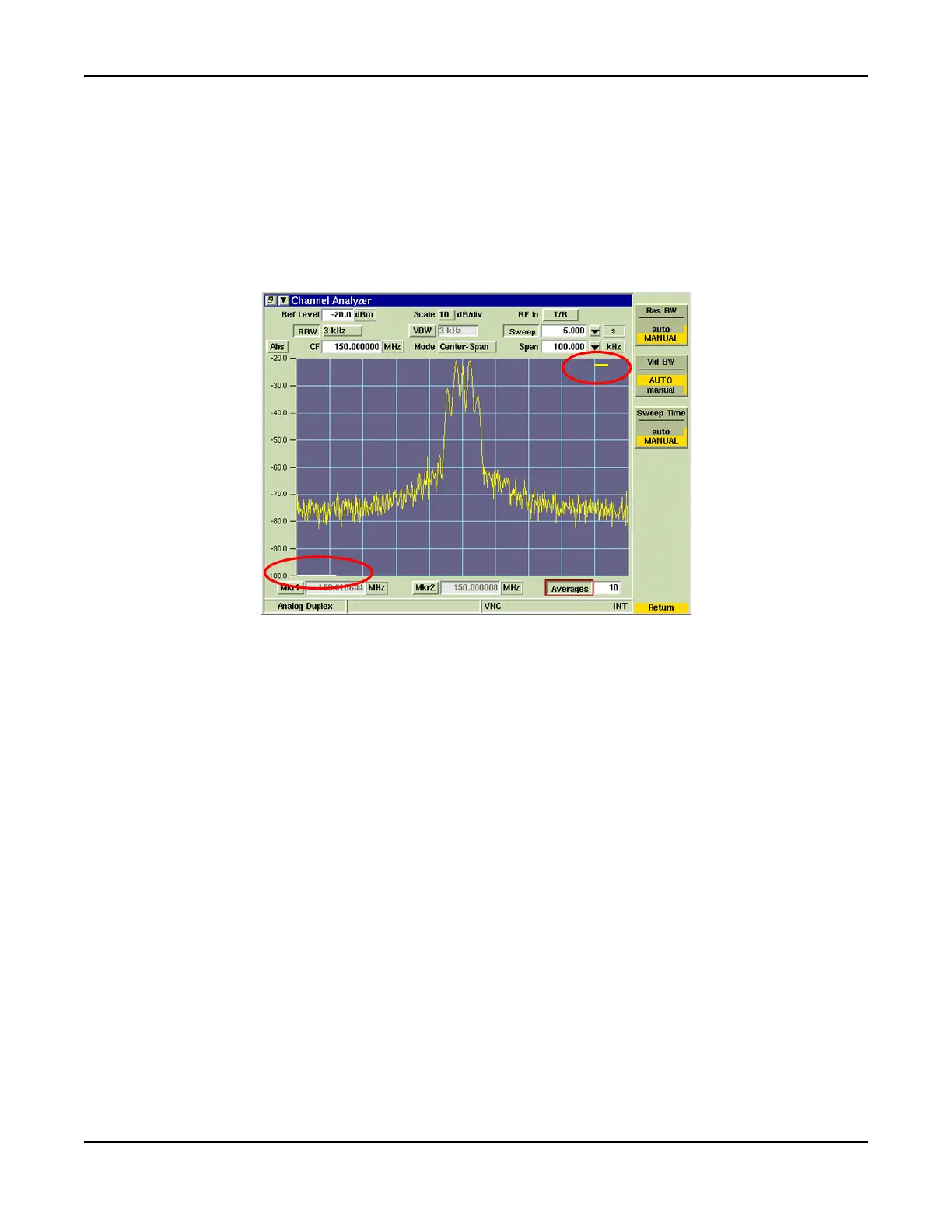
When Sweep Time is set to 1 second or longer, a white progress bar is shown across the bottom
of the graph field while the sweep is accumulating as shown in Fig. 7-11. The yellow progress
bar at the upper right corner of the graph field is the average progress indicator.
Fig. 7-11 Channel Analyzer Sweep and Averaging Progress Bars













 To Next Page