Test Set Operation
Subject to Export Control, see Cover Page for details.
3-20
Numeric Output Field
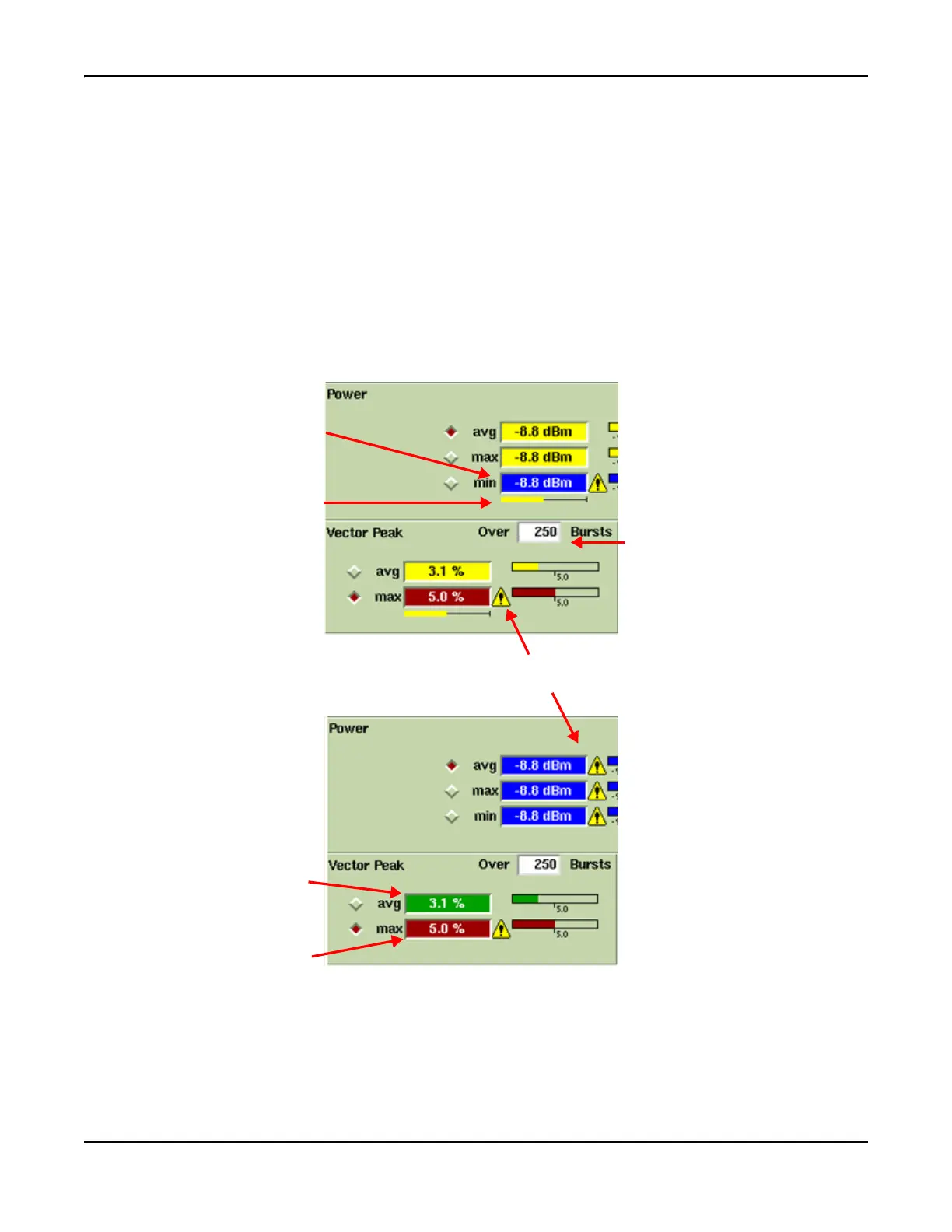
The annotated illustration in Fig. 3-15 provides an example of a numeric output field on a
TETRA MS System Tile. In this example, the measurement title is shown to the left of the
numeric output field. The measurement value and the units of measurement are displayed
inside the field.
When test limits have been set, an alarm symbol ‘!’ appears to the right of the field when a
measurement is outside the set limits.
A measurement value that is within specified limits is shown in white on a GREEN ground.
A measurement value that is above an upper set limit is shown in white on a RED ground, with an
alarm symbol ‘!’ shown to the right of the field.
A measurement value that is below a set lower limit is shown in white on a BLUE ground, with an
alarm symbol ‘!’ shown to the right of the field.
Fig. 3-15 Numeric Output and Limit Settings Readouts
A progress bar is shown below the results during data accumulation. For some measurements a
bar graph also shows the result relative to the pass or fail limit or to the upper and lower limits
as appropriate. A radio button is displayed next to some measurements so the measurement can
be selected for display when the Tile is minimized.
Number of samples
being taken for
measurement.
Completed readings below
set lower limit.
Reading below set limit
before sampling complete.
Accumulate
progress bar.
Reading exceeds set limit
before sampling complete.
Indicates reading is
outside of set limit.
Completed avg reading
within set limit.
Completed max reading
exceeds set limit.
Reading Accumulating
Reading Complete













 To Next Page