Using Front Panel Buttons
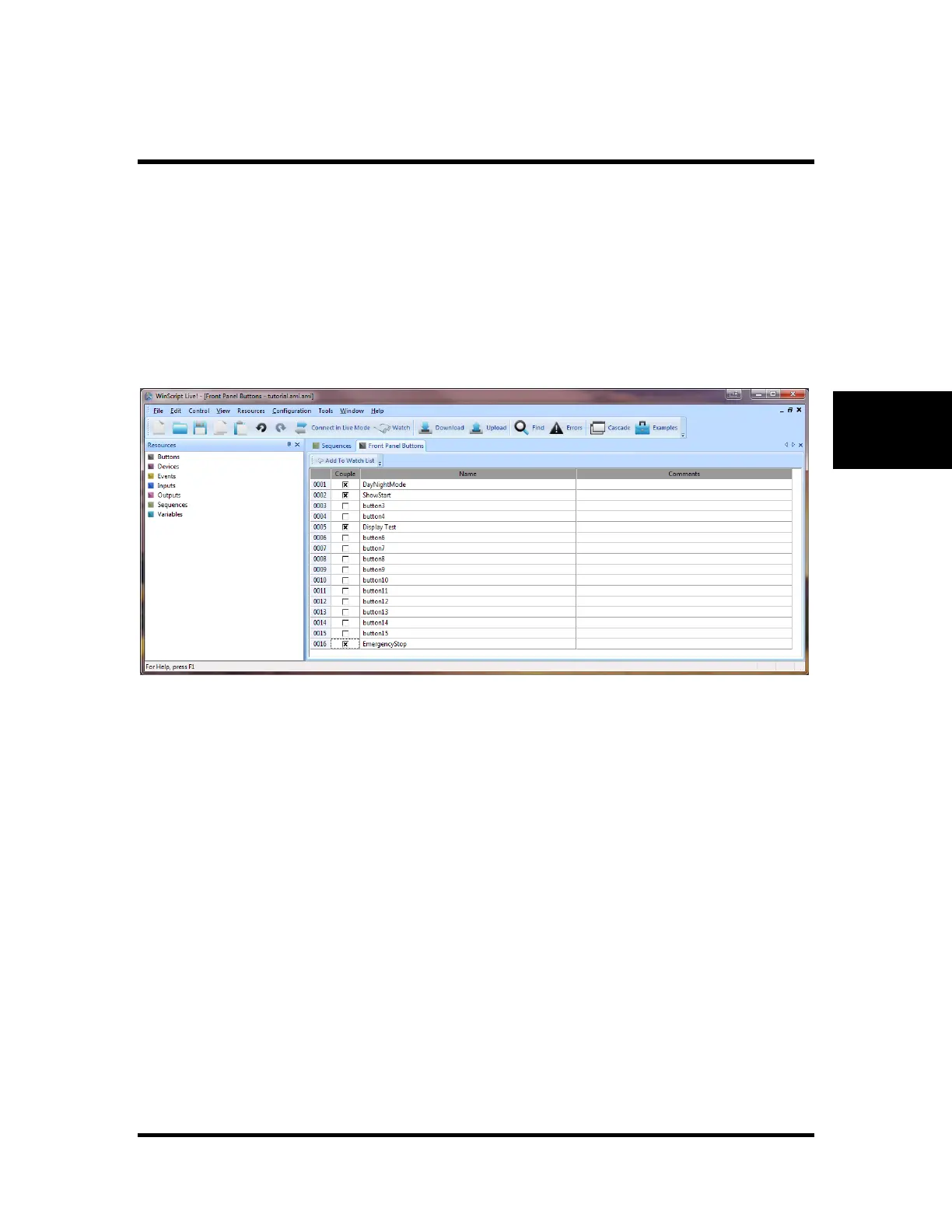
The front panel buttons are configured by WinScript Live software. Select Resources command from the
main menu bar then select Buttons. The window shown below will open and the user has the option of
editing button parameters. Notice the Button name may be changed as well as adding comment to describe
the function.
The front panel buttons on the V16Pro are not, by default, connected to the associated back panel input
with the same number. In fact the front panel buttons are completely independent inputs. If the
programmer needs to connect the front panel button to the back panel input with the same number the
programmer need only select the "Couple" option in the "Front Panel Buttons" form shown below. This
will make the V16Pro input hardware automatically behave the same way as the V16, allowing for drop-in
replacement. WinScript Live gives the programmer control to program the front panel buttons as needed.
Figure 5 - Buttons View



 To Next Page