WEB Server Quick Start Page 150
Web Server Configuration
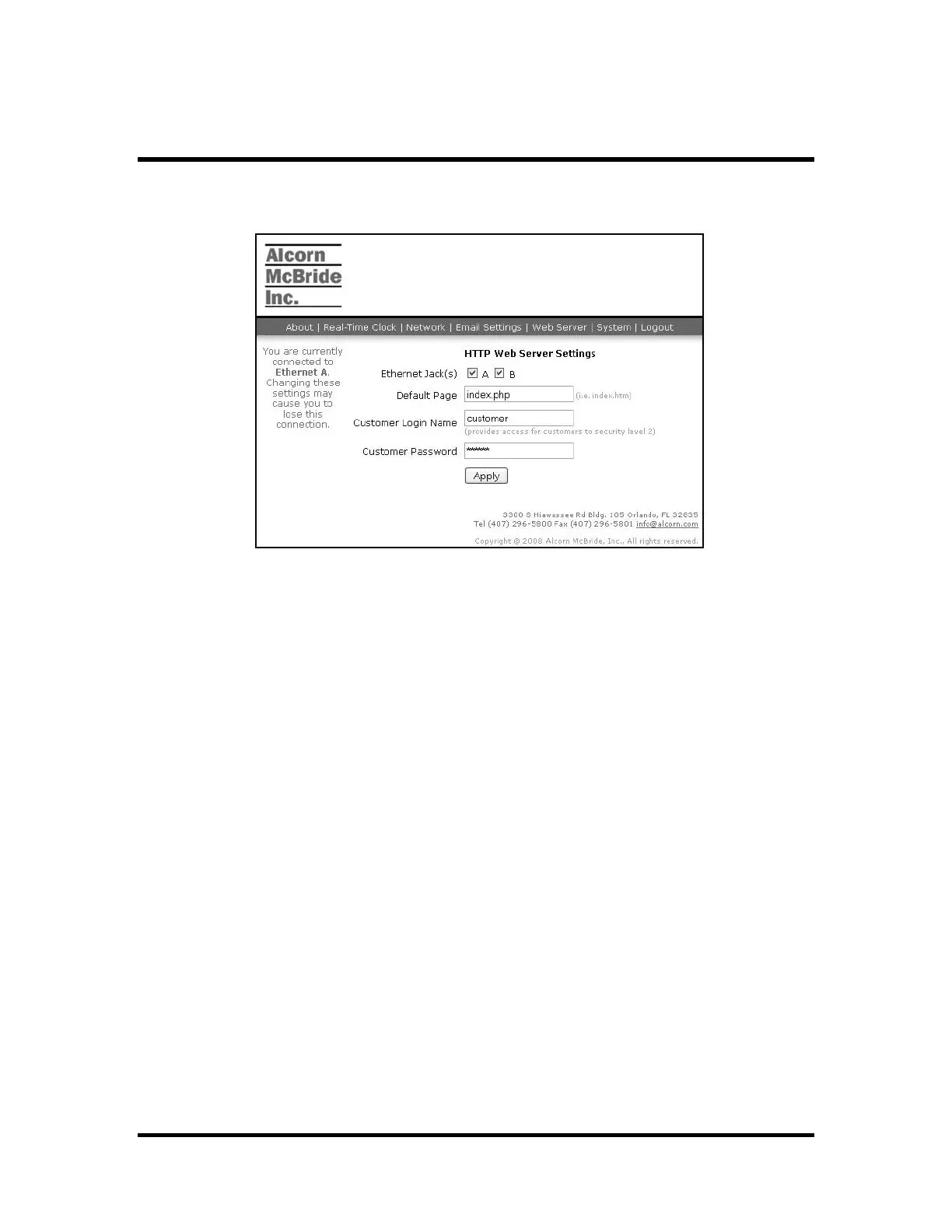
The web server can be enabled or disabled on any of the Ethernet ports. Follow the
Quick Start section to login to the administrator web pages and display the Web Server
Settings as shown:
Ethernet Jack(s) – use these checkboxes to enable or disable the web server on the
specified ports.
Default Page – this value specifies the page that will load when no page is specified by
an HTTP request
Customer Login Name – a login that only provides access to web pages for the
customer. This name and password cannot access show controller settings unless web
pages are created specifically for this purpose.
Customer Password – the password for the customer login



 To Next Page