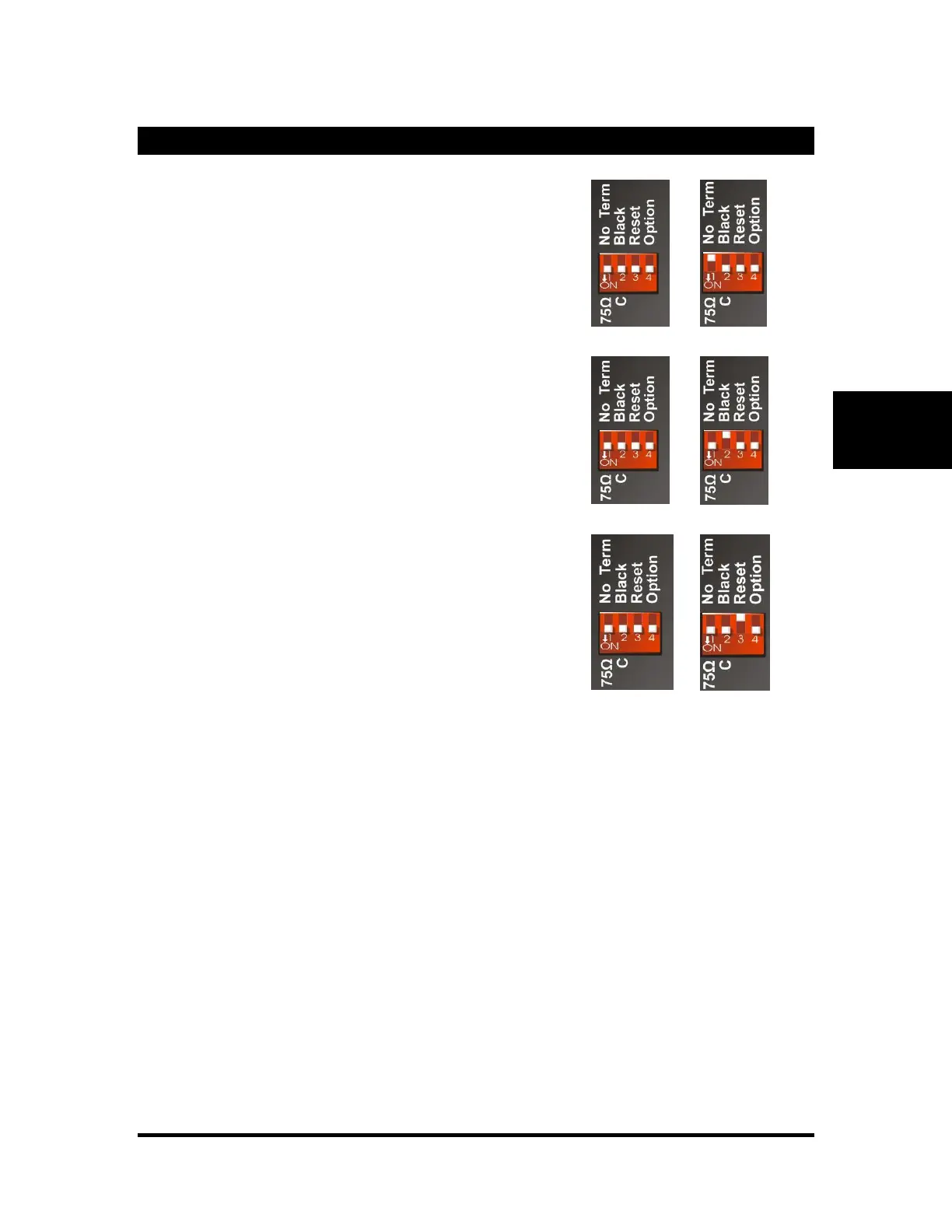
75Ω Termination
The first switch is used to terminate the sync input connector. Down
(ON) will apply 75Ω termination. Up (OFF) will remove this
termination.
Sync
The second switch configures the V16Pro to receive either
Blackburst or Composite Sync (C-Sync). Down (ON) will configure
for C-Sync. Up (OFF) will configure for Blackburst.
Reset
will restore certain settings back to factory defaults. These settings
include: IP Address, Front Panel Password, Date/Time and related
time zone configuration, NTP, SMTP, E-mail Settings, and Script
Variables stored using "Save Variable."
To apply the reset, flip the switch up into the "OFF" position. Leave
in this position for about 1 minute. Flip the switch down again and
power-cycle the V16Pro.
Note: Script Variables take the longest to clear. After a few seconds,
most settings will be cleared to defaults.



 To Next Page