This feature can be used with the IO64, V16+, V4+, V2+ and the Interactivator. However, other types of IO
can be integrated in this fashion by creating the appropriate protocol file.
Note: In order to get the "on" or "off" status of the Slave IO, an .amw script file must be sent to show
controller using WinScript (Standard, not Live). The corresponding .amw script files can be found under
the "Scripts" directory of the C:\Program Files\Alcorn McBride Inc\WinScriptLive\Scripts.
Modbus TCP Slave Inputs
Modbus TCP is a standard protocol used for many IO device modules. Any IO device capable of using
ModbusTCP can have its IO controlled as if it was IO internal to the V16/V4Pro. So far, Beckhoff IO and
Avantech Adam-6000 series IO have protocol files available. Please contact support if you have a
ModbusTCP IO device you would like to control.
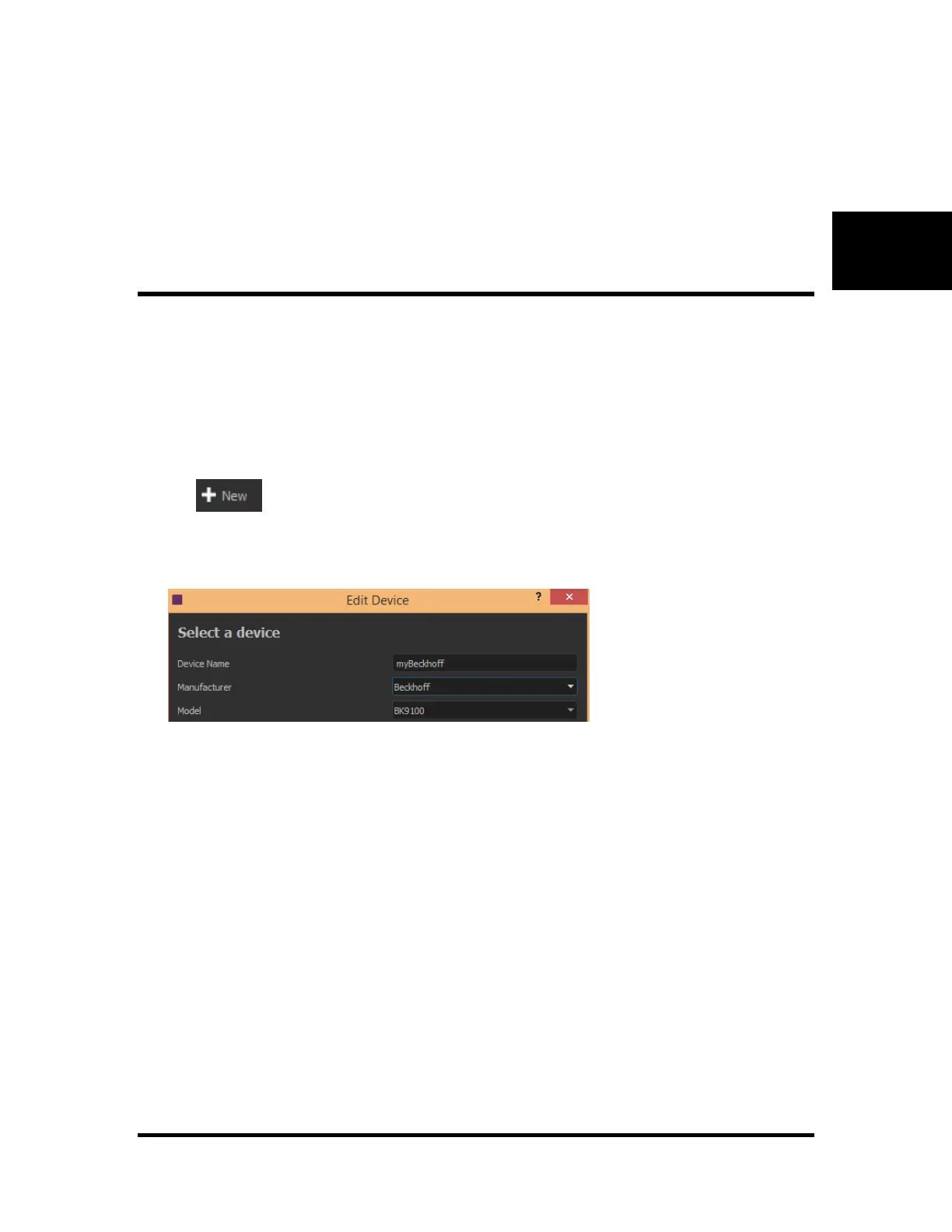
The following example will demonstrate how to setup a Beckhoff BK9100 for control by the V16/V4Pro.
1. Add the IO module to the "Devices" list by clicking the "Add" button in the "Devices" window.
2. Enter a name such as "MyBeckhoff"
3. Select the Make, Model and version of the IO
4. Enter the IP Address information, the V16/V4Pro Ethernet port you would like to use, and make
sure the protocol is set to "Slave IO"



 To Next Page