WinScript Live Timecode
(SMPTE/EBU)
The following section will explain the different ways to configure global timecode (SMPTE/EBU) settings
for the show controller using WinScript Live. For information on timecode settings for a particular
sequence, see Sequence Clock on page 14.
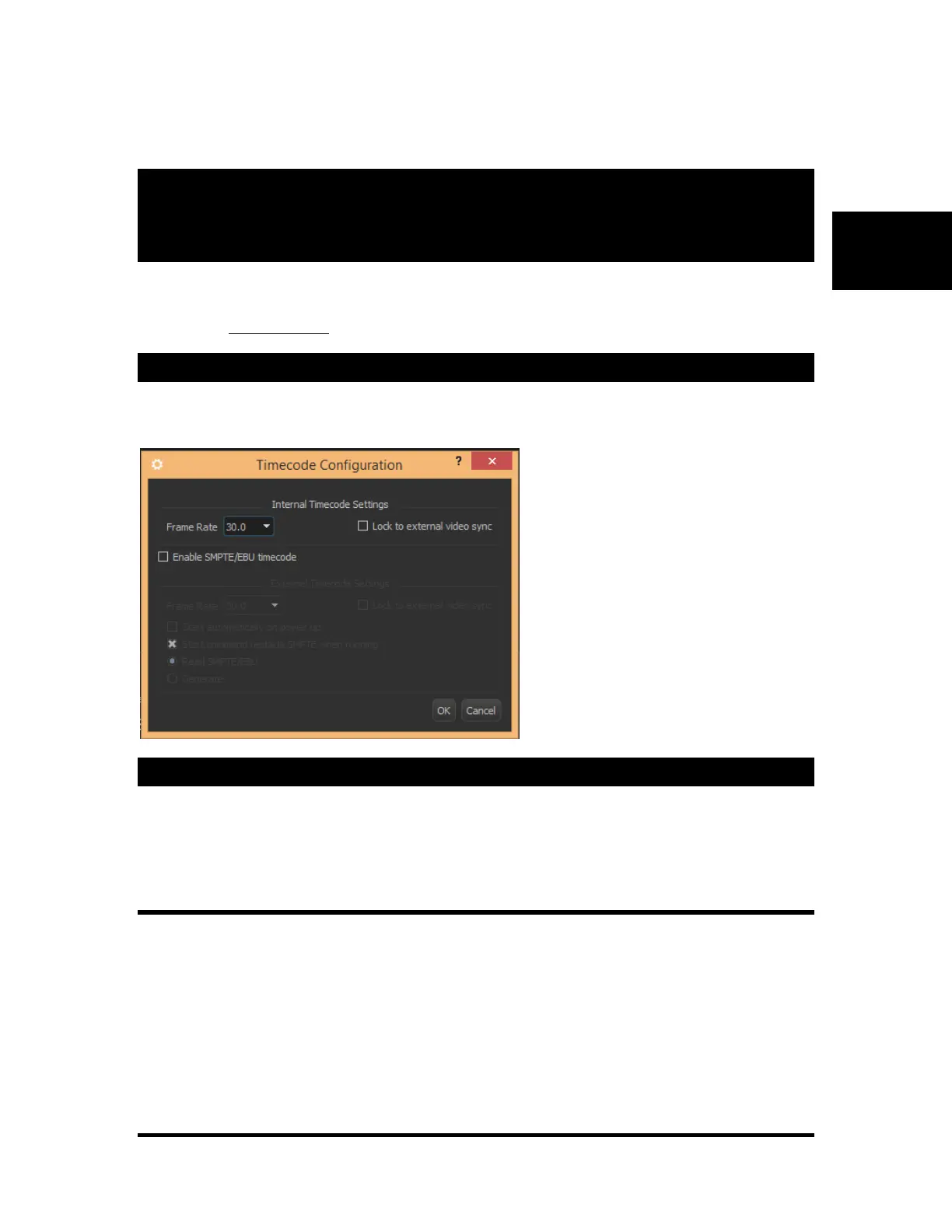
Display the Timecode Configuration Dialog
From the menu, go to “Configuration” and select “Timecode”
The following dialog appears.
Internal Timecode Settings
The internal clock frame rate settings determine what rate a sequence’s timecode will increment. The
following frame rates can be used: 23.976, 24, 25, 29.97, 30D (drop), and 30fps.
Lock to External Video Sync
Locking to an external sync source can help keep your show perfectly timed with external devices such as a
video player. The Alcorn McBride’s A/V Binloop HD is an example of a device that can also accept a
Video Sync input from a Blackburst generator.
When using an external sync source such as a Blackburst or C-Sync generator, the show controller’s
internal clock can be matched to that generator’s frame rate. Consequently, only 23.976, 25, and 29.97fps
are available when this mode is selected. A yellow LED on the front and rear of the show controller
indicates when the unit is receiving an incoming sync signal.



 To Next Page