WinScript Live Command Reference Page 82
Timecode Start
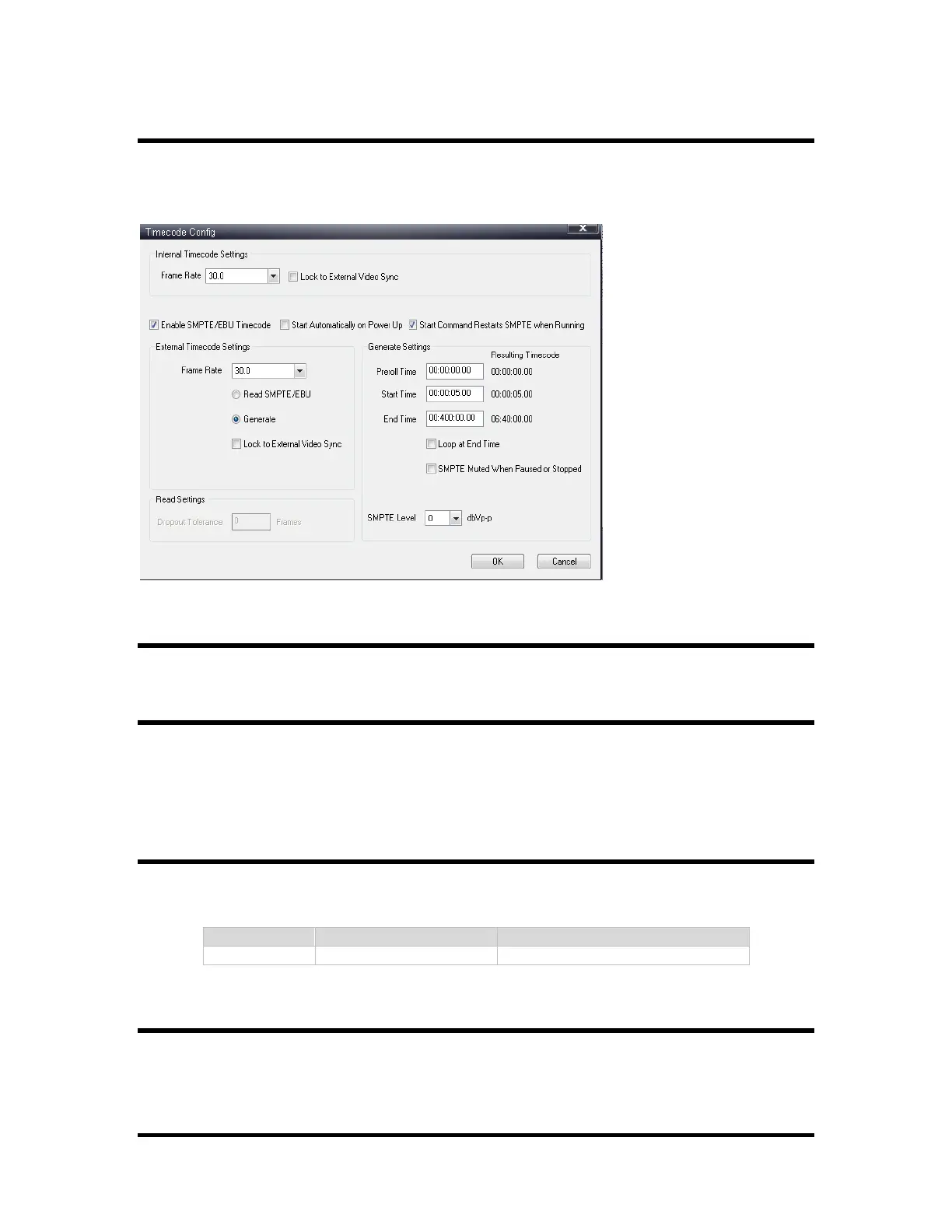
Starts the timecode running at its current location if it's paused. If it was previously stopped, the
timecode starts running at its Start Time specified in the Timecode Config window (shown
below). This window can be accessed from the "Devices" screen.
Timecode Stop
Stop and Reset the current SMPTE/EBU Timecode.
Timecode Stop Loop
Stop the SMPTE/EBU Timecode at the next loop point if looping. Loop settings can be specified
using the "Timecode Config" dialog (see above).
Get Seq Time
Places the current sequence's internal clock time into a timecode-type variable defined by the user.
Arm
Arm is similar to a sequence "Start" command. Setting a sequence "armed" allows current
SMPTE/EBU timecode to execute a sequence's events as the timecode runs. This is used when the
Clock Source is set to SMPTE/EBU (see image below).



 To Next Page