String formatted for use on the VFD display. Lines of the display are
separated by commas. To clear a line, use "clr" outside of the quotes.
Example:
"Hello","world",clr,"line4",,
Would print:
Hello
World
Line4
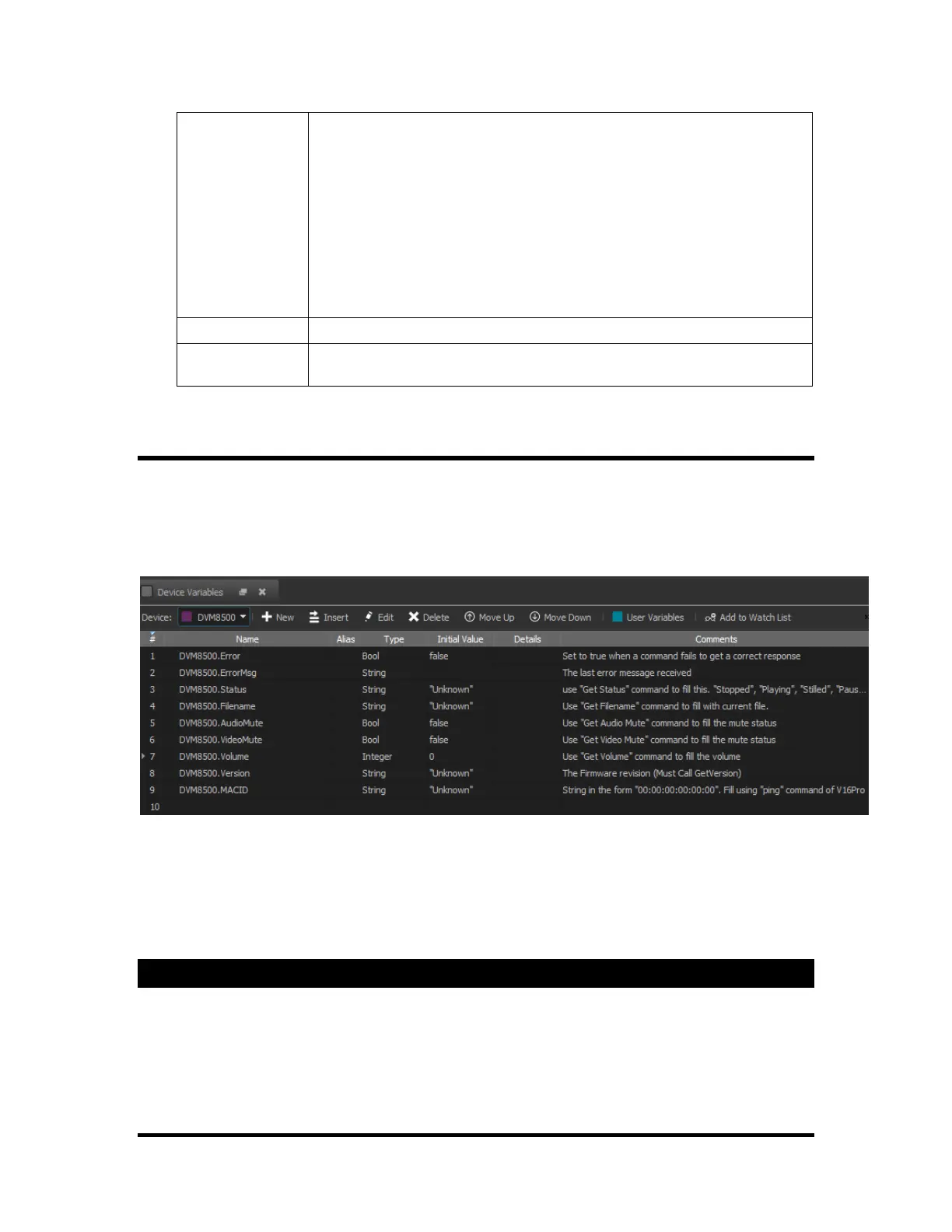
Device Variables
These variables are created automatically after adding a new device. They are usually read-only, but in
some cases they can be set to an initial value in the "device wizard" during device setup.
After clicking the "Device Variables" button in the "Variables" screen, a list of the show controller's device
variables will automatically appear. This list will change based on the family member selected.
Any of these variables can be referenced in the 'Events' by using the device name followed by a period '.'.
For example, to access the automatically created "V16Pro" device variables of "LTC", type "V16Pro.LTC".
Device variables may have different family members.
Other device's variables can be viewed from this screen by selecting the device's name in the drop down list
on the toolbar.
Devices
All the machines needed to complete your show are called devices. The connections to the show controller
are through the serial ports or by the Ethernet network. Adding devices to your show will add "Device
Variables" and additional possible "Events" to your show.



 To Next Page