Setting VCore IP Address
The three different ways to set the IP address are listed below.
DHCP (Automatic Assignment)
Connect to your existing network. Make sure DIP switch position 1 is "ON"
The "Network/Config" LED will turn green when a valid IP has been assigned.
Manual IP Set
1. Set DIP switch 1 to "OFF"
2. Check that "Network/Config" LED is yellow. If it is not, toggle DIP switch 1 "ON" then "OFF".
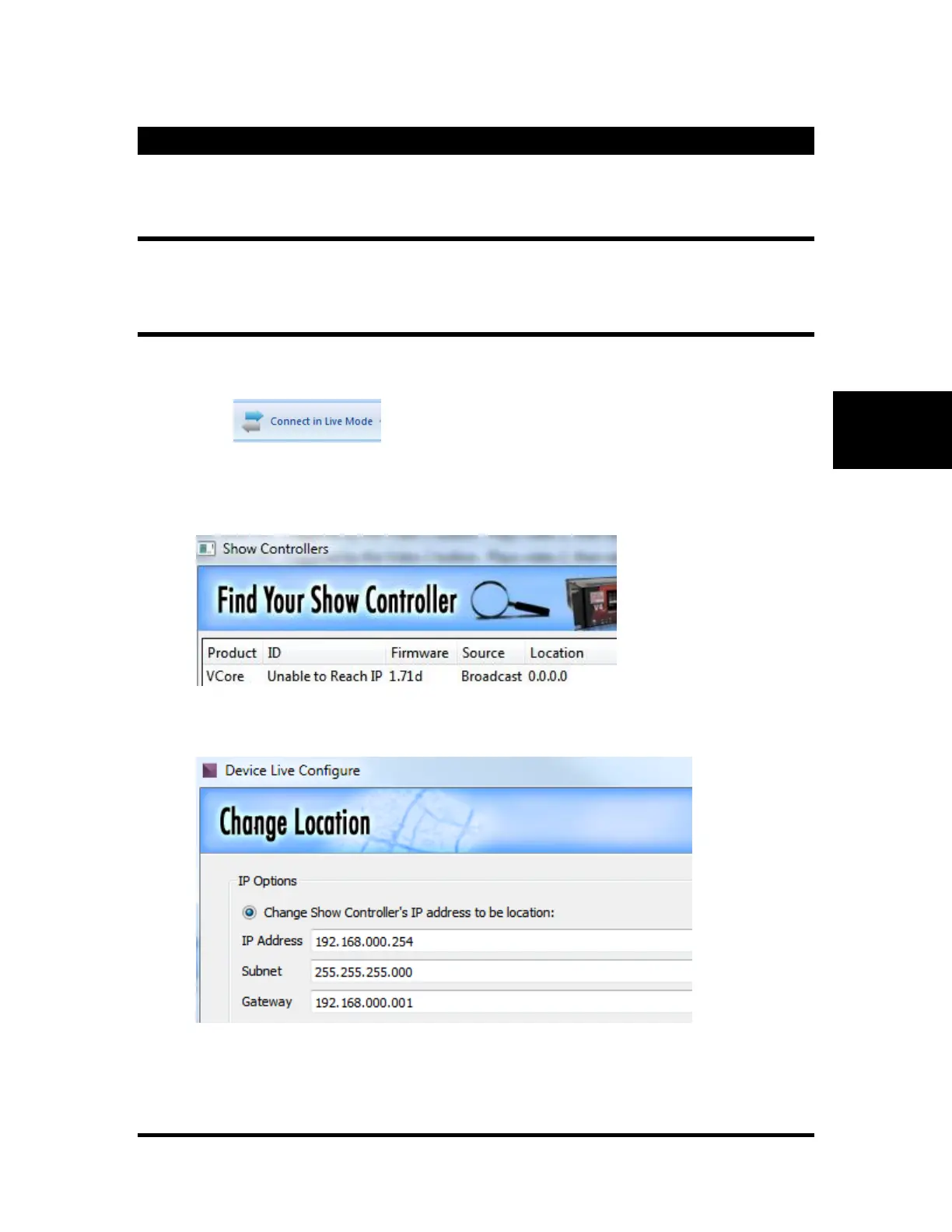
3. Click in WinScriptLive
4. Click on the line for the "Broadcast" from the VCore. If this does not appear, try clicking "Clear
History"
5. Click "OK" to change the IP address
6. Enter an IP address that is on the same subnet as your PC
7. Once the set is completed, your PC will send a version request to verify that it can reach the
device.



 To Next Page