Webpage Control
Sequences can be started using form buttons in HTML. Variable values can also be pulled into webpages.
See the "WEB Server Quick Start" section of this manual for more details.
TCP Client (Telnet) Control
Any iPhone app capable of sending TCP or UDP messages can control the V16/V4Pro. For TCP, a server
port must be setup in your devices list.
1: Setup TCP Server on Show Controller
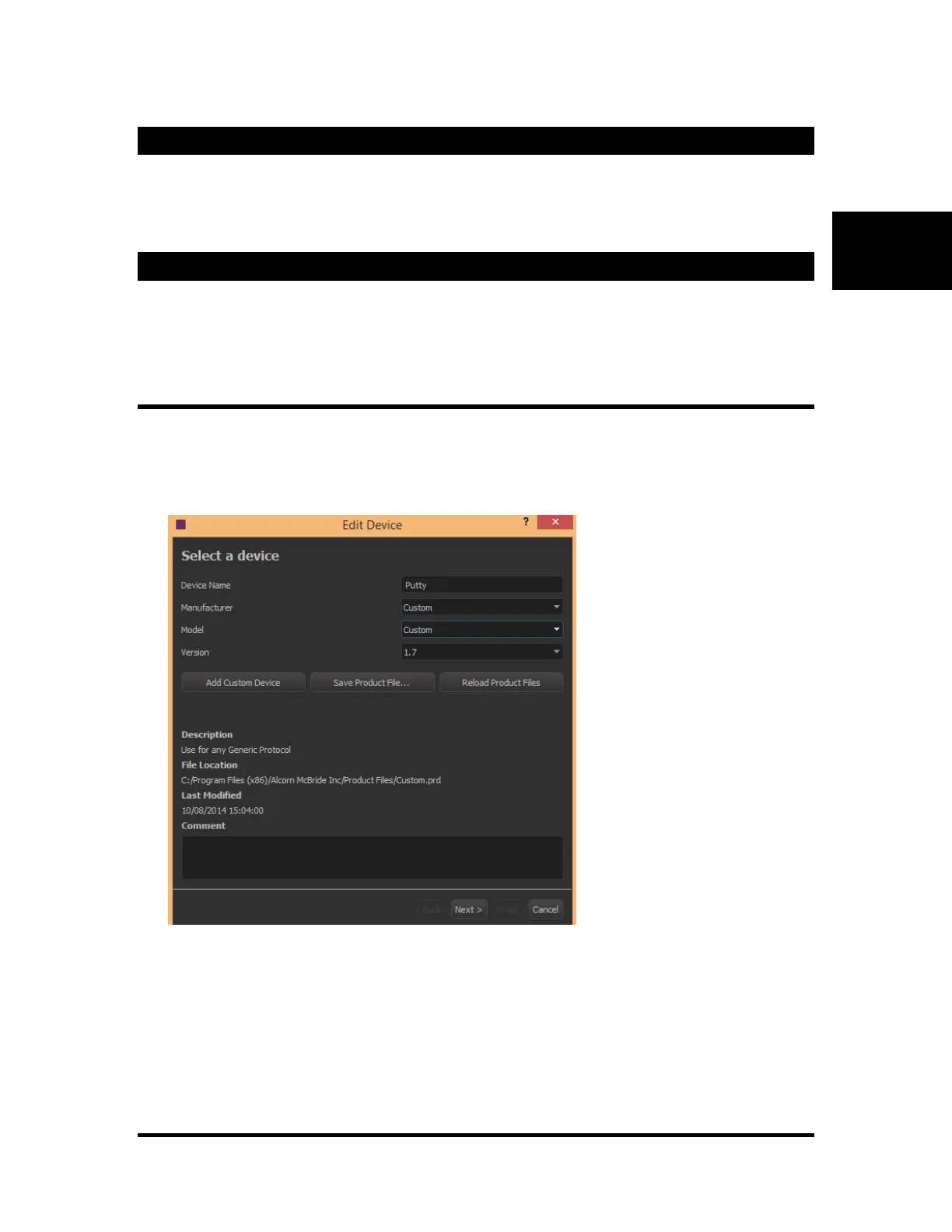
1. Go to "Resources""Devices" from the menu bar and click "New"
2. Name the Device anything you'd like. In this example, we'll use "Putty"
3. Select the make, model and version as “Custom” and “Custom”
4. Choose the Ethernet connector (A or B) that you will be connecting do. Select the "TCP/IP
Remote" protocol. Port "1000" is usually ok, but if you want a different port number, you can
change it to anything you'd like. Just make sure it matches what you set up in the Putty app.



 To Next Page