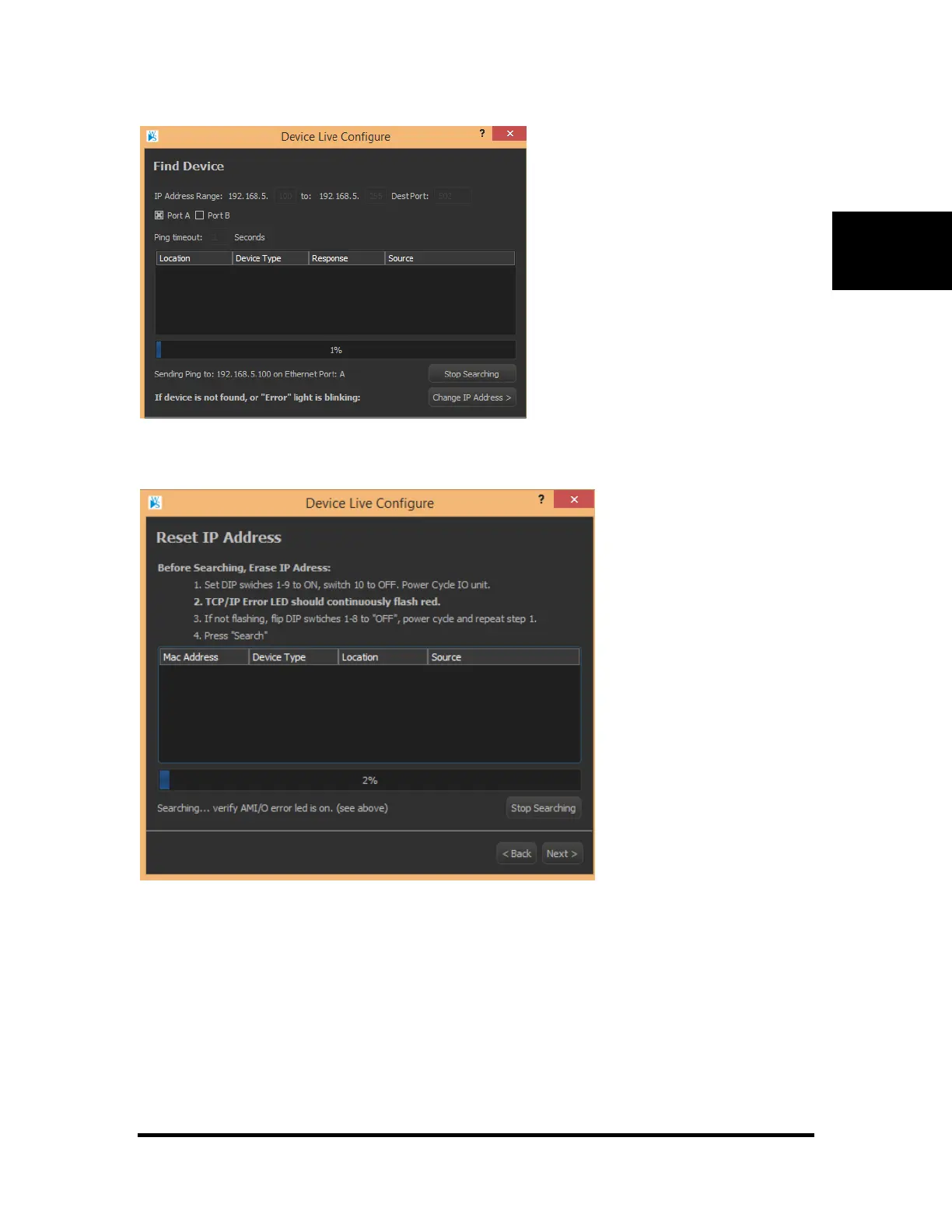
To change address back to 0.0.0.0, the DIP switches must be toggled and at least one cold boot must take
place.
To do this, follow the on screen instructions (printed here)
1. Set the DIP switches 1-8 to "ON" and power cycle
2. The "ERROR" led should continuouly flash red
3. If not flashing, flip DIP switches 1-8 to "OFF", power cycle and repeat step 1.
4. Click "Search"
Once the desired AMI/O device appears in the list, select it from the list and click "Next" to move to the
"IP Set" screen. Go to the preceding “Setting Device Addresses” section for assistance on setting the IP.
Note: if the device does not appear, make sure you are connected on the same local network and that the
"ERROR" led is blinking red



 To Next Page