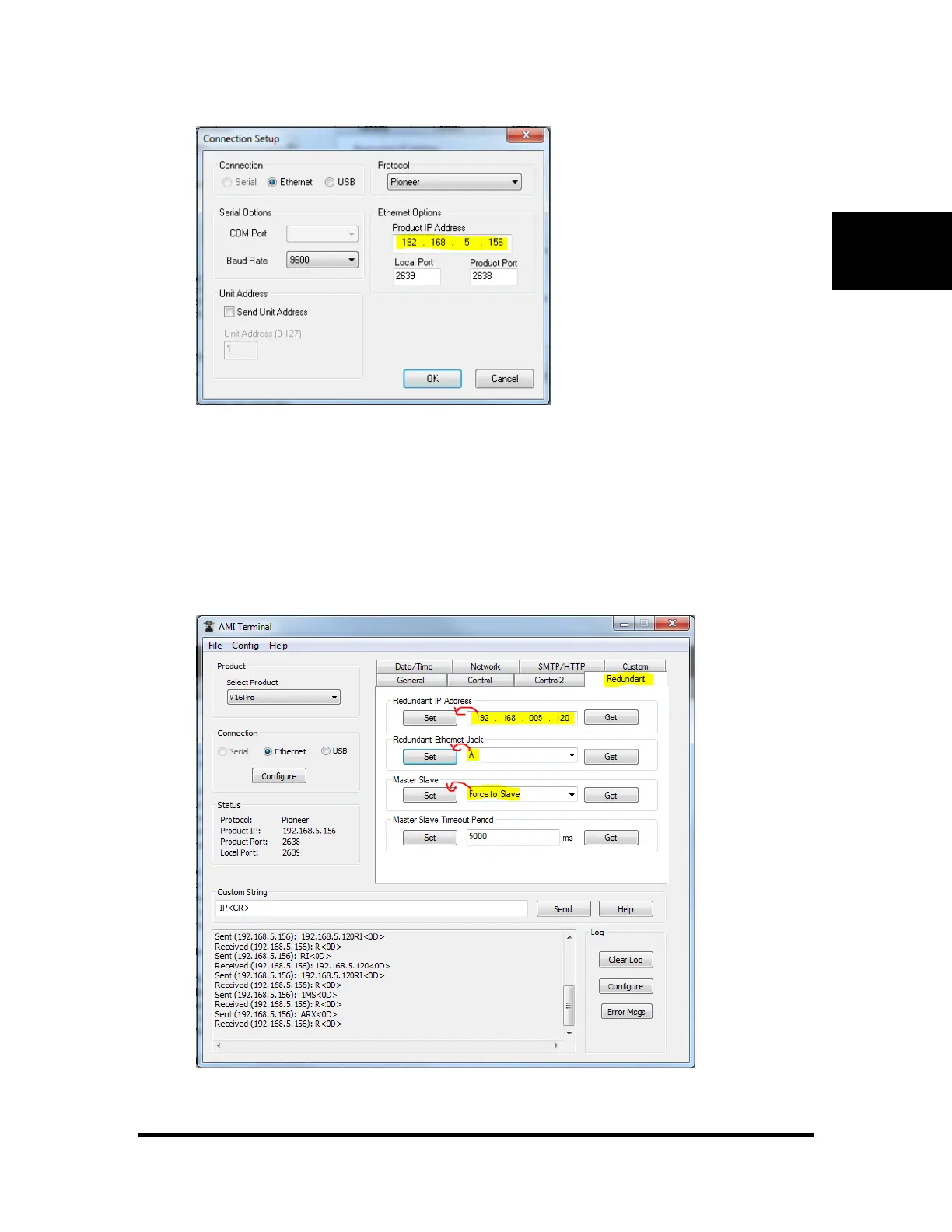
4. Edit the "Redudant IP Address" to enter the 2nd V16Pro's address. Click "Set".
5. Set the Redundant Ethernet Jack to "A" or "B" (as connected)
6. In the "Master/Slave" box, select either "Force to be Slave" or “Force to be Master”
Note: in the end it will not matter if you "Force to be Slave" or "Force to be Master". Which ever
V16Pro is first box to be powered on will be the master. The slave will automatically convert to
master if the master "goes away."
7. Repeat steps 2-6 for the 2
nd
V16Pro



 To Next Page