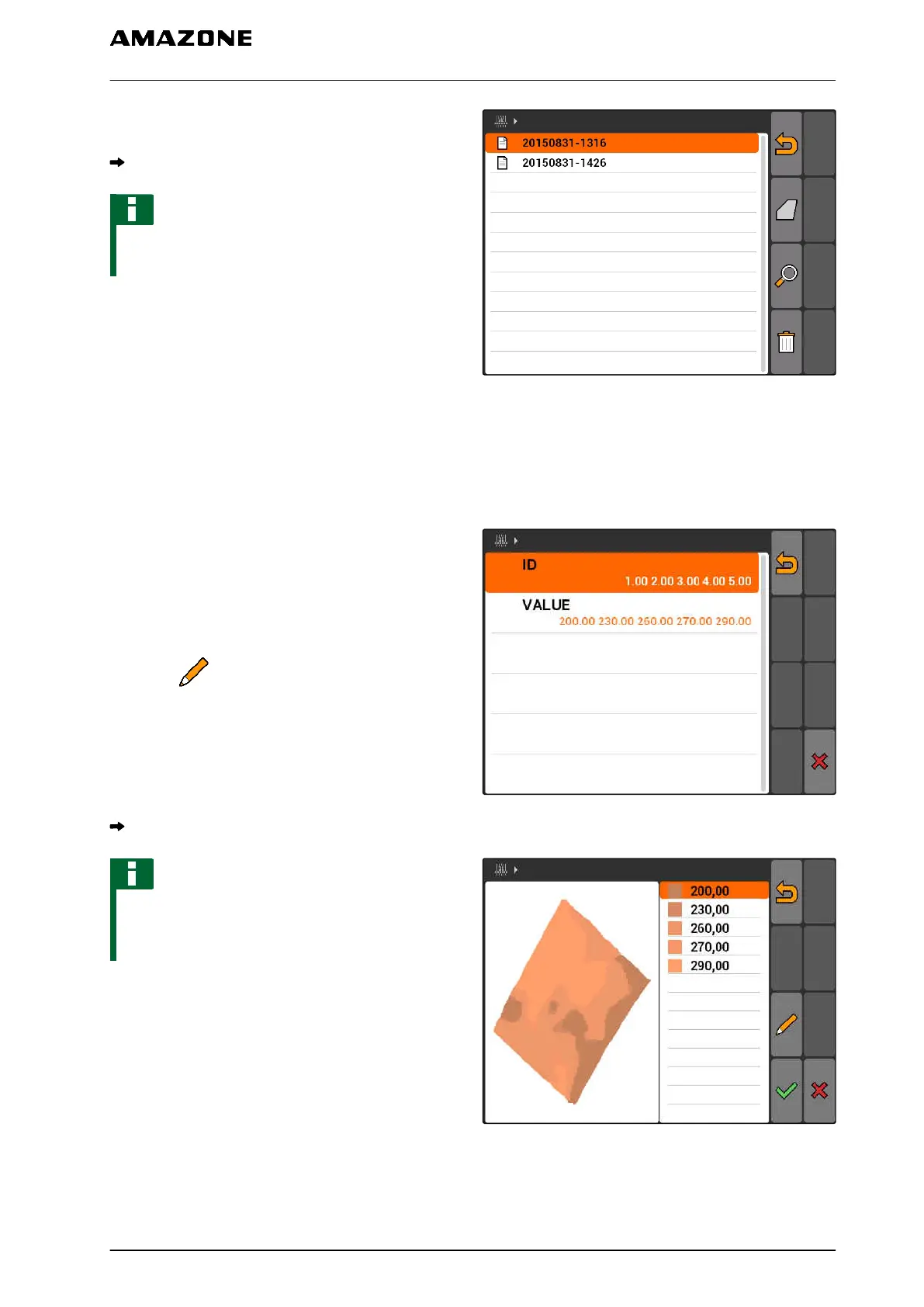
5. Select the shape file and confirm.
The selected field data type will be imported.
NOTE
Imported application maps must be configured,
see page 123.
11.14.5.1
Configuring the application map
If "Application maps" was selected when importing
the field data, further settings must be entered.
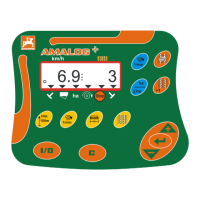
1. Select the values for the application/spread rate.
2. Select the units for the application/spread rate.
3. If all of the values should be increased or
reduced by a
specific percent value,
select and enter the percent value.
4. If a specific value should be changed,
select the value from the list and enter the new
value. Example: Application/spread rate should
be increased by 10 %, enter 110 % and confirm.
The application map will be imported.
NOTE
To be able to use the application map for an ISO-
XML job, a job must be added to the application
map as a setpoint.
CMS-T-005142-A.1
11 | Using the GPS switch
Managing field data
MG5560-EN-II | E.1 | 21.04.2020
123


 To Next Page