Chapter 5 Measurement Functions
5-76
●
Fitting Display
Off: The fitting curve is not displayed
On: The fitting curve is displayed
●
Area:
Set the fitting curve calculation range when Detection Type is Area
Fitting Curve:
Selects the type of fitting curve.
Linear: Linear equation for noise linear data
f (λ) = aλ + b
Gauss: Binomial equation for noise log data
f (λ) = aλ
2
+ bλ + c
3rd POLY: Third-order polynomial equation for noise linear data
F (λ) = aλ
3
+ bλ
2
+ cλ + d
4th POLY: Fourth-order polynomial equation for noise linear data
f (λ) = aλ
4
+ bλ
3
+ cλ
2
+ dλ + e
5th POLY: Fifth-order polynomial equation for noise linear data
f (λ) = aλ
5
+ bλ
4
+ cλ
3
+ dλ
2
+ eλ + f
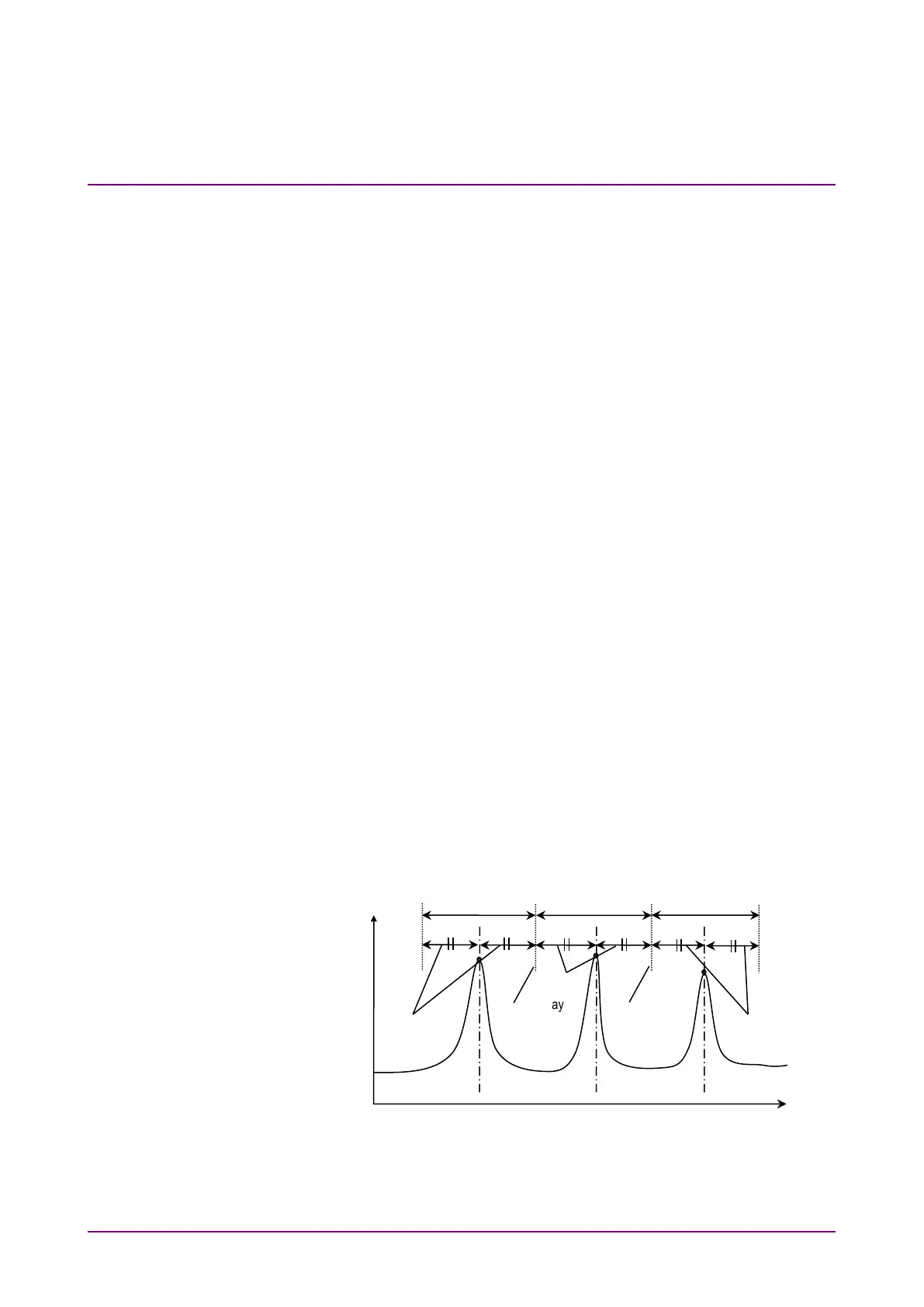
Fitting Span Mode:
Select the range for calculating the fitting curve.
Auto (Center):
Use the halfway point to the neighboring signal as the
wavelength range calculated. (See Figure 5.8.3-3)
Manual: Use a manually set value as the wavelength range
calculated.
Masked Span:
Set the wavelength range excluded from fitting curve
calculation.
Figure 5.8.3-3 Auto (Center) Fitting Range
1
2
3
Level
Wavelength (nm)
point to the
neighboring
signal
point to the
neighboring
Fitting Range
Fitting Range
Fitting Range
Same Value
Value














 To Next Page