Install and Wire Telephones
Emergency Transfer Units and Associated Telephones
532 SI Installation and Upgrades
June 2004
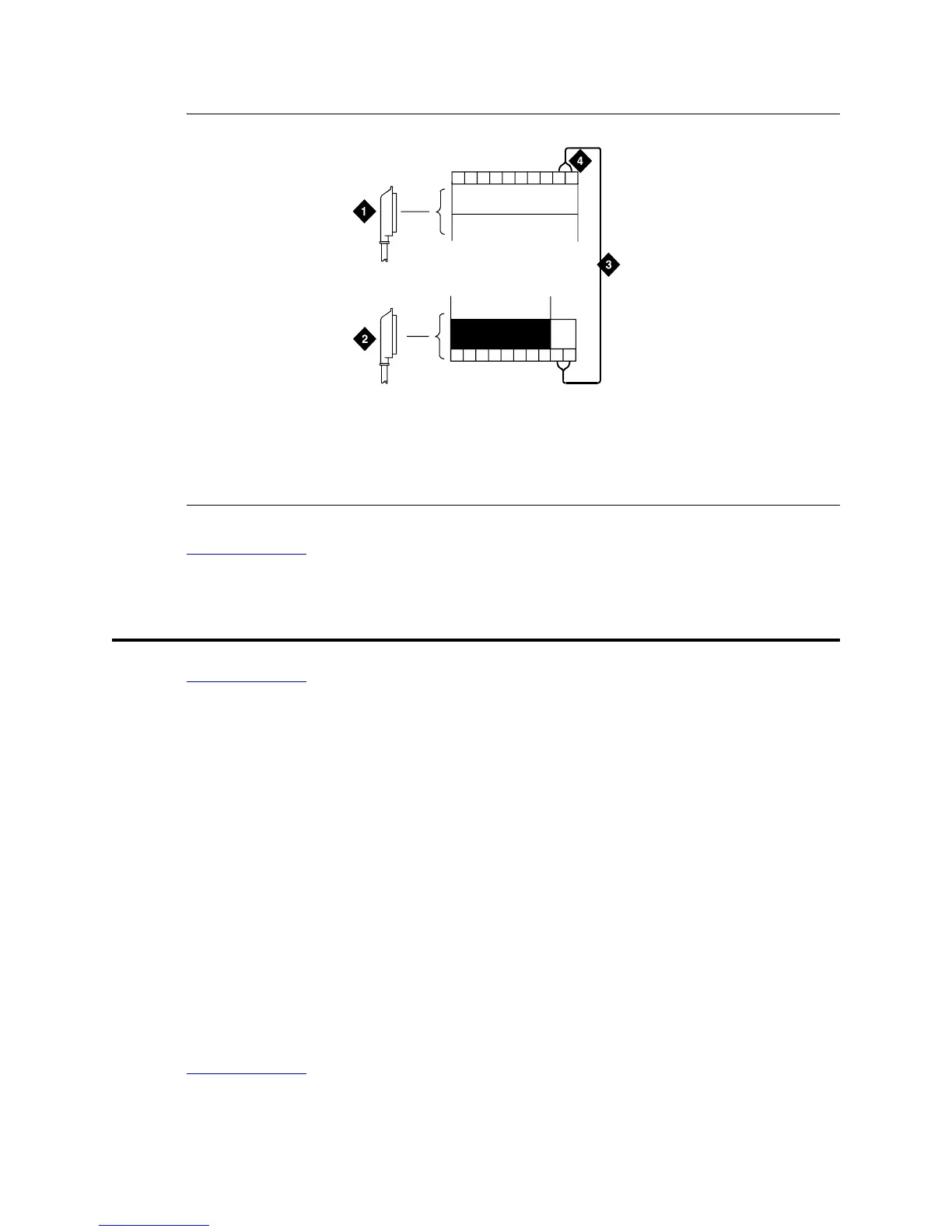
Figure 206: Connections at Trunk/Auxiliary Field
Return to Task List
Emergency Transfer Units and Associated Telephones
Return to Task List
An 808A Emergency Transfer Panel mounted next to the trunk/auxiliary field provides emergency
transfer capability. You can use 500- and 2500-series analog telephones either for emergency transfer or
as normal extensions. For emergency transfer, connect the phones directly to the 808A; for normal
extensions, wire them through the 808A. Analog Central Office (CO) and Wide Area
Telecommunications Service (WATS) trunks can provide emergency transfer capability.
The 808A Emergency Transfer Panel provides emergency trunk bypass or power-fail transfer for up to
five incoming Central Office (CO) trunk loops to five selected station sets. The 808A equipment’s Ringer
Equivalency Number (REN) is 1.0A.
At the Main Distribution Frame (MDF), the unit is controlled by a connection to a yellow terminal
row/connecting block in the trunk/auxiliary field. The unit is controlled by -48 VDC from the EM
TRANS RELAY PWR terminals. There are seven EM TRANS RELAY PWR terminal pairs that allow
powering of up to seven transfer units.
Should power be restored to the relays while a call connected through the 808A is in progress, the 808A
maintains the connection until the user goes on-hook. Each 808A can handle up to five Central Office
(CO) trunks.
Return to Task List
Figure notes
1 To Network Interface Facility
2 To Control Carrier Auxiliary
Connector
3 One Pair of Wires
4 Twenty-fifth Pair of RJ21X
Network Interface Jack
25
50
IN
r758482b RBP 062696



 To Next Page