Add IP Solutions
Installing the TN2302AP IP Media Processor
604 SI Installation and Upgrades
June 2004
NOTE:
The customer must provide one CAT5 or better cable for each TN2302AP.
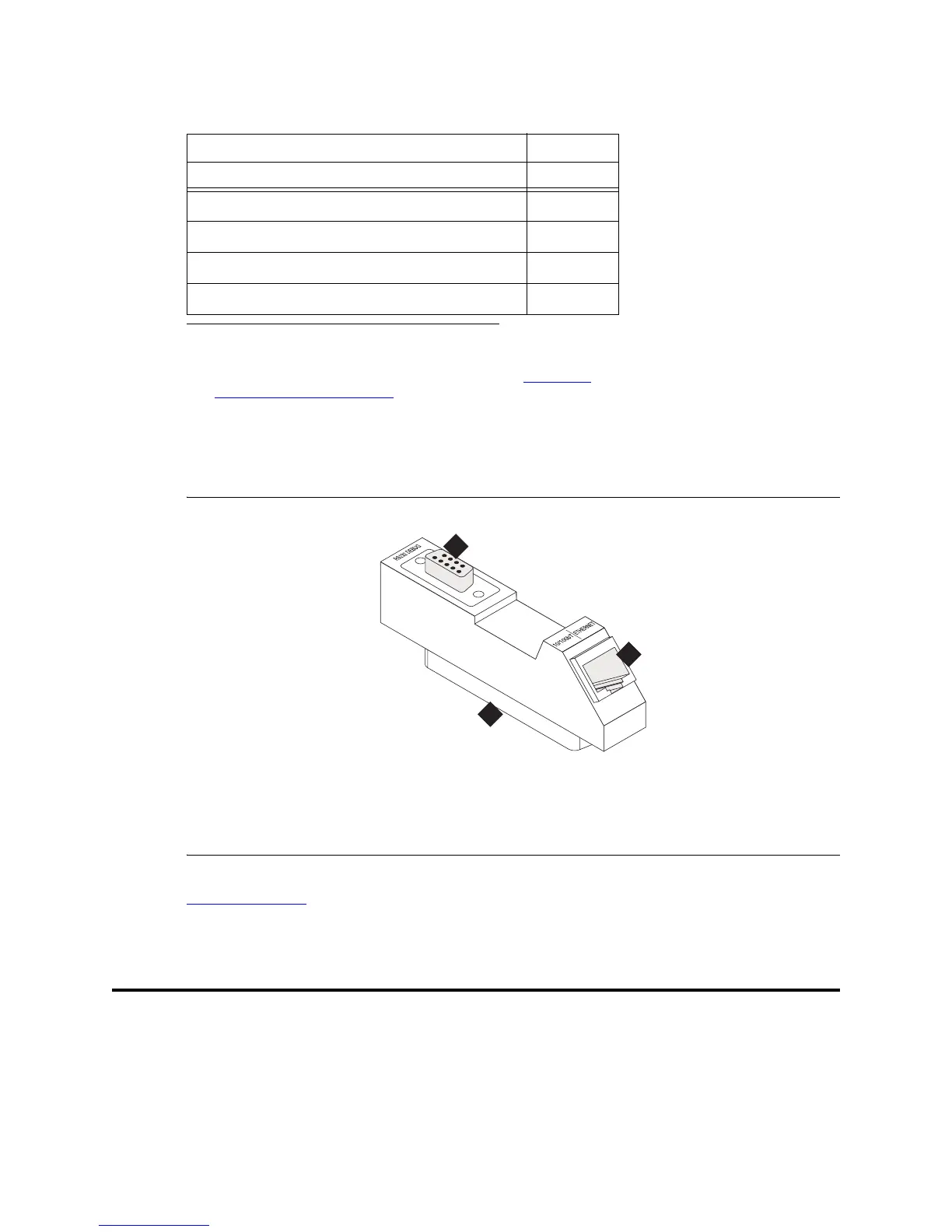
Figure 234: TN2302AP Amphenol Adapter
Return to Task List
Installing the TN2302AP IP Media Processor
To install a TN2302AP IP Media Processor, you must install
• One or more TN2302AP circuit pack
• One or more TN799x circuit pack (each TN799x can support more than one TN2302AP)
• An IP Media Processor adapter.
Required Hardware
Description Quantity
TN799x C-LAN circuit pack 1
1
1 One TN799x supports more than one TN2302AP.
TN2302AP IP Media Processor 1
TN2302AP Amphenol Adapter
2
2 The adapter has an amphenol connector on one side and an RJ45
connector on the other for connecting to the LAN. See Figure 234,
TN2302AP Amphenol Adapter, on page 604.
1
ADPTR-259A connector 1
Figure notes
1 Amphenol connector to backplane
connector corresponding to
TN2302AP slot
2 To Ethernet
3 9-pin connector for maintenance
addfipm2 KLC 083000
1
2
3



 To Next Page