G3V4vs/R5vs/R6vs to Avaya Communication Manager
Task List: DEFINITY vs to Avaya Communication Manager
SI Installation and Upgrades 149
June 2004
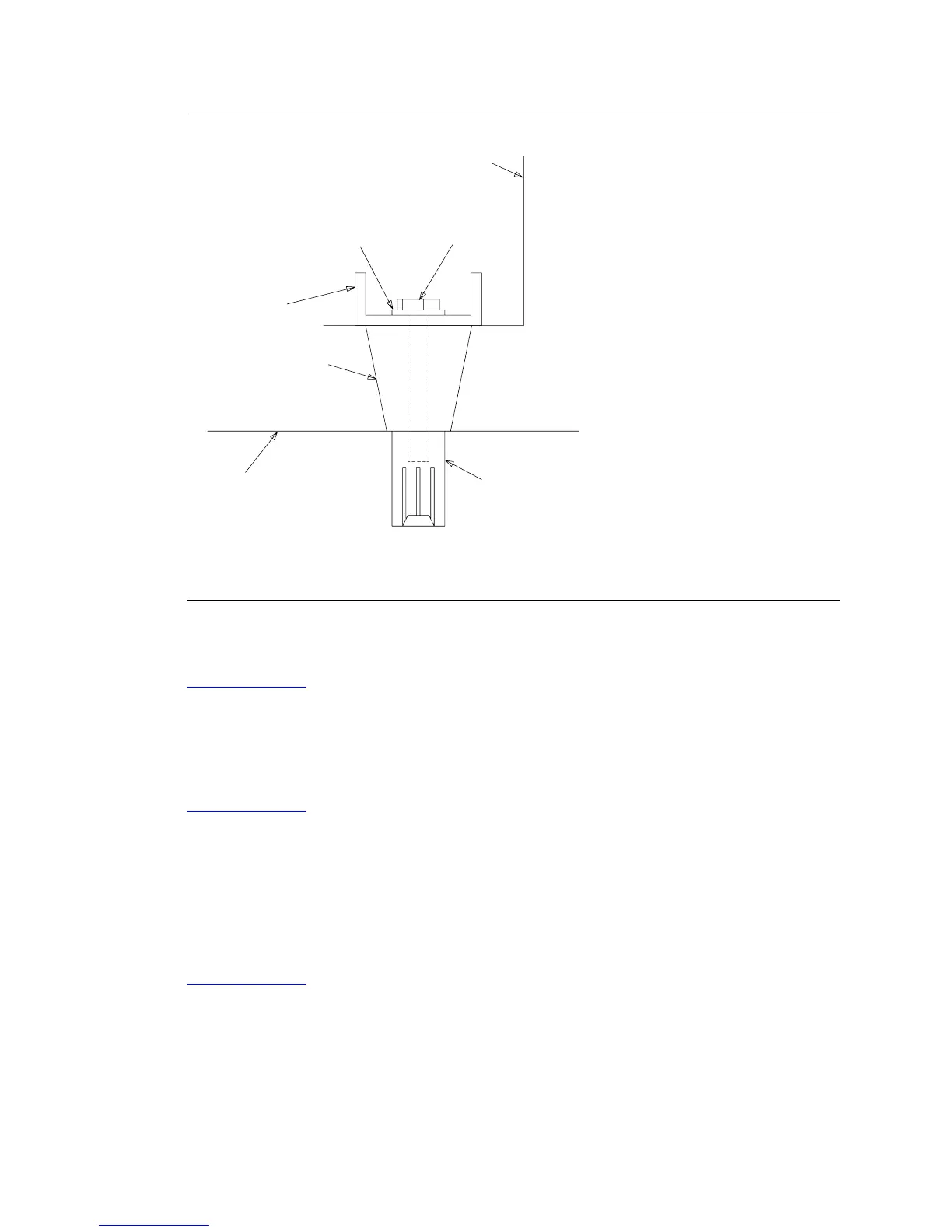
Figure 4: Cabinet earthquake mounting — concrete floor
Return to Task List
Label and connect cables [from
G3V4vs/R5vs/R6vs]
Return to Task List
1 To make reconnecting the cables simpler and more reliable, label every reusable connector cable
in the system.
2 Install new connector cables, as needed, onto the connectors at the rear of the cabinet.
3 Route the cables to the MDF and cross-connect as needed.
Return to Task List
CONCRETE ANCHOR
(2 REQ’D)
CABINET FOOT
SIDE VIEW
(2 REQ’D)
CABINET
STIFFENER
FLOOR
NOTE: BOLT DOES NOT RUN THROUGH CABINET FOOT
NYLON
INSULATING
WASHER
NOTE:
(2 REQ’D)
3/8-16 X 3.25 INCH
HEX BOLT



 To Next Page