System 75 XE to R8si (Blowback)
Task List: System 75 XE to R8si
262 SI Installation and Upgrades
June 2004
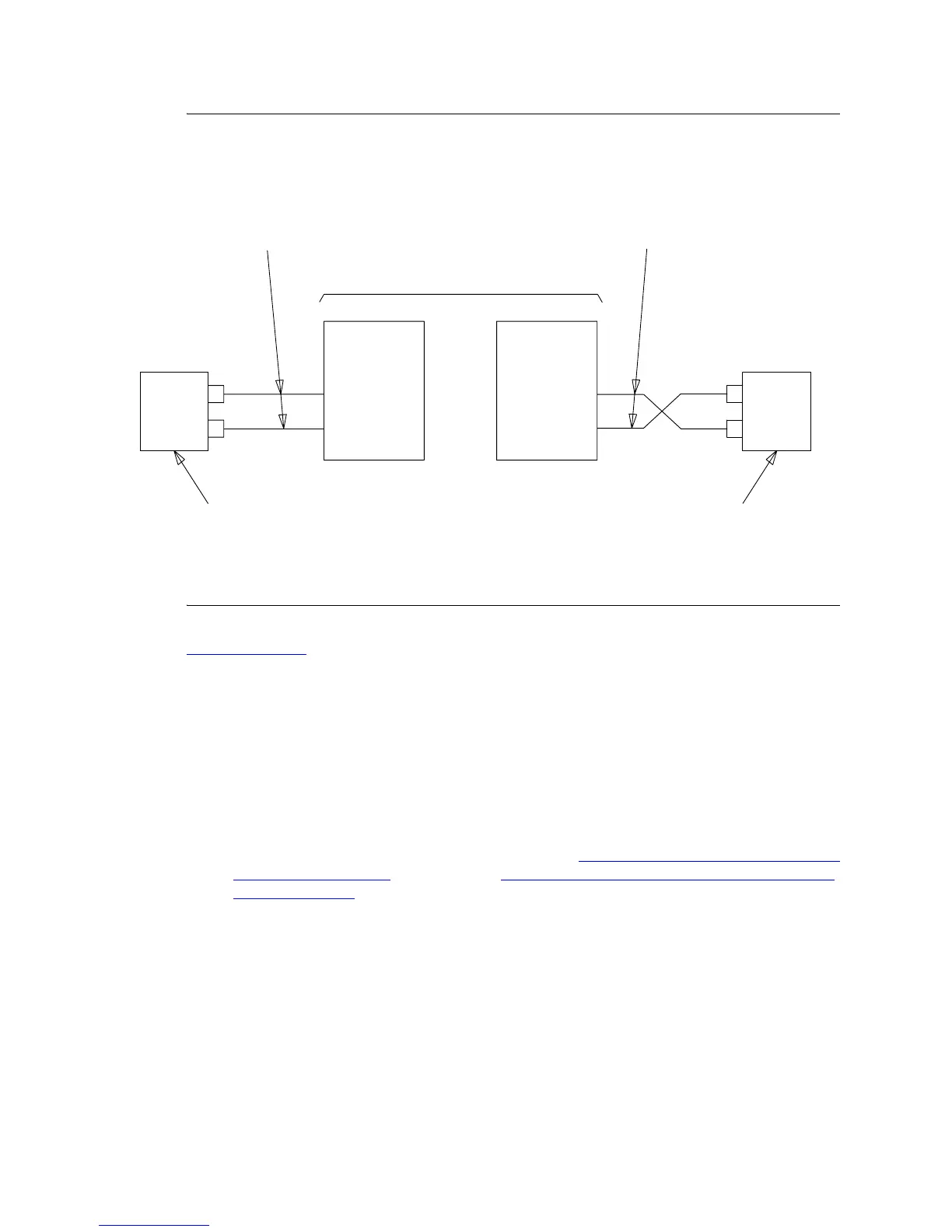
Figure 61: Fiber-Optic Connections PPN to EPN (standard reliability remote cabinets)
Return to Task List
Connecting Critical Reliability adjacent
cabinets
When a critical-reliability PPN and EPN are collocated, two fiber-optic cables (FL2P-P-XX) and four
lightwave transceivers (9823-type) are required to connect the EPN.
1 Behind control cabinet A of the single-carrier PPN (see Figure 62, Critical-Reliability Release 8si
with Two Port Networks, on page 264 and Figure 63, Critical Reliability fiber optic connections
(adjacent cabinets), on page 265):
— Install a 9823-type lightwave transceiver on the connector at slot 1A01.
— Connect one end of a fiber-optic cable to the 9823-type lightwave transceiver at slot 1A01.
— Route the fiber-optic cable from the 9823-type lightwave transceiver to the cabinet’s cable
tray and downward out of the cabinet to the EPN stack.
— Delicately attach the fiber-optic cable (with cable ties) to the wall of the cable tray at the
built-in cable-tie positions.
1
2
TX
RX
2
1
1
1
2
2
TX
RX
PPN
OPTIC
CABLES
CROSS-CONNECT FACILITY
OPTIC
CABLES
100A
LIU
100A
LIU
CABINET A
SLOT 1A01
CABINET A
SLOT 2A01
LIGHTWAVE LIGHTWAVE
TRANSCEIVER TRANSCEIVER
FL2P-P-XX
9823-TYPE
FL2P-P-XX
9823-TYPE
EPN 1
FIBER- FIBER-



 To Next Page