Adjuncts and Peripherals
.Install ISDN converters and adapters
830 SI Installation and Upgrades
June 2004
Converters for multi-carrier cabinets
PRI-to-DASS and PRI-to-DPNSS converters
1 Connect the Communication Manager administration PC to the RS-232 connector on the front of
the PRI converter circuit pack.
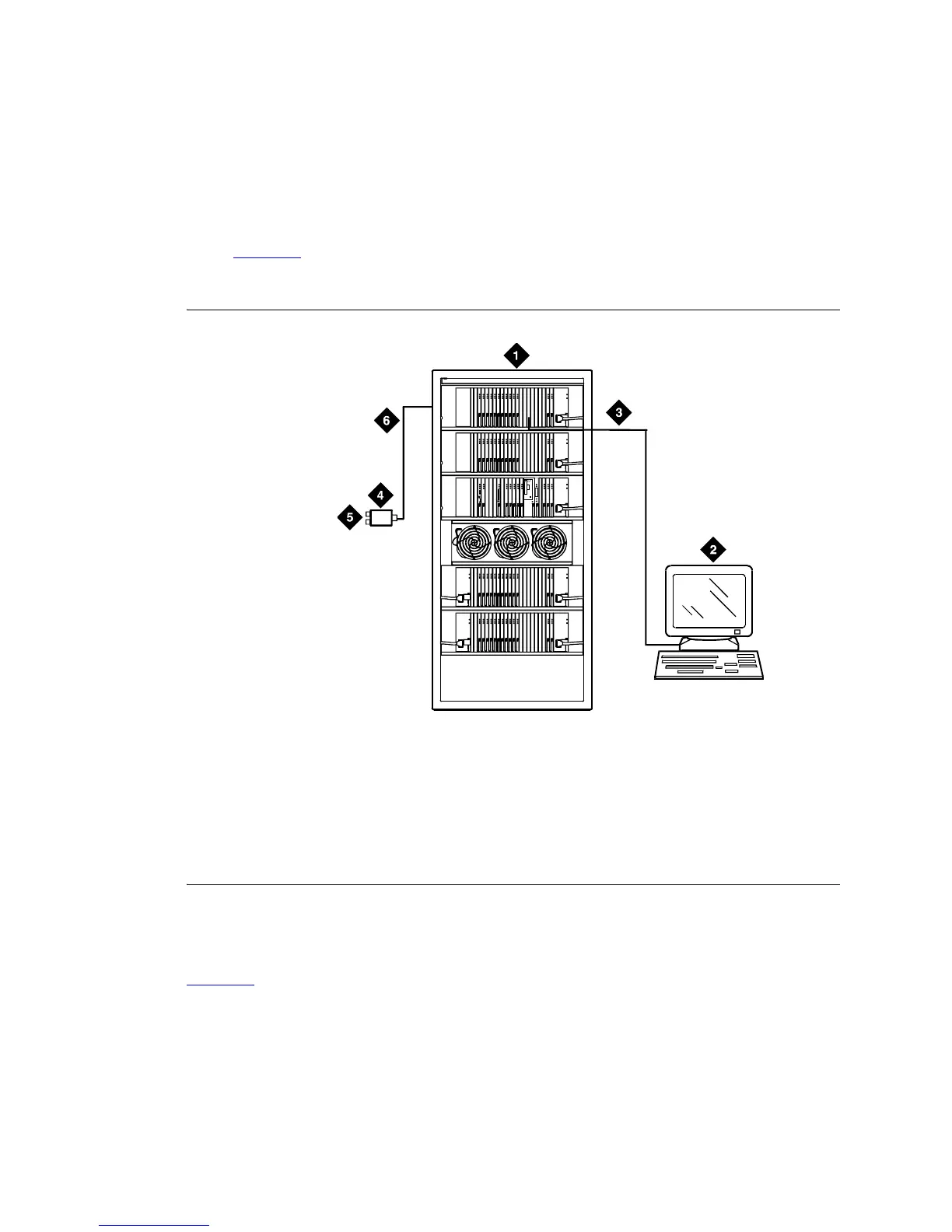
Figure 322
shows typical connections from the CCSC-1 PRI-to-DASS converter or the CCSC-2
PRI-to-DPNSS converters to the coaxial facility.
Figure 322: Typical DASS or DPNSS converter cabling
PRI-to-BRI converter
Figure 323 shows typical connections from the PRI-to-BRI converter to the coaxial facility. The
Communication Manager administration PC is connected to the RS-232 connector on the front of the PRI
converter circuit pack.
Figure notes
1 To TN464GP DS1 circuit pack and either a
CSCC-1 PRI-to-DASS converter or a CSCC-2
PRI-to-DPNSS converter circuit pack
2 Communication Manager administration PC
3 RS-232 cable to front of PRI converter circuit
pack
4 888B coaxial converter
5 Coaxial connection to 2-Mbps
facility
6 Coaxial cable from PRI converter
circuit pack to coaxial converter
ALARMS
EMERTR
C
A
R
D
I
N
U
S
E
ENTER
/YES
NEXT
/NO
BACK
AUDIX
BOOT/
SHUTDOWN
0011
0 RBP 060696



 To Next Page