Connecting and Handling Fiber Optic Cables
Task List: Optical Cross-connect and Interconnect Hardware Descriptions
764 SI Installation and Upgrades
June 2004
connecting blocks, by moving the patch cord from one point on the Main Distribution Frame (MDF) to
another.
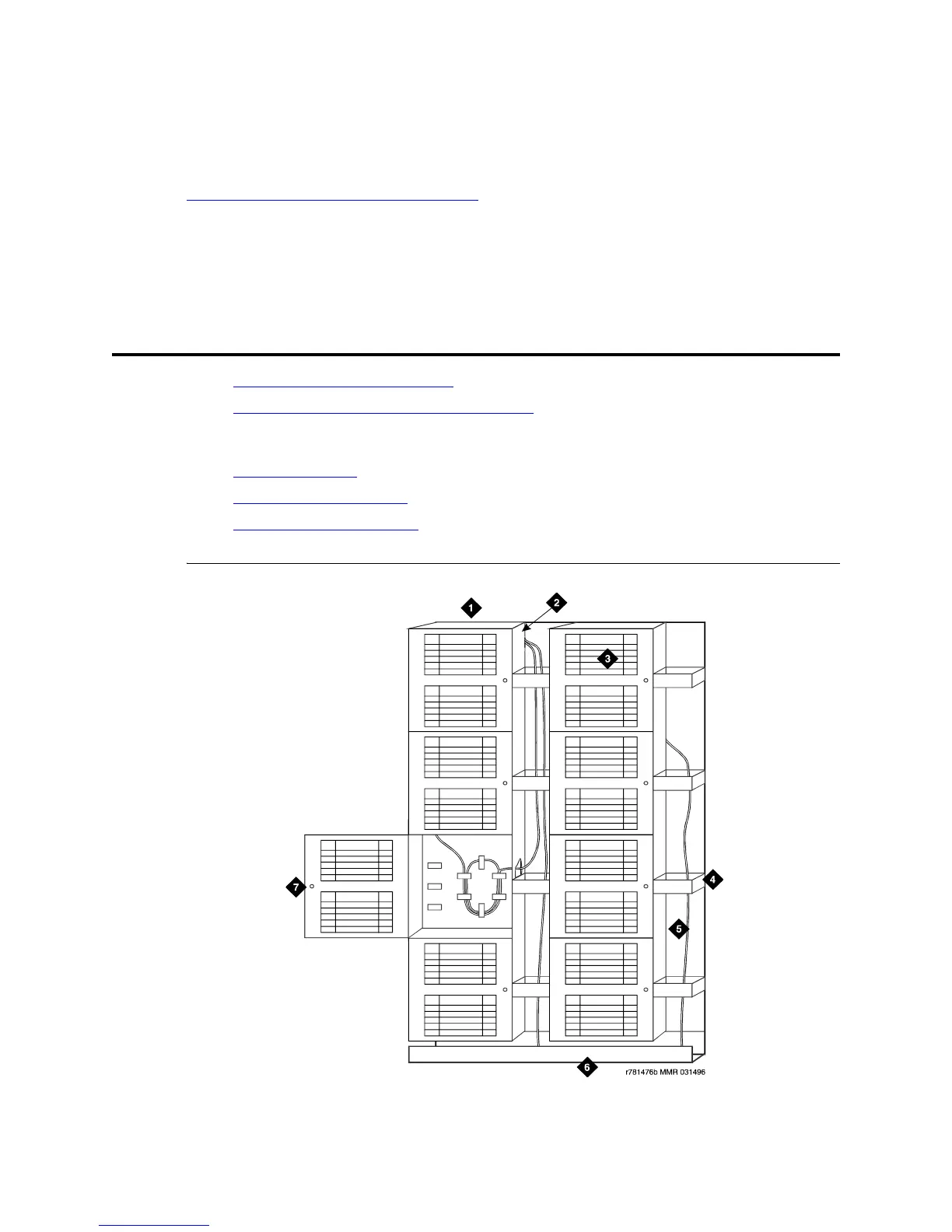
Optical interconnects consist of Lightguide Interconnect Units (LIUs) without a trough between them.
Figure 301, Typical Optical Interconnect Field,
on page 765 shows a typical Interconnect field. Incoming
and outgoing multi-mode and single-mode cables are connected directly to each other. This arrangement
makes circuit changes more difficult, but reduces optical losses.
Task List: Optical Cross-connect and Interconnect
Hardware Descriptions
• 100A Lightguide Interconnect Unit on page 765
• 10A Lightguide Connector Panel and Couplings on page 766:
C2000A-2 Connector Coupling (Multi-Mode) or
C3000A-2 Connector Coupling (Single-Mode)
• Lightguide Troughs on page 767 (1A4 Lightguide Trough and 1A6 Lightguide Trough)
• Fiber Interconnection Cable on page 767 (Multi-Mode or Single-Mode Fiber Interconnect Cable)
• Labels for Fiber Optic Cables on page 768
Figure 300: Typical Optical Lightguide Interconnect Unit



 To Next Page