Install Additional Hardware
Task List: Add DCS
SI Installation and Upgrades 595
June 2004
Return to Task List
Add Circuit Packs (Add DCS)
Return to Task List
Determine the port assignments of the circuit packs to be added. If there are no available port slots in the
processor cabinet for the C-LAN circuit pack, place it in an EPN cabinet port slot.
CAUTION:
When adding or replacing any hardware, be sure to ground yourself against electrostatic
discharge (ESD) by wearing a grounded wrist strap.
NOTE:
The TN799x circuit pack is hot-swappable, so you do not need to power down the carrier
to install it.
Insert the TN799x circuit pack into the port slot identified earlier.
Return to Task List
Test the External Connection to the LAN (Add DCS)
Return to Task List
To test the external IP connections, ping the C-LAN server and ping a known computer connected to your
network. If everything is configured correctly, the
Result column on the Ping Results screen reads
pass. If it reads abort, verify the IP-address information and check the connectivity, including the
cabling.
3 Type ping ip-address nnn.nnn.nnn.nnn board UUCSS and press Enter. The variable
nnn.nnn.nnn.nnn is the IP address of the TN799x C-LAN circuit pack and UUCSS is the cabinet,
carrier, and slot of the TN799x C-LAN circuit pack.
4 Type ping ip-address nnn.nnn.nnn.nnn board UUCSS and press Enter. The variable
nnn.nnn.nnn.nnn is the IP address of the customer’s gateway and UUCSS is the cabinet, carrier,
and slot of the TN799x C-LAN circuit pack.
5 Type ping ip-address nnn.nnn.nnn.nnn board UUCSS and press Enter. The variable
nnn.nnn.nnn.nnn is the IP address of another computer beyond the gateway and UUCSS is the
cabinet, carrier, and slot of the TN799x C-LAN circuit pack.
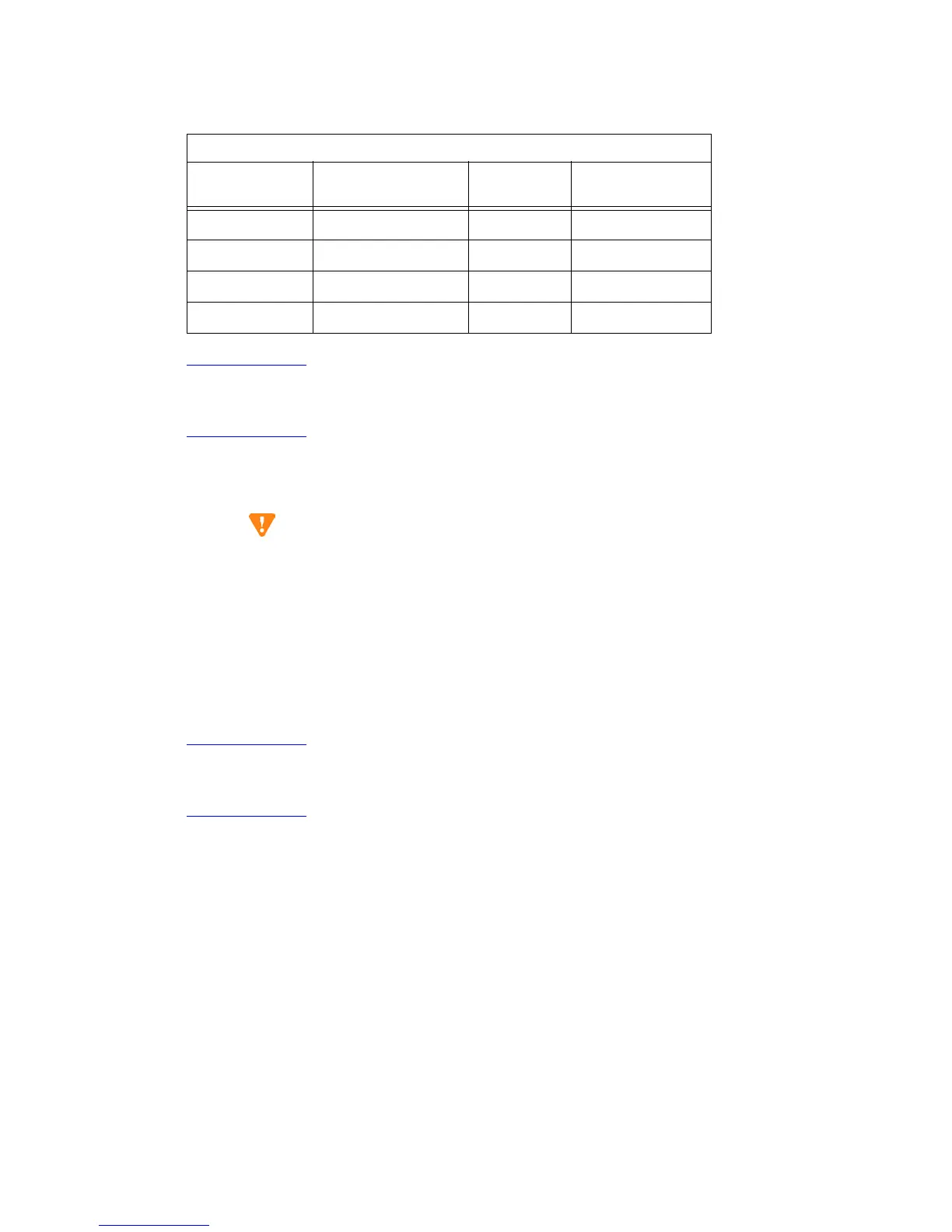
TN799x Pinout
Backplane Pin 25-Pair Wire Color Lead Name
Peripheral
Connector Pin
103 White/Orange TD+ 27
003 Orange/White TD- 2
104 White/Green RD+ 28
004 Green/White RD- 3



 To Next Page