MAX Operation & Service Manual 147MAX Operation & Service Manual Section 6: Maintenance & Service 147
Replacing the Cord-Kill Switches
Tools needed: 3/8” wrench, 1/16” allen wrench, 1/4” open-end wrench.
Parts needed: replacement switch (Part Number 11-616031-000).
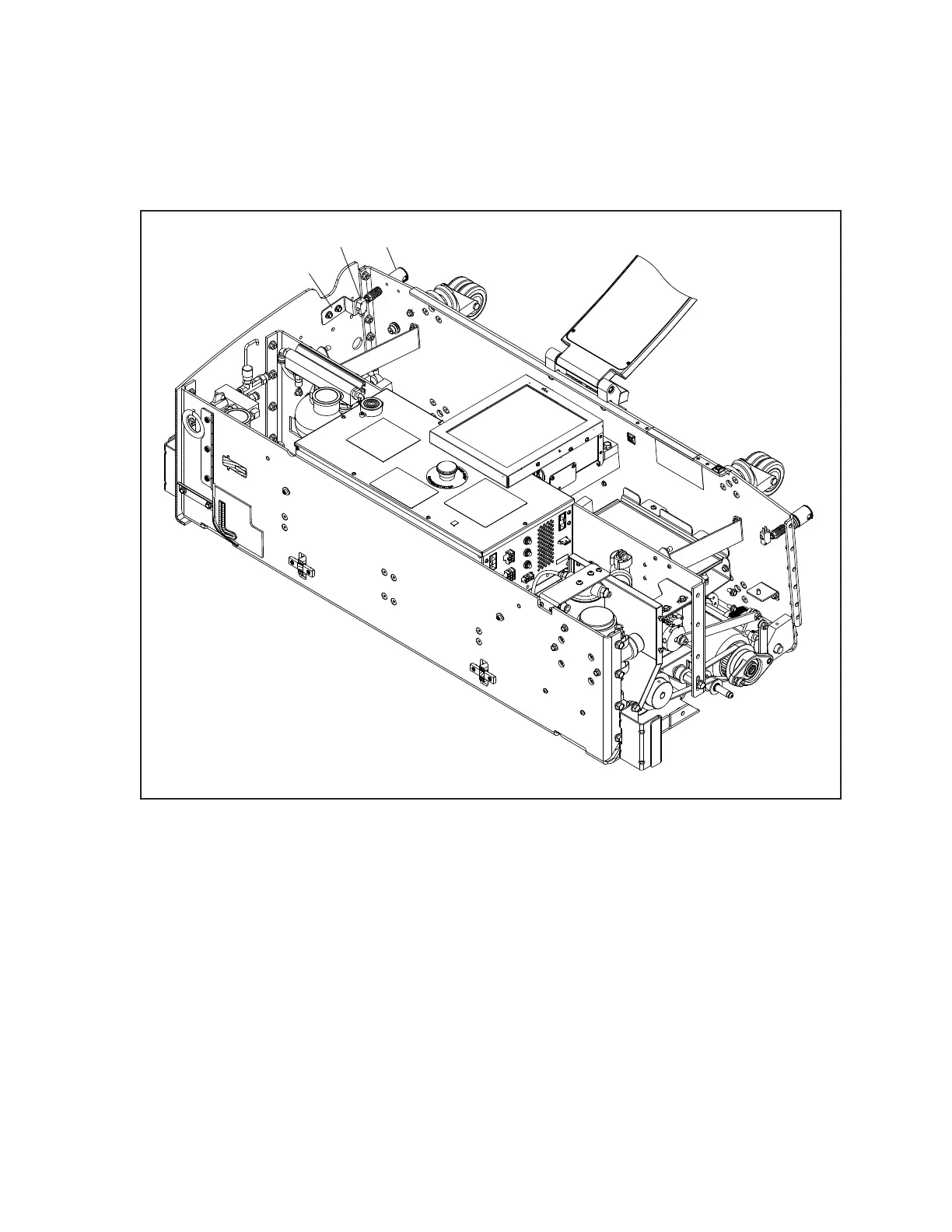
Refer to Figure6-27.
(1)
Figure6-27.ReplacingCordKillSwitches
(1) CORD KILL SWITCH BRACKET
(2) CORD KILL SWITCH (3) CORD KILL STUD
1. Place machine in operating position with cover open and power supply disconnected.
2. Identify the bad switch using the Diagnostics screen on the Tablet (Refer to Troubleshooting
section for instructions on using the Tablet Diagnostics).
3. Remove the 2 bolts that secure the cord-kill bracket to the machine side wall and remove the
cord-kill switch assembly.
4. Remove the screws that secure the switch to the bracket using a 1/16” Allen wrench & 1/4”
open-end wrench.
5. Remove faulty switch.



 To Next Page