MVX250i E, MVX200i E, MVX200 E
DISASSEMBLING
4
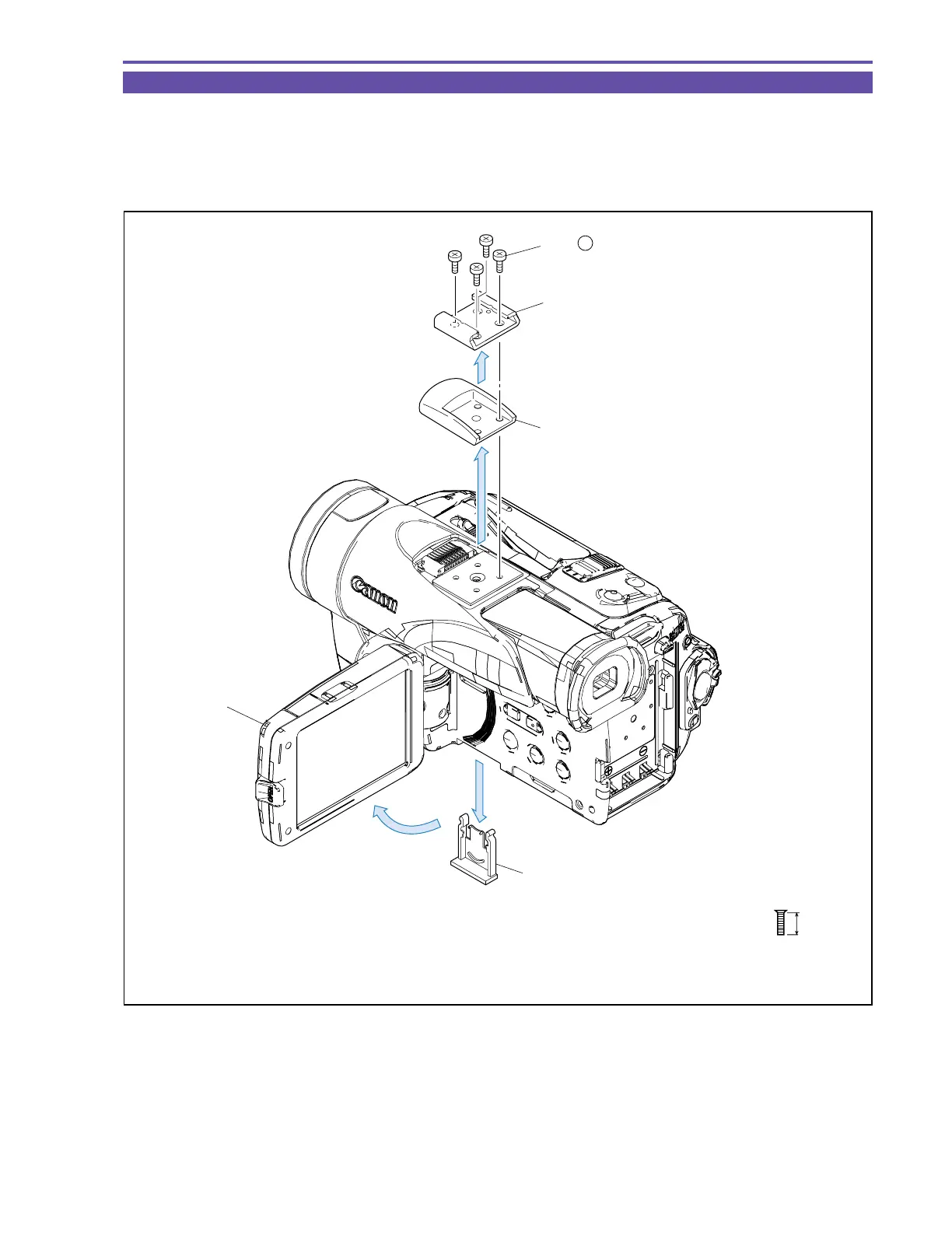
1-2 Separation of Accessory Shoe and LI Battery Holder
(1) Remove four screws (a × 4), and detach the Accessory Shoe.
(2) Open the LCD Unit, and detach the LI Battery Holder.
<Note on Reassembling>
(1) Tighten the four screws (a × 4) on the Accessory Shoe in a diagonal sequence.
Fig. 1
5mm
a
Metal
M1.7
Flat Head Screw
Accessory Shoe
ACC Cover
LCD Unit
LI Battery Holder
(1)
(2)
(2)
(1) - a



 To Next Page