MVX250i E, MVX200i E, MVX200 E
DISASSEMBLING
7
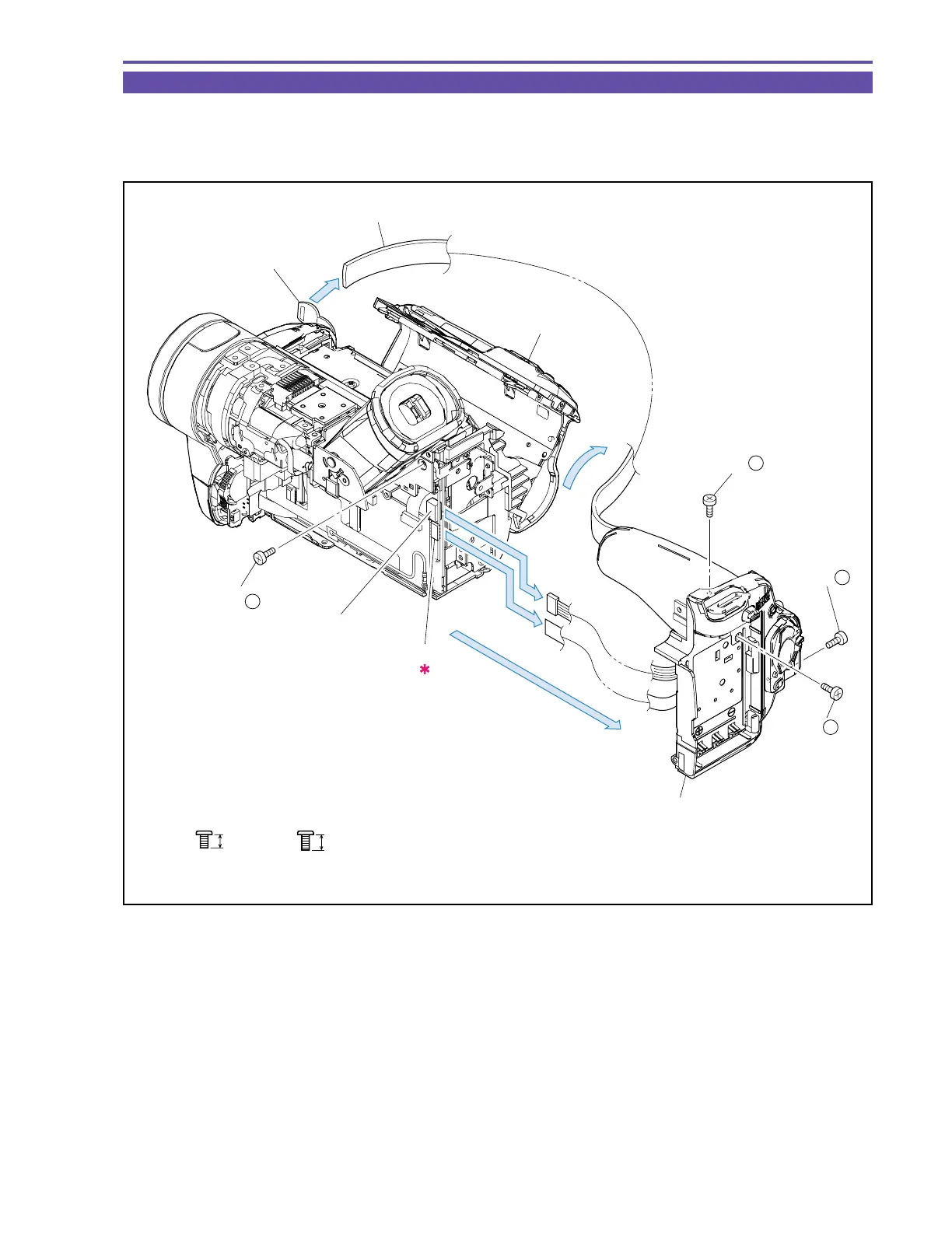
1-5 Separation of Rear Cover Unit
(1) Disengage the Grip Belt from the Grip Hook.
(2) Open the Cassette Cover, and remove four screws (d × 1, h × 3).
(3) Disconnect the CN101 and CN3202, and detach the Rear Cover Unit.
Fig. 4
3mm
Metal
M1.7
d
3.5mm
Metal
M1.7
h
Cassette Cover
Rear Cover Unit
Grip Belt
Grip Hook
CN101
CN3202
(3)
(3)
(3)
(1)
(2)
(2) - d
(2) - h
(2) - h
(2) - h



 To Next Page