MVX250i E, MVX200i E, MVX200 E
SERVICE HINTS
9
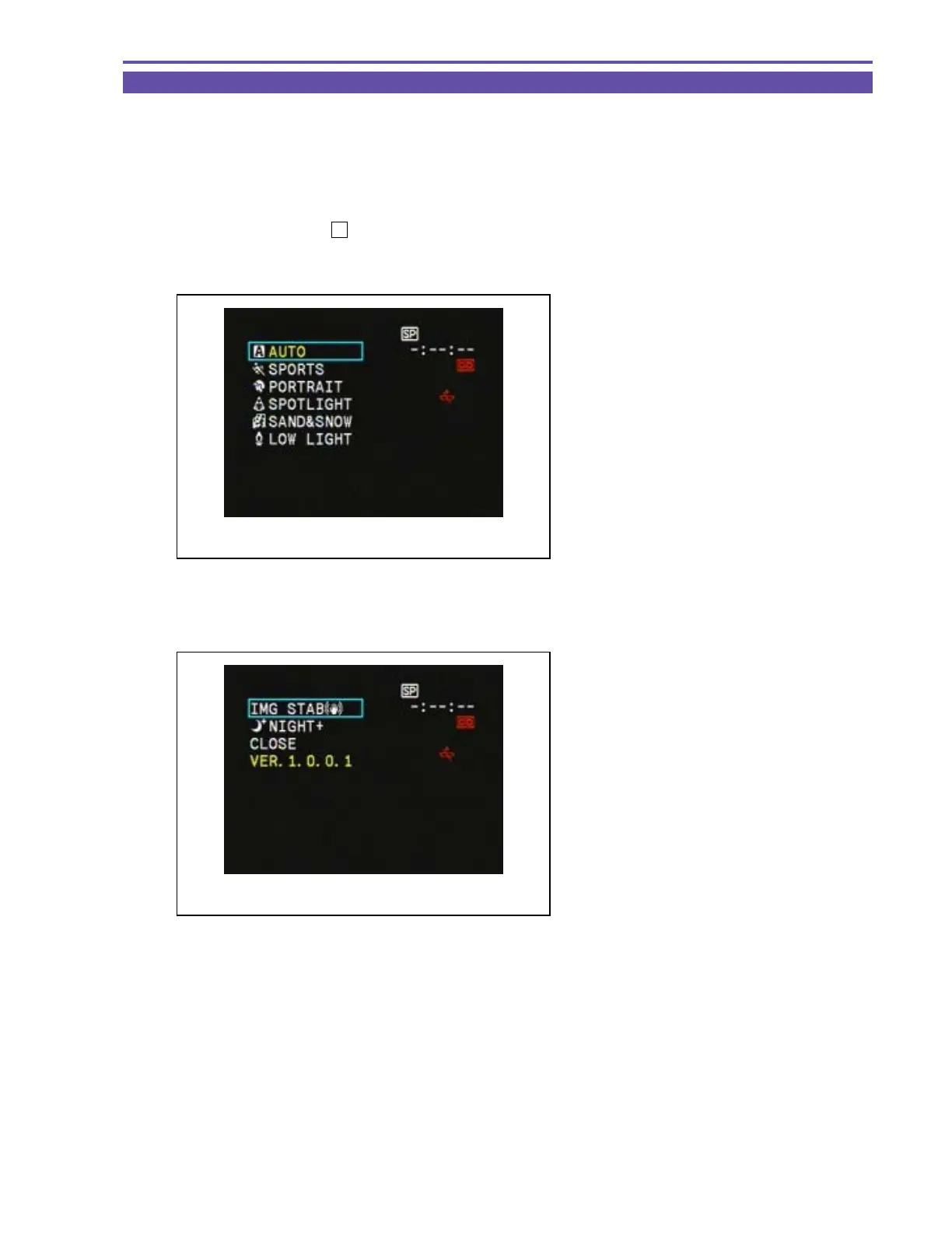
2-5 Short cut demonstration mode
As a function destined to shop salesman, the Image stabilizer and white LED can easily be turned ON/OFF. Also, the screen
indicates the version of firmware.
<Operation procedure>
1. Start the operation in the camera mode or card camera mode, and take out the cassette and memory card.
2.
Set the Program selector to
“
P
”
.
3. While holding down the Select/Set button, press the MENU button for at least two seconds with the P.AE mode selection screen
(Fig. 4) displayed. Release the MENU button only.
4. Releasing the MENU button displays the short cut demonstration screen (Fig. 5).
5. Operate the Selector dial to change different settings.
Note : The magenta indication items cannot be selected.
ex) IS setting in card camera mode.
6. Press the MENU button or select “CLOSE” on the screen to exit.
Fig. 4
P.AE mode selection screen
Fig. 5
Short cut demonstration screen



 To Next Page