MVX250i E, MVX200i E, MVX200 E
DISASSEMBLING
12
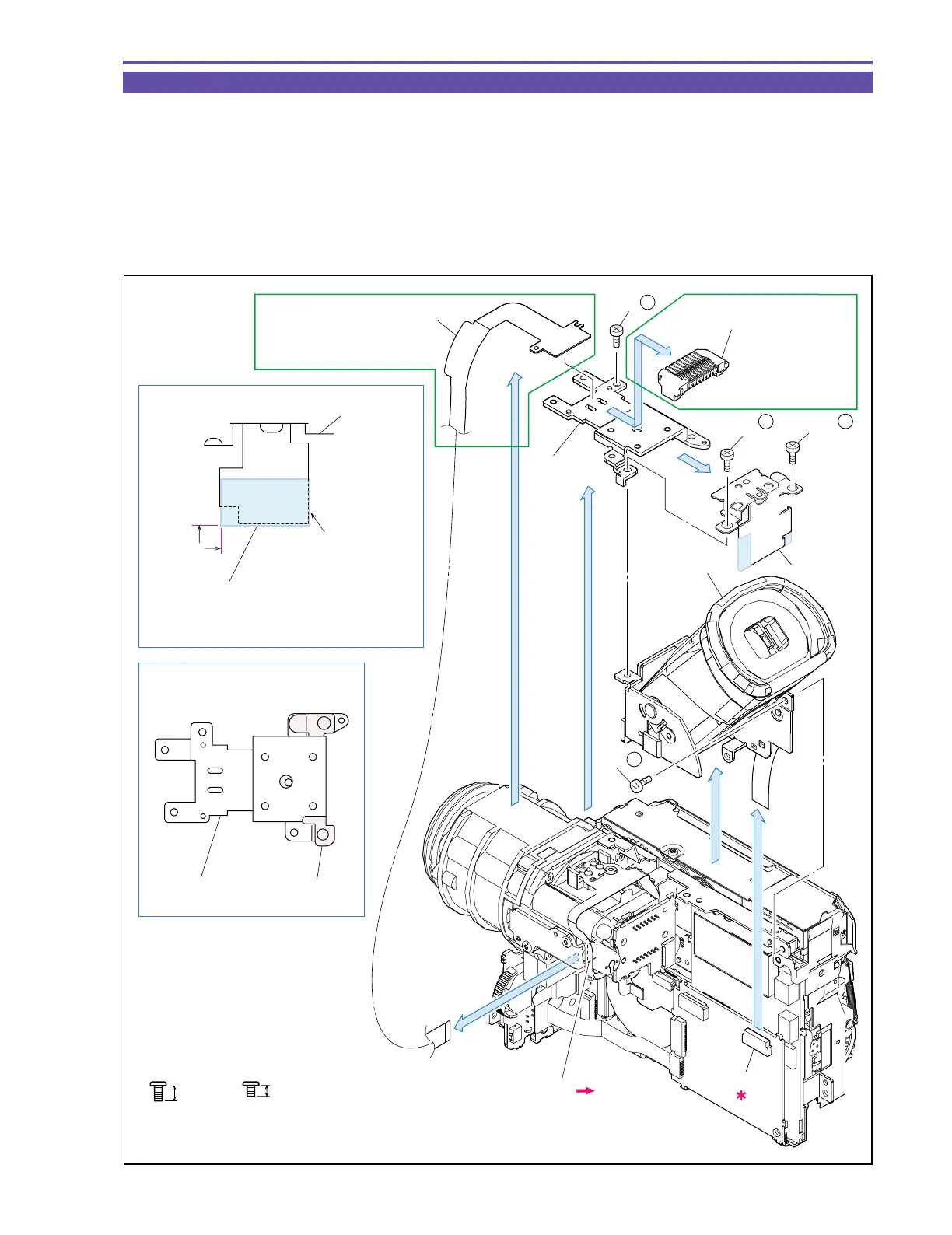
1-9 Separation of CVF Unit
(1) Detach the Shoe Connector Ass’y. (MVX250i E only)
(2) Disconnect the CN891, and detach the ACS-MAIN FPC. (MVX250i E only)
(3) Remove three screws (k × 2, h × 1), and then detach the Shoe Base and GND Plate.
(4) Turn up the CVF Unit, remove one screw (h × 1), disconnect the CN1501, and demount the CVF Unit.
<Note on Reassembling>
(1) Before using a service part of GND Plate, attach the UL Tape to the position indicated in the figure below.
(2) Attach the GND plate to the Shoe Base as illustrated below.
k
2.5mm
Metal
M1.7
3.5mm
Metal
M1.7
h
Note on Reassembling (2)
Note on Reassembling (1)
(2)
(3)
(2)
(3)
(4)
(4)
CVF Unit
Shoe Base
GND Plate
ACS-MAIN FPC
CN891
CN1501
MVX250i E only
(4) - h
GND Plate
Shoe Base
(3) - h
(3) - k
MVX250i E only
GND Plate
A surplus part of the UL
Tape shall be folded
onto the back side.
Attach the UL tape before reassembling.
Attachment
reference
UL Tape (9 × 25)
(1)
Shoe Connector Ass'y
(3) - k
Fig. 9



 To Next Page