MVX250i E, MVX200i E, MVX200 E
GENERAL DESCRIPTION OF PRODUCT
13
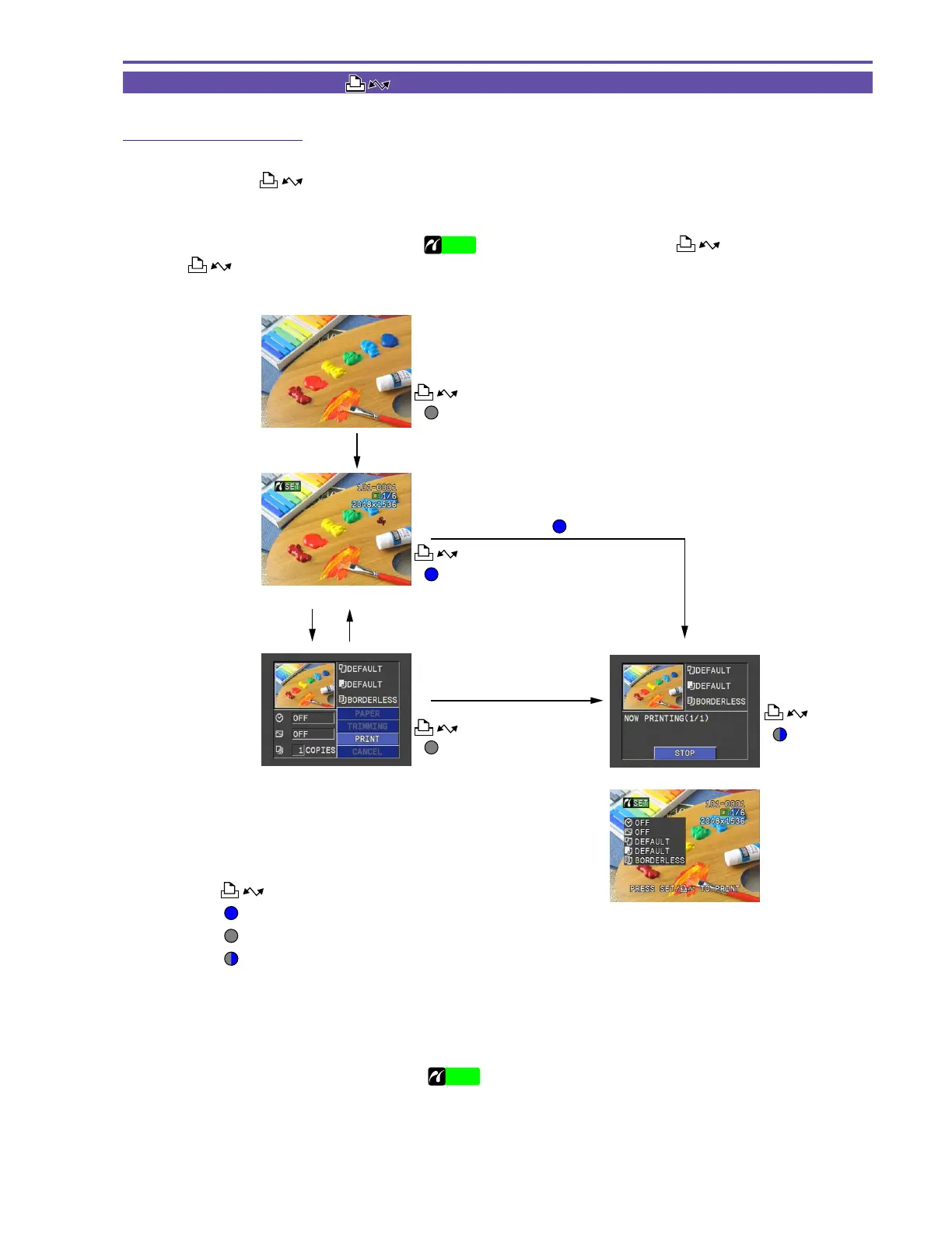
2-3 Easy Direct Button ([ ] Print/Share button)
2-3-1 Direct Print function
The Easy Direct Button enables you to immediately start printing by simply connecting the video camera to a Camera Direct compatible
printer and pressing the
button while it is lit.
(1)Connect the printer, and then turn on the printer.
(2)Set the video camera to Card Playback mode.
(3)Once the connection is made with the printer (
SETUP
or other indicator is displayed), the button lights up blue. Press
the
button to start printing.
Off
(1)
(2)
(3)
Off
On
Direct printer connection
(Press the MENU button)Press the SETUP button
Press the SETUP button
Button lights up : Indicates button operation is possible.
Button operation guide
Button turns off : Indicates button operation is not possible.
Button flashing : Indicates printing is in progress.
Press the button
Flashing
* When still images are displayed for the first time after
connection, the setting status appears over the screen (2)
for six seconds (figure at right).
The procedure for previous models is shown below.
(1)Connect the printer, and then turn on the printer.
(2)Set the video camera to Card Playback mode.
(3)Once the connection is made with the printer (
SETUP
is displayed), press the SETUP button.
(4)This changes to the Print Setting screen. Check that you are ready to start printing, and then press the SETUP button to start
printing.
With the Easy Direct Button, step (3) is eliminated for even easier searching and printing of multiple images.



 To Next Page