MVX250i E, MVX200i E, MVX200 E
DISASSEMBLING
14
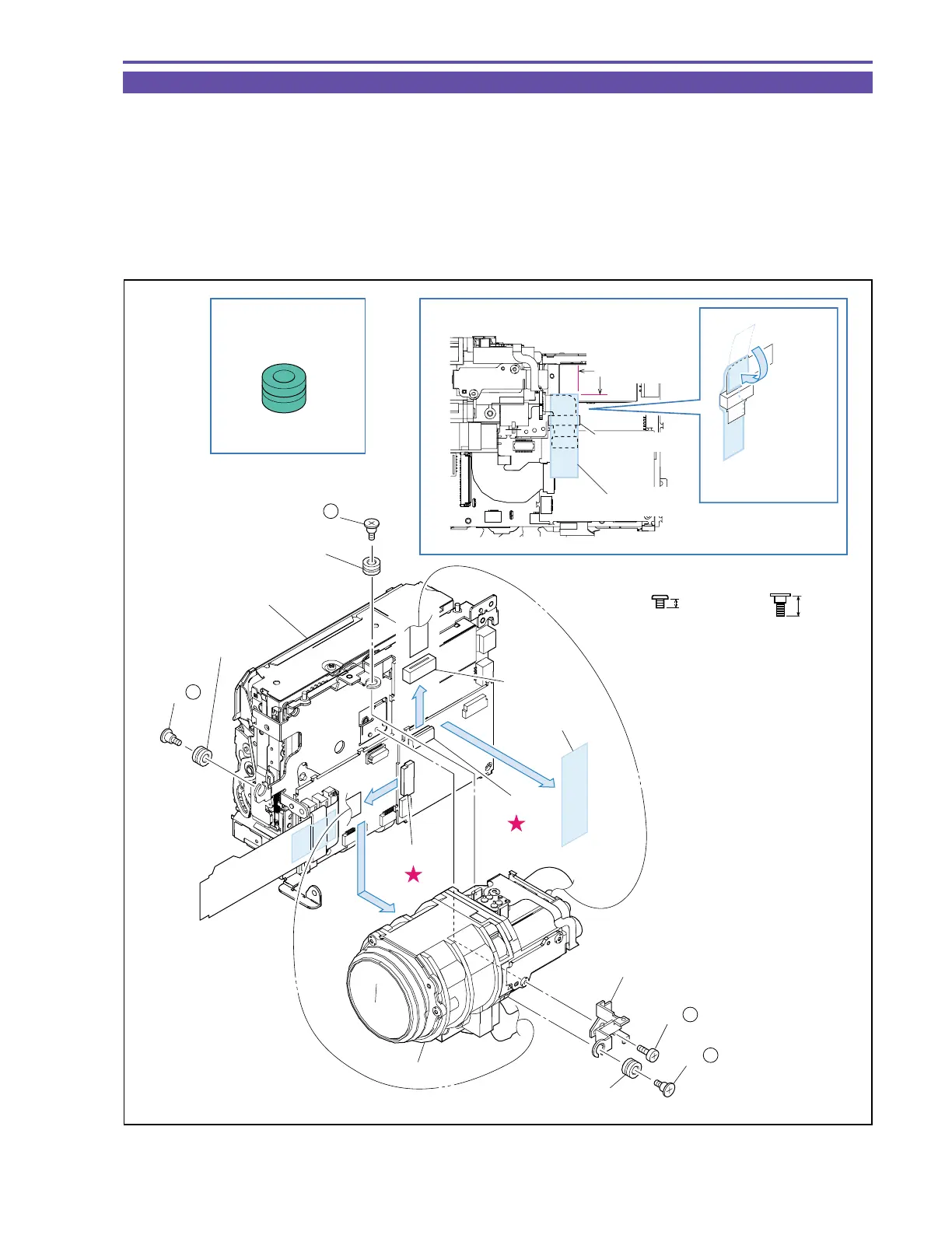
1-11 Separation of Camera Unit
(1) Remove two screws (j × 1, l × 1), and then detach the Sub Holder and Insulation Rubber.
(2) Remove two screws (l × 2), detach the UL Tape, and disconnect the CN1000 and CN1200. Then, detach the Camera Unit, Ferrite
Core, and Insulation Rubber.
<Note on Reassembling>
(1) With the UL Tape, secure the Ferrite Core to the position indicated in the figure below so that it will not be dislocated.
<Instruction for Supply>
Entire surface of Insulation Rubber : Hanal KS-39M (DY9-3053-000)
Fig. 11
l
4.5mm
Metal
M1.7
Steped Screw
Metal
M1.7
2mm
j
Instruction for Supply
Note on Reassembling (1)
Sub Holder
Camera Unit
UL Tape (9 × 30)
UL Tape (9 × 30)
Ferrite Core
Ferrite Core
Insulation Rubber
Insulation Rubber
Insulation Rubber
Recorder Unit
(2)
(2)
(2)
(2)
CN1200
CN1000
Insulation Rubber
Hanal KS-39M
Attachment
reference
Fold the
UL tape.
Rear View
(2) - l
(2) - l
(1) - l
(1) - j



 To Next Page