MVX250i E, MVX200i E, MVX200 E
SERVICE MODE · ADJUSTMENT
6
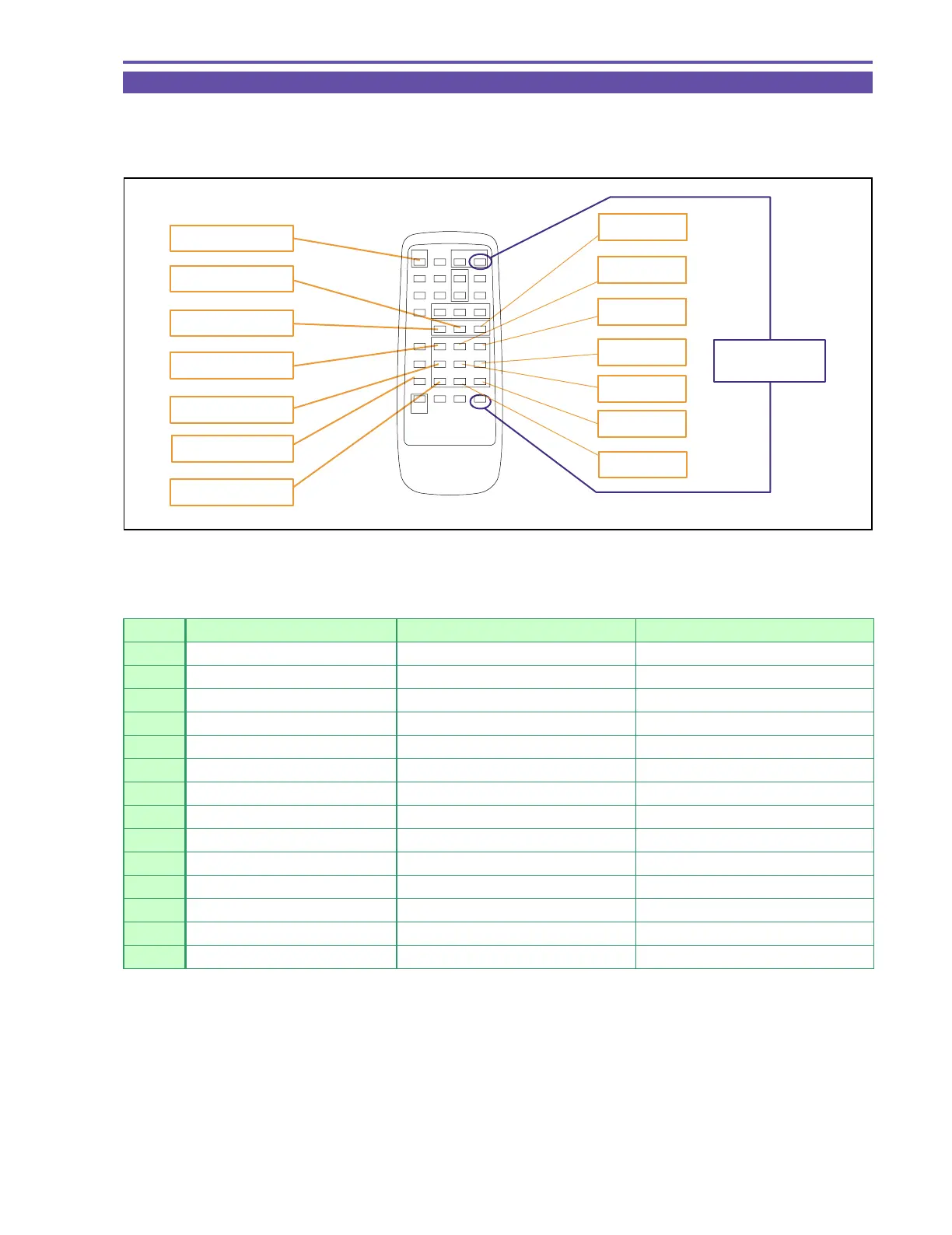
3-3 How to Operate Wireless Remote Controller in Service Mode
(1) To use the wireless remote controller in the service mode, set it at Remote controller code 2.
* To changeover to Remote controller code 2, press the “Remote controller setting” and “Zoom T” keys simulta-
neously for 2 sec.
Fig. 9
3. START/STOP
2. SLOW
1. DUBBING
5. SEARCH -
4. SERCH +
8. FF
11. PLAY
6. FRAME +
14. × 2
12. STOP
10. SERCH SELECT
9. REW
7. FRAME -
13. PAUSE
Remote Controller
Code 2 setting
No. Key Designation (in Normal Mode) Key Designation (in Service Mode) Function
1 DUBBING SERVICE MODE Change over to service mode
2 SLOW NORMAL MODE Change over to normal mode
3 START/STOP CS+ Increases CS by 1.
4 SEA RCH + FUNCTION + Inc r eas es FUNCTION by 1.
5 SEA RCH - FUNCTION - Dec r eas es FUNCTION by 1.
6 FRA ME + HIGH A DDRESS + Inc r eas es HIGH ADDRESS by 1.
7 FRA ME - HIGH A DDRESS - Dec r eas es HIGH A DDRESS by 1.
8 FF A DDRESS + Inc r eas es A DDRESS by 1.
9 REW A DDRESS - Dec r eas es A DDRESS by 1.
10 SEA RCH SELECT MODE SELECT Change ov er to RD/WR mode
11 PLAY DATA + Increases DATA by 1.
12 STOP DATA - Decreases DATA by 1.
13 PA USE STORE Def in es / w r ite s DA TA .
14
㬍
2 EJECT Per f or ms EJECT.



 To Next Page