MVX250i E, MVX200i E, MVX200 E
GENERAL DESCRIPTION OF PRODUCT
36
MENU INDICATION PAL MODEL REMARKS
Camera mode
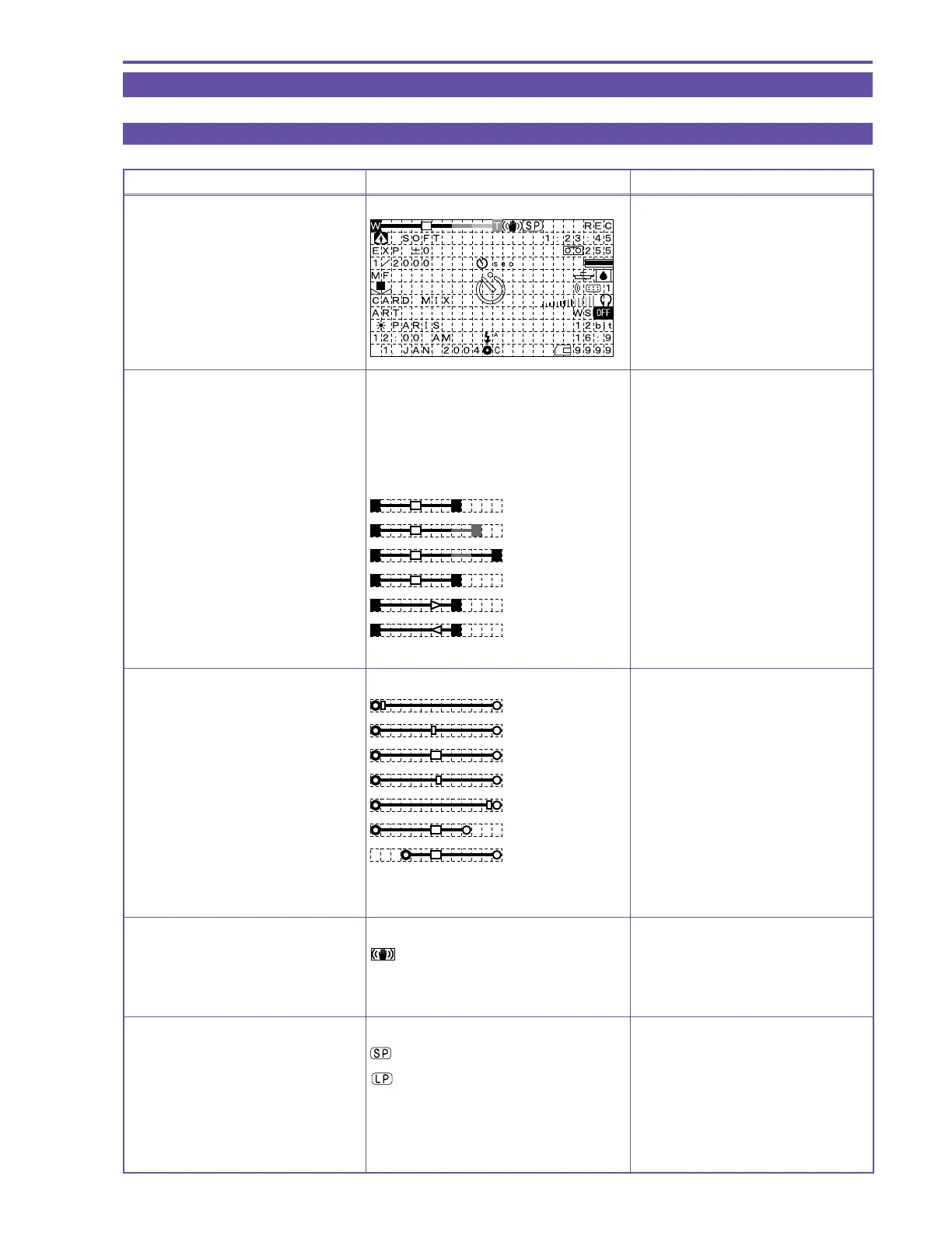
Zoom / Exposure correction
bar display
(displayed for approx.
four seconds after zoom operation)
Zoom bar display
Optical Zoom
WT
72× digital zoom
WT
MVX200i E, MVX200 E : 56×
360× digital zoom
WT
MVX200i E, MVX200 E : 280×
Zooming is stopped
WT
Zooming to telephoto end
WT
Zooming to wide end
WT
Exposure correction bar display
Minimum correction : -11 level
Correction default setting
Maximum correction : +11 level
Displayed by correctable range
During Full Auto No display
Image stabilizer display
The image stabilizer is ON
The image stabilizer is OFF No display
Recording mode display
SP recording
LP recording
5. Overview of viewfinder / LCD panel displays
5-1 Camera mode



 To Next Page