MVX250i E, MVX200i E, MVX200 E
GENERAL DESCRIPTION OF PRODUCT
1
1. Product Overview
1-1 Main Features
1-1-1 Easy Direct Button
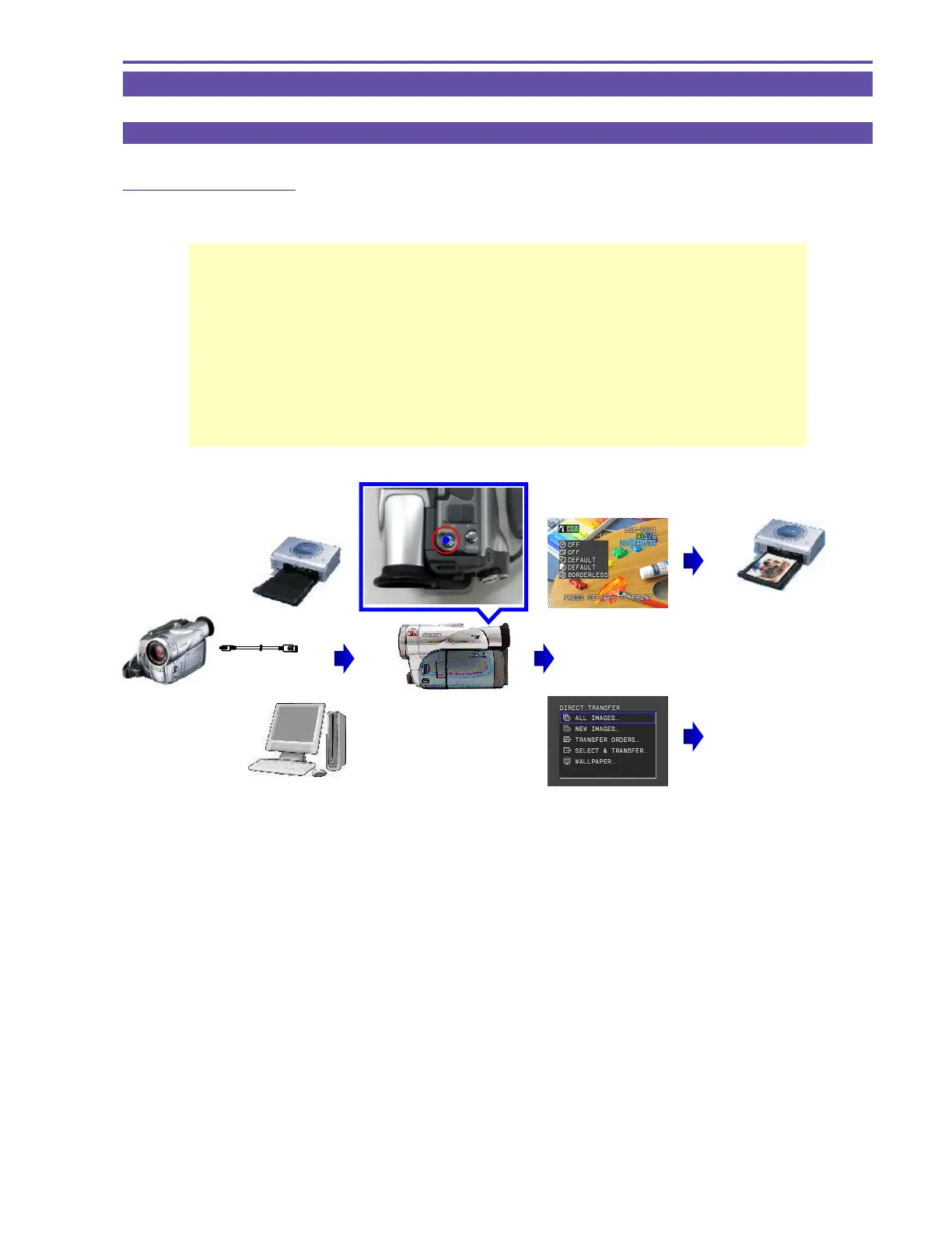
Easy Direct Button
(Print/Share Button)
Enables Easy Printing and PC File Transfer
The button turns on when the camcorder is connected to a printer or PC
The light turns on to indicate the button to press next for easy operation
Printer
PC
Connection to
Printer / PC
Lights up!
Visually check that
the camcorder is con-
nected correctly
Print setup information is
displayed for 6 seconds
Pressing the Direct button
starts printing
Pressing the Direct button
starts file transfer to PC
The Transfer menu is
displayed



 To Next Page