MVX250i E, MVX200i E, MVX200 E
DISASSEMBLING
31
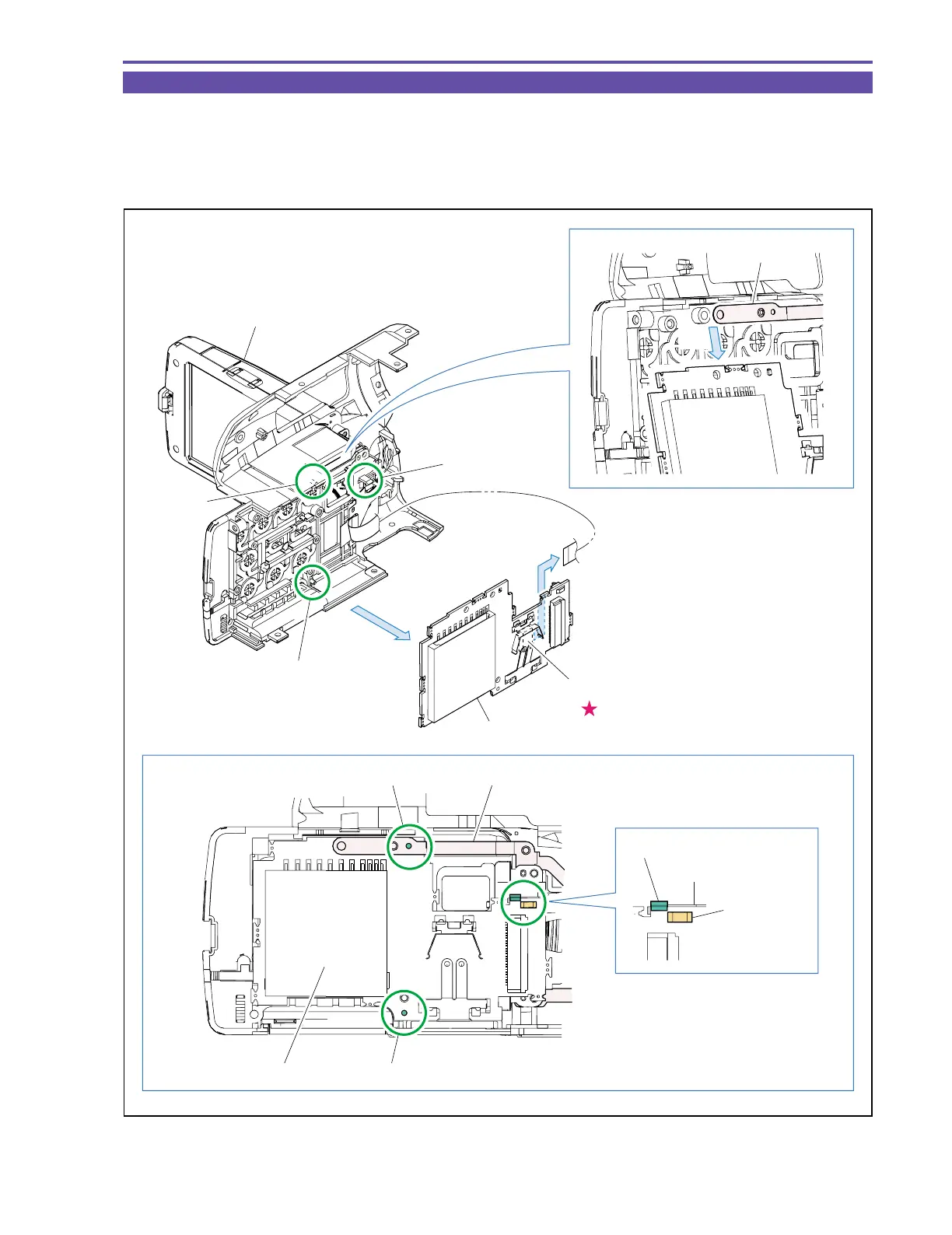
1-22 Disassembly of R-LCD Unit - 2
(1) While being free from the GND Plate, disengage the dowels A and B and the claw C. Then, disconnect the CN102, and detach the
KEY P.C.B.
<Note on Reassembling>
(1) With the LCD Unit open, attach the KEY P.C.B. to the dowels A and B and the claw C. (Take care not to damage the Switch part.)
Fig. 28
Note on Reassembling (1)
KEY P.C.B.
KEY P.C.B.
KEY P.C.B.
LCD Unit
GND Plate
CN102
(1)
Dowel A
Dowel A
Dowel B
GND Plate
Switch part
Claw C
Claw C
Dowel B
(1)



 To Next Page