MVX250i E, MVX200i E, MVX200 E
GENERAL DESCRIPTION OF PRODUCT
48
MENU INDICATION PAL MODEL REMARKS
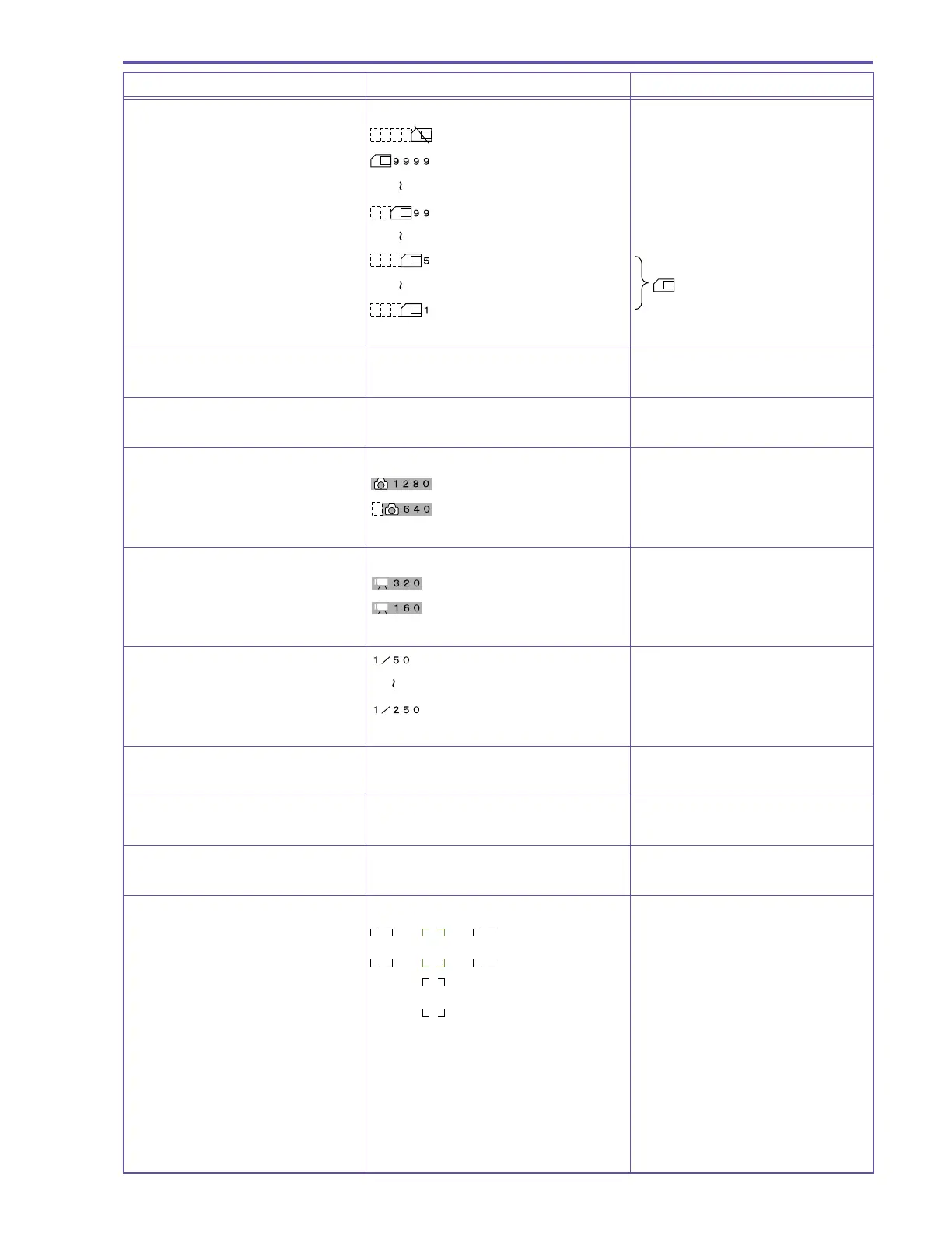
Card remaining display
No card (flashes red)
9999 or more images can be recorded
99 images can be recorded
5 images can be recorded
Yellow display
1 image scan be recorded
EXP lock display Same as during Camera/Tape mode
Self-timer display Same as during Camera mode
Still image size display
1280 × 768 is selected
640 × 480 is selected
Motion video size display
320 × 240 is selected
160 × 120 is selected
Shutter speed display
Focus mode display Same as during Camera mode
Remaining battery level display Same as during Camera mode
White balance display Same as during Camera mode
AF frame display
AF priority
Center only during green mode
After three seconds, the green display
section only appears white.



 To Next Page