SECTION 4 - ELECTRICAL SYSTEM SERVICE
page 4-9
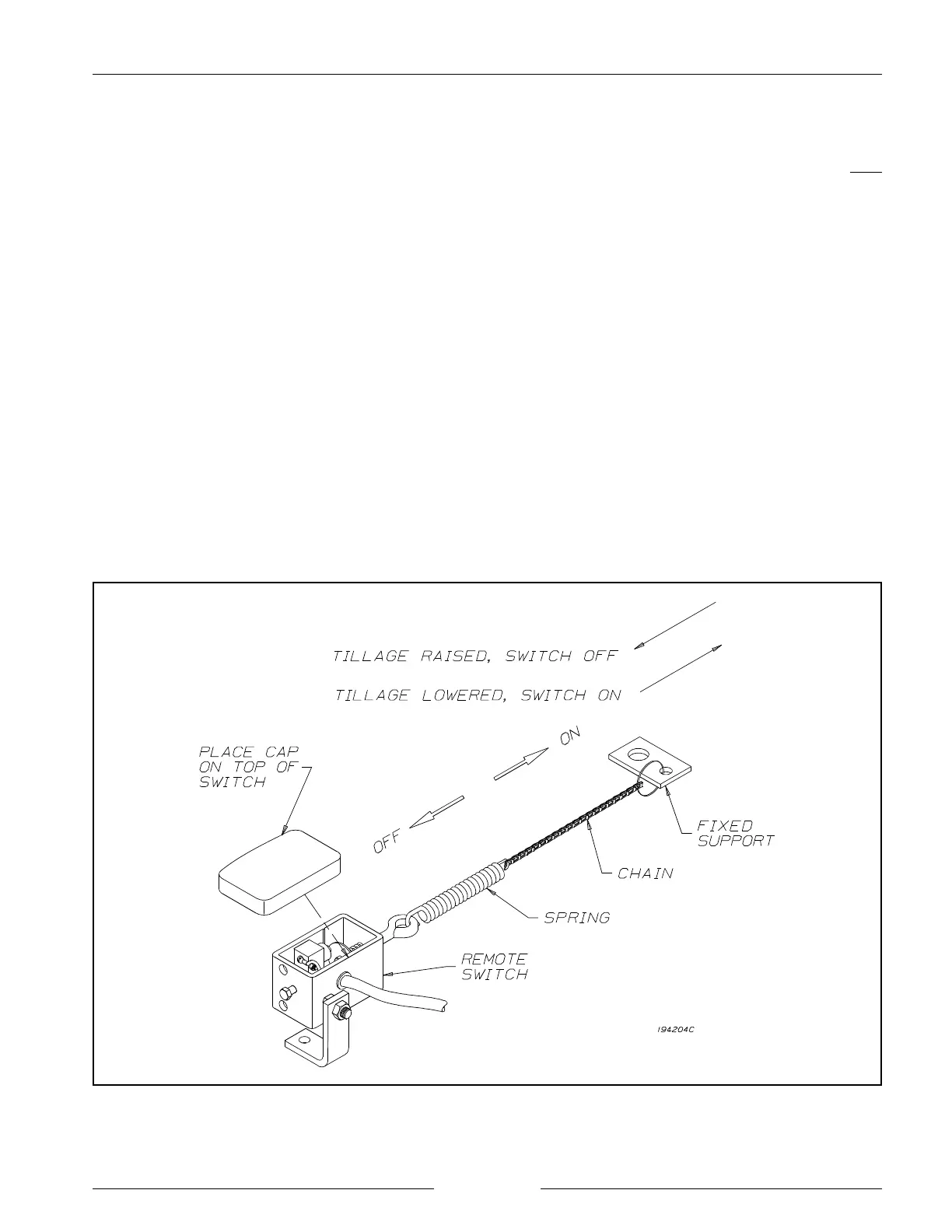
Operating Positions of the Remote Switch
REMOTE SWITCH ADJUSTMENTS
- Lower the seeding tool until the ground openers are
resting on the ground.
- Position the switch so that it is aligned with the fixed
support and tighten in place.
- Adjust the length of chain between the switch and the
fixed support so that the switch is pulled by the chain
just enough to cause switching to occur.
- Press the black polyurethane cap onto the top of the
switch housing to prevent debris from entering.
- Operate the seeding tool to check that the switch
functions properly.
NOTE: Adjust the length of the chain so that:
- the switch closes as the seeding tool is
lowered into working position.
- the switch opens as the seeding tool is
raised out of working position.
NOTE: The spring mounted to the fixed support must
be in place to allow for over-extension as the
seeding tool is lowered further into the ground.


 To Next Page