SECTION 5 - OPENER SERVICE
page 5-7
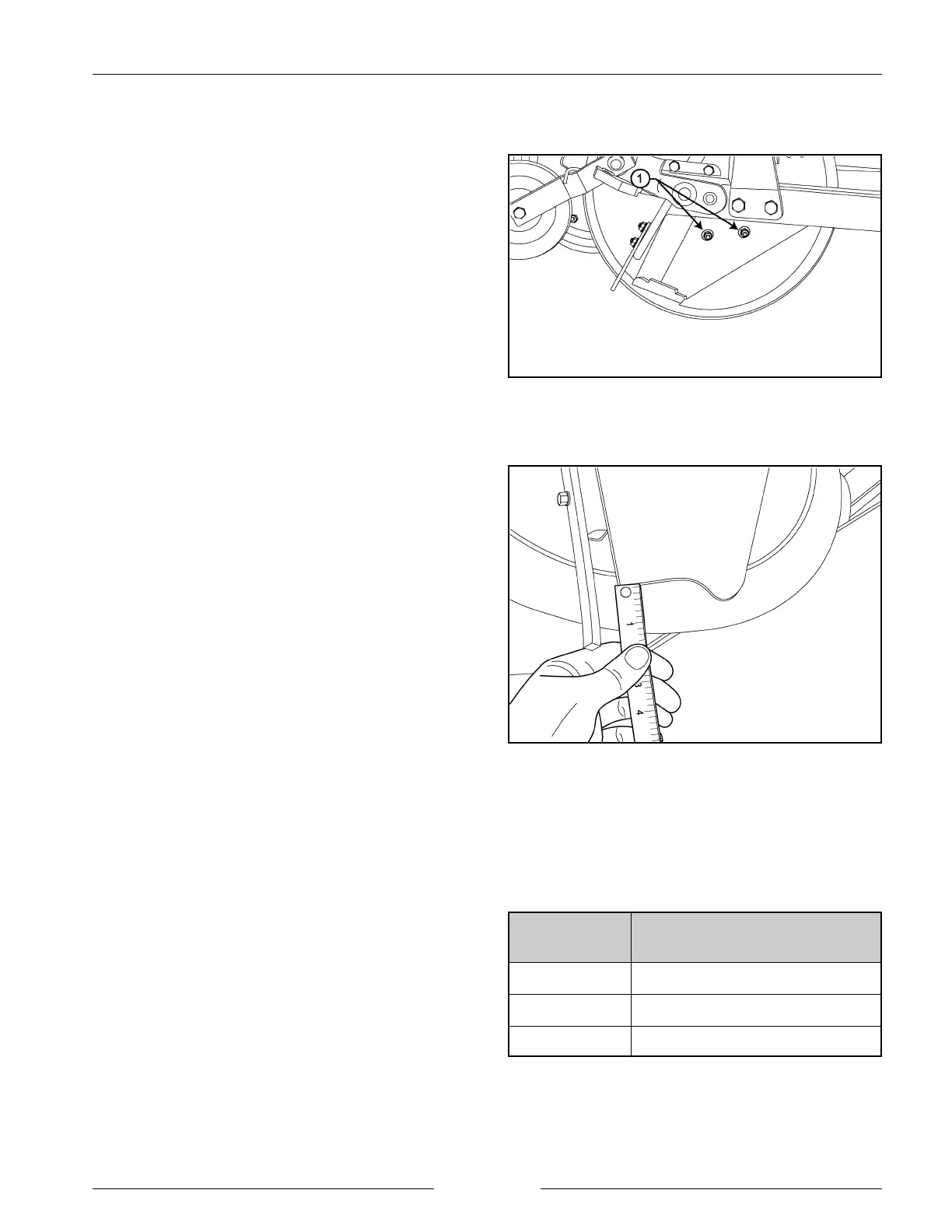
Tighten Scraper Nuts
202179M1
Check for Scraper Wear
202297S
SCRAPER ADJUSTMENTS
The scraper creates the opposite side of the seed trench to
the disk. The scraper is designed to be self-aligning, using
a spring behind the scraper to maintain contact between the
scraper and the disk.
1. The entire leading edge of the scraper should be in
contact with the disk.
- If it is not, adjust the tightness of the nuts holding
the scraper to the opener. DO NOT OVER-
TIGHTEN. Tighten the nuts until the bottom edge
of the scraper can be able to be pulled away from
the disk approximately 13 mm (1/2”).
2. When the bottom edge of the scraper has worn more
than 32 mm (1 1/4") above the bottom of the disk, the
scraper should be replaced.
NOTE: The scraper may wear at a different rate than
the disk blade.
- The maximum wear on the disk blade is 19
mm (3/4”) from the radius before replacement
is necessary.
- If scrapers are replaced prior to replacing disk
blades, a dimension less than 19 mm (3/4”)
may exist between the bottom of the scraper
and the cutting edge of the disk blade.
However, the scraper should not extend below
the disk blade.
- Therefore, if the distance from the bottom of
the new scraper to the cutting edge of the used
blade is less than 6 mm (1/4”), the disk blades
should also be replaced.
SCRAPER
CONDITION
MEASUREMENT*
NEW 19 mm (3/4”)
ACCEPTABLE 25 mm (1”)
REPLACE 32 mm (1 1/4")
* From bottom of trailing edge of scraper to cutting edge.


 To Next Page