SECTION 4 - ELECTRICAL SYSTEM SERVICE
page 4-18
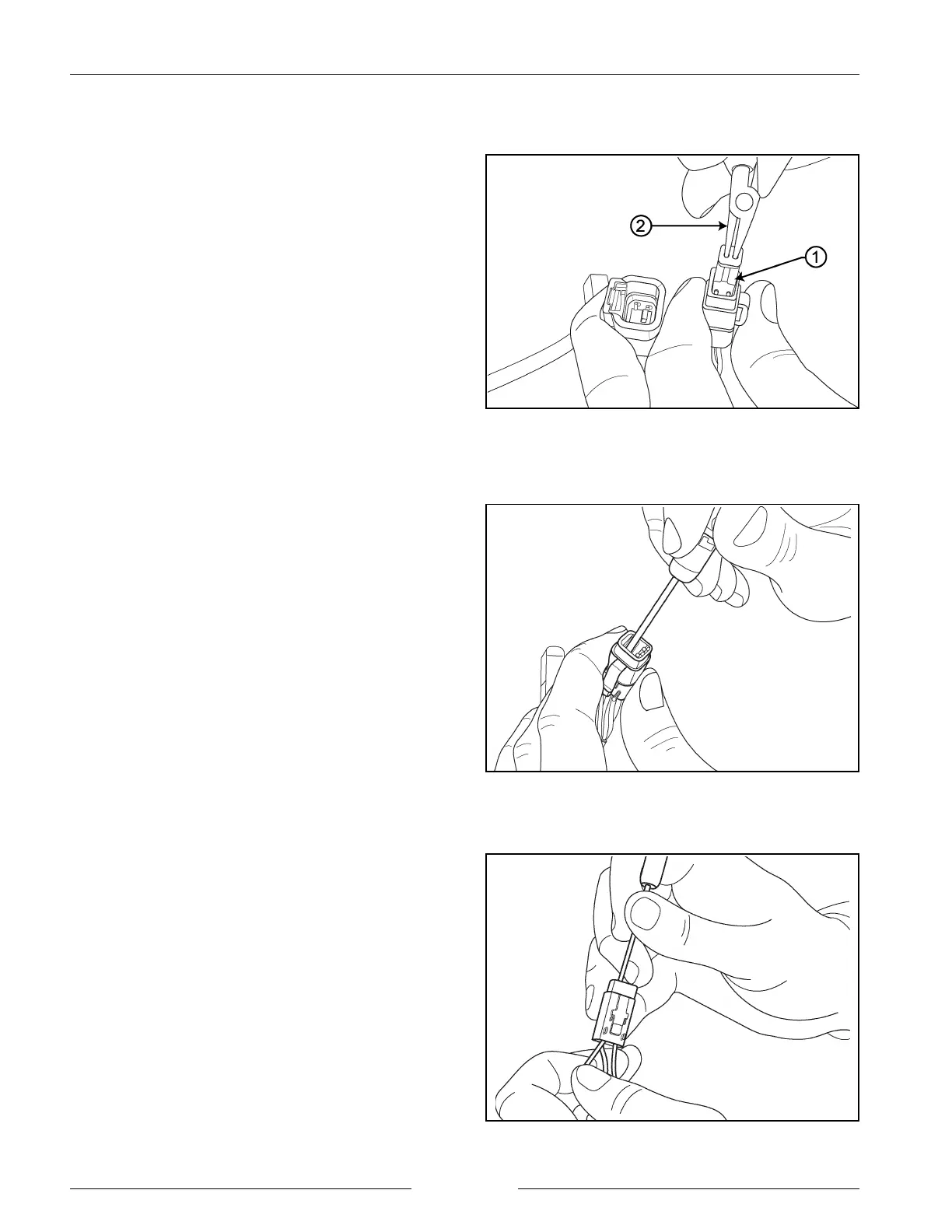
Remove the Receptacle
902018M2
Release Locking Finger
902020S
Remove Contact and Secure Rear Seal
902021S
CONTACT REMOVAL (DTM SERIES)
1. Remove orange wedge receptacle (1) using needle
nose pliers (2) to pull the wedge straight out.
2. To remove the contacts, gently pull wire backwards,
while at the same time releasing the locking finger by
moving it away from the contact with a screwdriver.
3. Hold the rear seal in place when removing the contact,
as withdrawing the contact will displace the seal.


 To Next Page