SECTION 4 - ELECTRICAL SYSTEM SERVICE
page 4-16
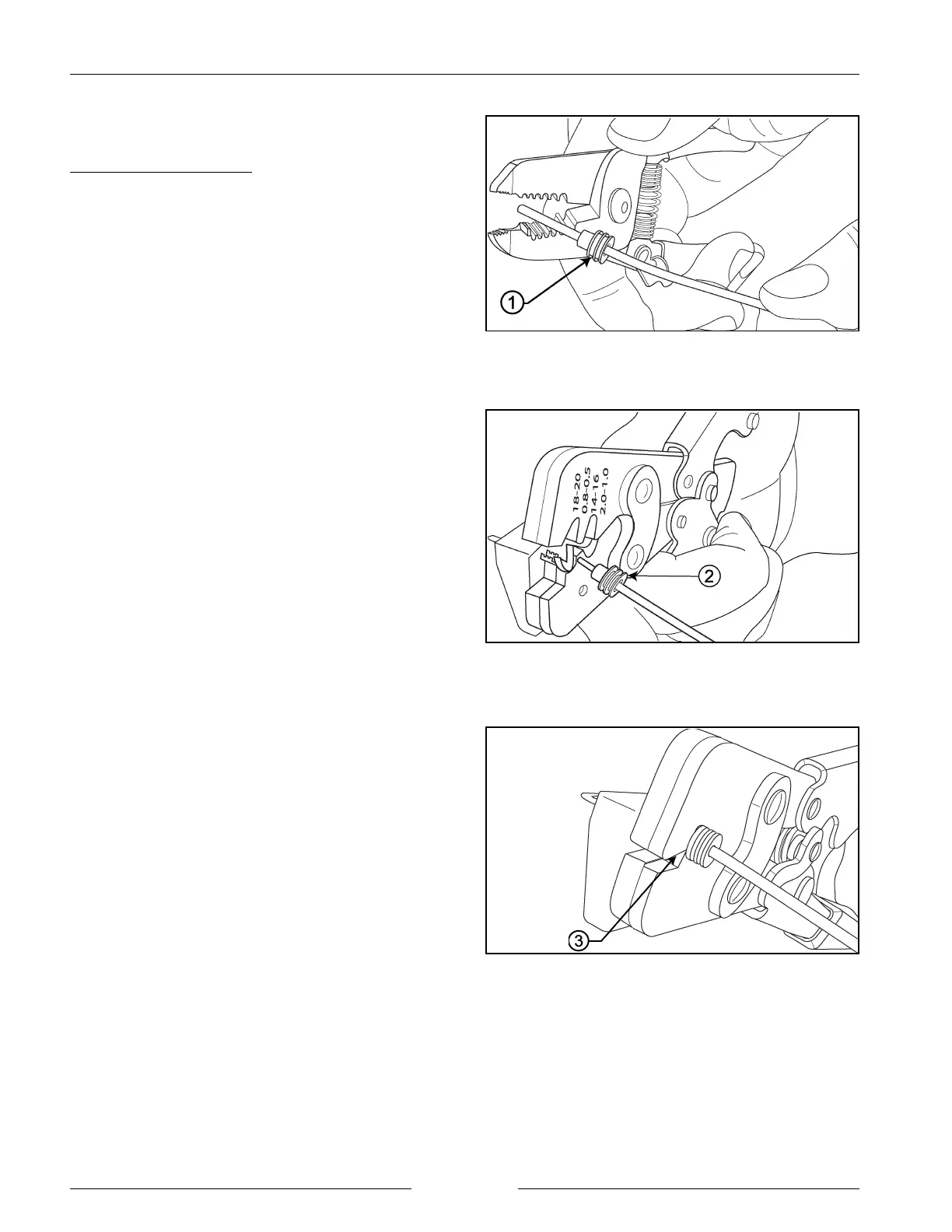
Insert New Seal and Remove Insulation
902014M1
Terminal Alignment in Crimping Tool
902015M1
Crimp the Connection
902016M1
TERMINAL REPLACEMENT (WEATHER PACK)
Crimp Tool - Weather Pack
(Crimp Tool 14623, Pioneer Packard P/N 12085115).
This tool is designed for crimping male and female
weather pack terminals to 14, 16, 18 and 20 gauge wires (2
mm - 5 mm).
1. Cut off existing terminal and remove old seal.
2. Apply new seal (1) and remove insulation from the
wire.
IMPORTANT: Do not cut strands.
3. Align seal with cable insulation (2).
NOTE: Compress handles on the crimping tool until
ratchet automatically opens.
4. Insert terminal into terminal holder until the insulation
wings are flush with anvil on crimp tool. Be sure the
core wings and the insulator wings of the terminal are
pointed towards the smooth concave side opposite the
anvil of the crimping jaws.
5. Position the seal on the cable and insert strip into
terminal until the first rib of the seal (3) is flush against
tool.
6. Cradle one handle on the tool on the work surface so
that the operator grasps and actuates only one handle
of the tool. For faster and more efficient operation, the
anvil should be on the bottom and former side should
be on the top.
7. Compress the handles until ratchet automatically
releases and production crimp is complete. (Caution
should be taken not to crimp the first rib seal.)
8. If jam occurs, pull emergency release level to open
applicator. See step 10 figure on following page.


 To Next Page