Configuring VLAN Settings Chapter 8
FA4800 User Manual Release 1.9.40 8-6
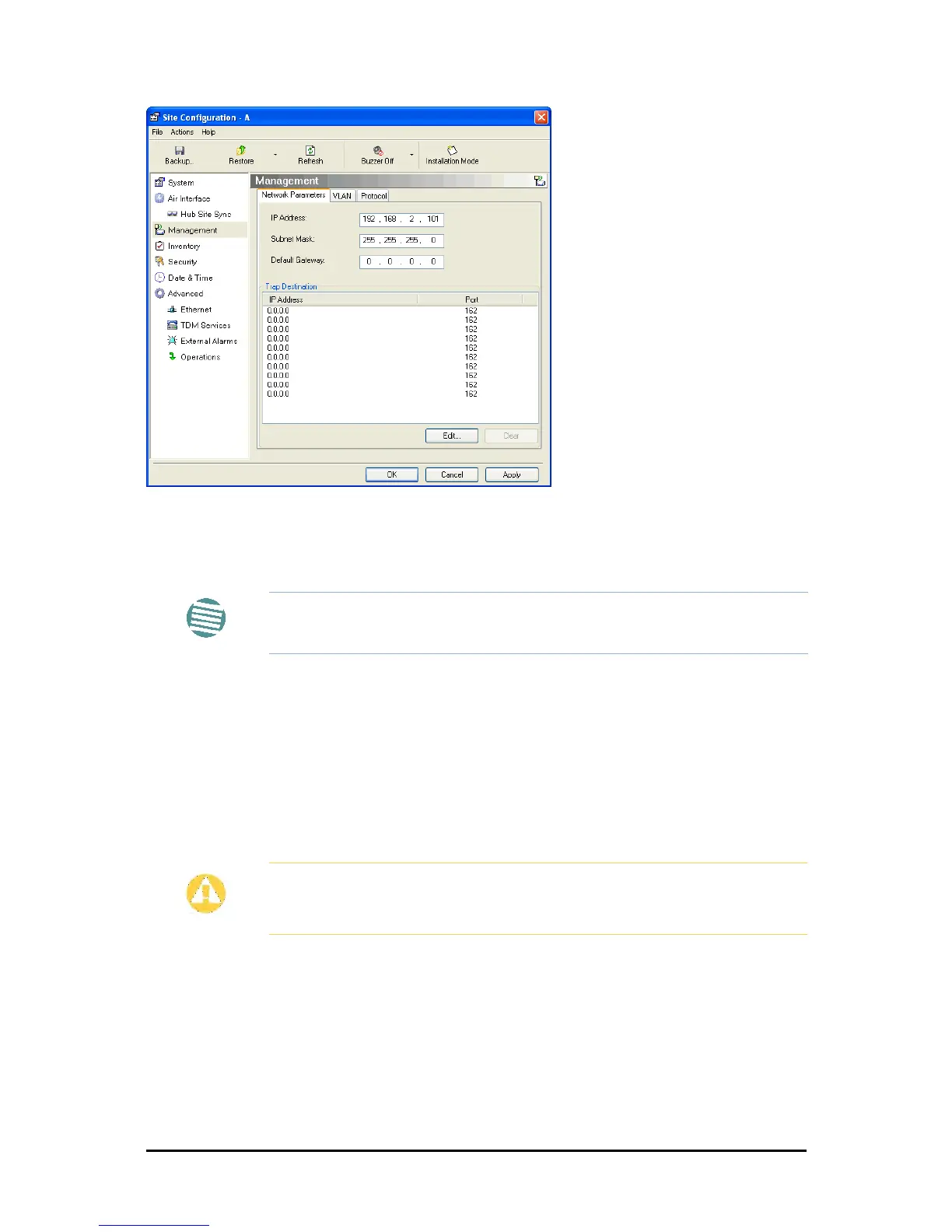
Figure 8-4: Management Addresses - Site Configuration dialog box
4. Choose Management.
5. Enter the IP address of the ODU in the IP Address field.
6. Enter the Subnet Mask.
7. Enter the Default Gateway.
8. Enter the Trap Destination. This could be the IP address of the managing computer.
The events log will be stored at this address.
9. Click Apply to save the changes.
Configuring VLAN Settings
VLAN Management enables separation of user traffic from management traffic whenever such
separation is required. It is recommended that both sides of the link be configured with differ-
ent VLAN IDs for management traffic. (This reduces your chances of accidentally locking
yourself out of the link.)
Note
If performing configuration from the FibeAir2000 Manager, the IP address is
that entered from the Login window.
Caution
VLAN IDs are used by Ceragon products in three separate contexts:
Management VLAN, Traffic VLAN and Ethernet Ring. It is recommended that
you use different VLAN IDs for each context.



 To Next Page