Setting the Date and Time Chapter 8
FA4800 User Manual Release 1.9.40 8-14
manual setting is not recommended since it will be overridden by a reset, power up, or syn-
chronization with an NTP Server.
To set the date and time:
1. Determine the IP address of the NTP server to be used.
2. Test it for connectivity using the command (Windows XP), for example:
w32tm /stripchart /computer:216.218.192.202
You should get a continuous response of times, each a few seconds apart.
3. Choose a site to configure.
The Configuration dialog box opens.
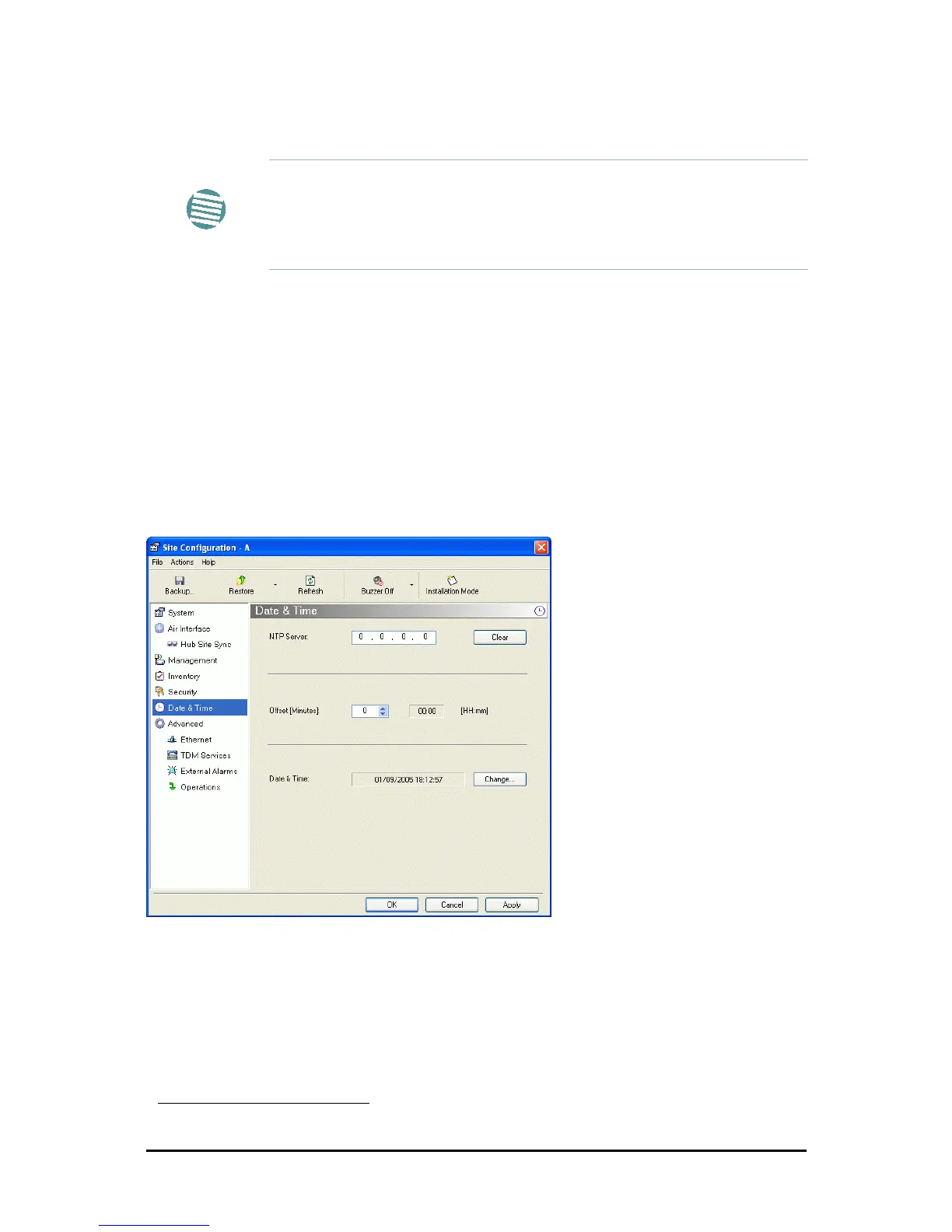
4. Choose Date & Time:
Figure 8-11: Date and Time Configuration
5. If entering an IP address for the NTP Server, click Clear, and then enter the new
address.
6. Set your site Offset value in minutes ahead or behind GMT
1
.
7. To manually set the date and time, click Change and edit the new values.
Note
The NTP uses UDP port 123. If a firewall is configured between the ODU
and the NTP Server this port must be opened.
It can take up to 8 minutes for the NTP to synchronize the ODU date and
time.
1. Greenwich Mean Time



 To Next Page